How to Access and Use Google Gemini API Key (original) (raw)
Last Updated : 15 Apr, 2026
In today's world artificial intelligence (AI) is changing the way technology is used. The Google Gemini API is a widely used tool that can help create smart applications like chatbots, content generators and many more.
How to Get Your Google Gemini API Key
Step 1: Open Google AI Studio
- Visit Google AI Studio in your browser.
- Log in using your Google Account credentials.
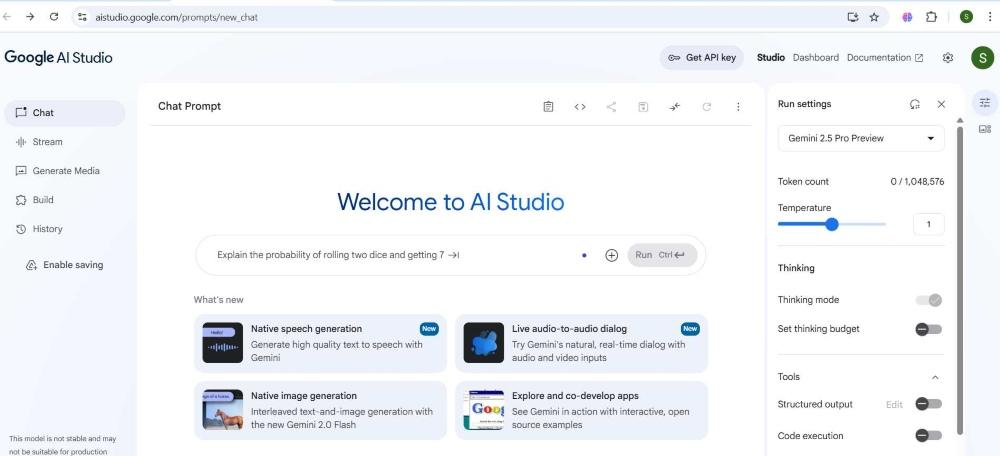
Visit the home page
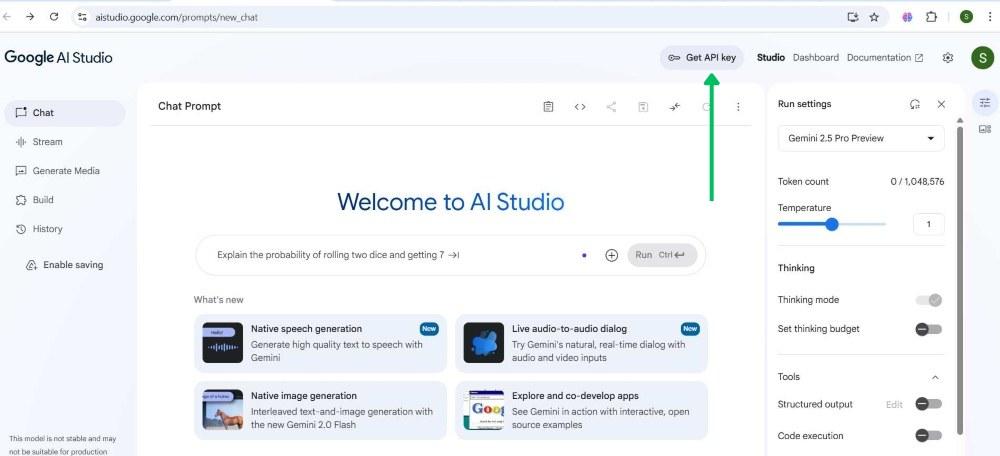
Step 2: Click on "Get API Key"
On the top-right corner, click on “Get API Key”.
Step 3: Click on "Create API Key"
- After clicking "Get API Key" you'll see a button "Create API Key".
- Click on "Create API Key" to proceed.
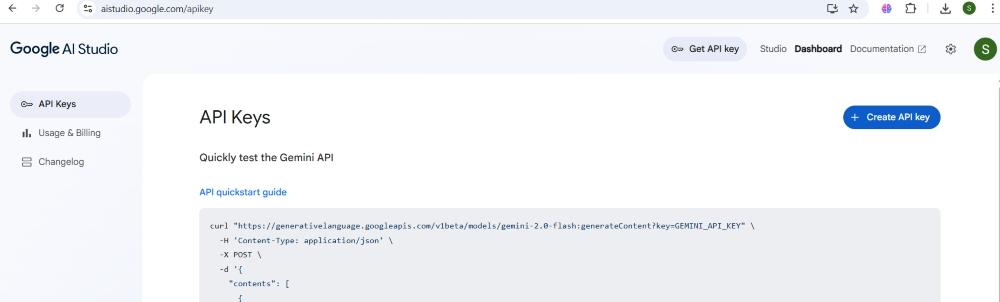
Create API Key
Step 4: Select Google Cloud Project
Select an existing Google Cloud project or create a new one when prompted.
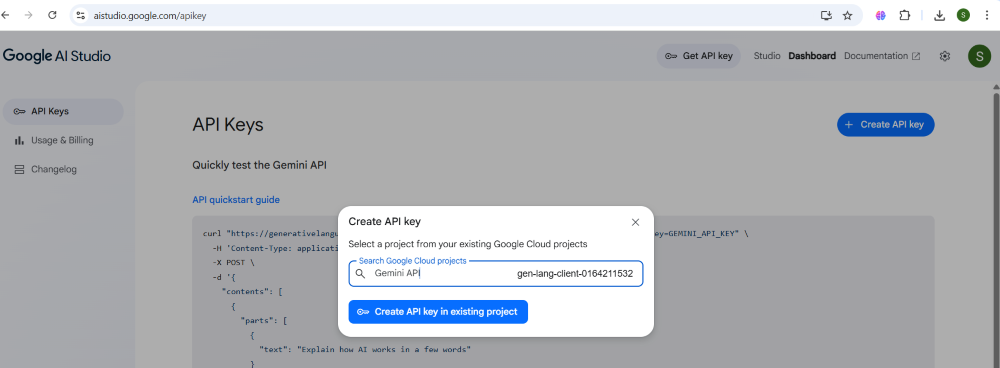
Choose a Project
Step 5: Generate and Copy API Key
- Once you select or create the project, your Gemini API Key will be generated.
- Copy the API key and store it securely for your usage.

Copy the API
Chatbot using Gemini API key
Let's build a simple chatbot using the Gemini API key integration,
Step 1: Install the Gemini Python SDK
We need to install the official Google Generative AI SDK which is needed to interact with Gemini Models.
Python `
!pip install google-generativeai
`
Step 2: Set up the API Key and Initialize Gemini
Here we need to mention our API Key.
- Import the SDK.
- Store our API key as a string.
- Use genai.configure to authenticate our requests with Gemini. Without this, API calls will fail. Python `
import google.generativeai as genai
API_KEY = 'your_api_key_here' genai.configure(api_key=API_KEY)
`
Step 3: Create the Model Instance
- This sets up an instance of the Gemini model by specifying its name.
- 'gemini-1.5-flash' is a fast, general-purpose language model suitable for chatbot tasks. Python `
model = genai.GenerativeModel('gemini-1.5-flash')
`
Step 4: Build the Chatbot
We build a basic chatbot using the gemini API,
- The chat_with_bot function sends our prompt to the Gemini model and returns a response for easier.
- The loop continues to prompt the user for input, sends input to the bot and prints the reply, until 'exit' is typed. Python `
def chat_with_bot(prompt): response = model.generate_content(prompt) return response.text.strip()
print("Welcome to Gemini Chatbot! Type 'exit' to quit.\n") while True: user = input("You: ") if user.strip().lower() == 'exit': print("Chatbot: Goodbye!") break bot = chat_with_bot(user) print("Chatbot:", bot)
`
**Output:
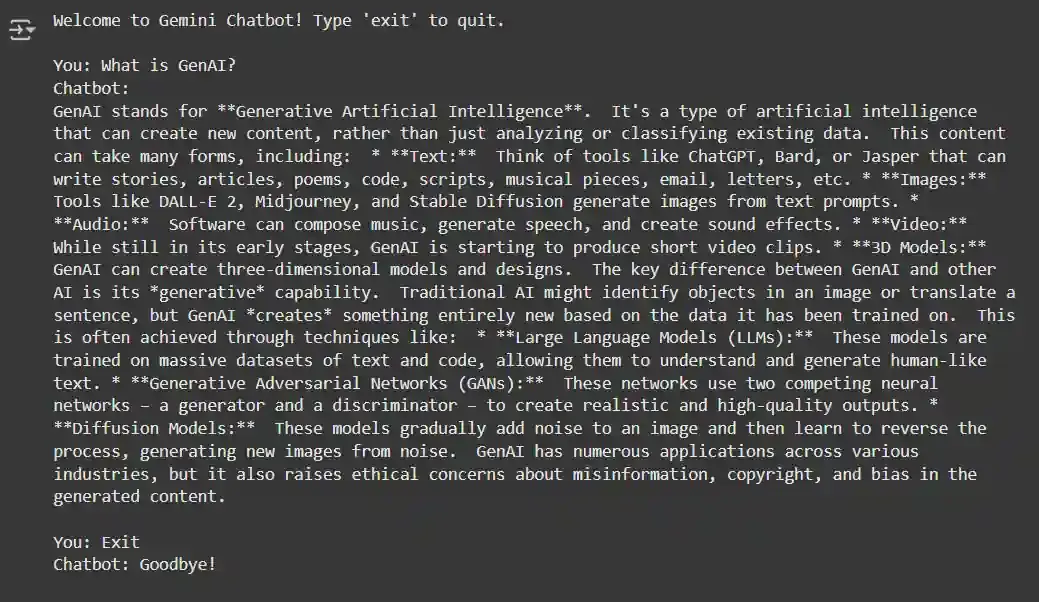
Output Generated by ChatBot