Object Detection with Hugging Face (original) (raw)
Last Updated : 28 Mar, 2026
Object detection using models from Hugging Face enables developers to identify and locate objects within images by drawing bounding boxes and assigning labels. With pretrained transformer and vision models, it becomes easy to build computer vision applications without training models from scratch.
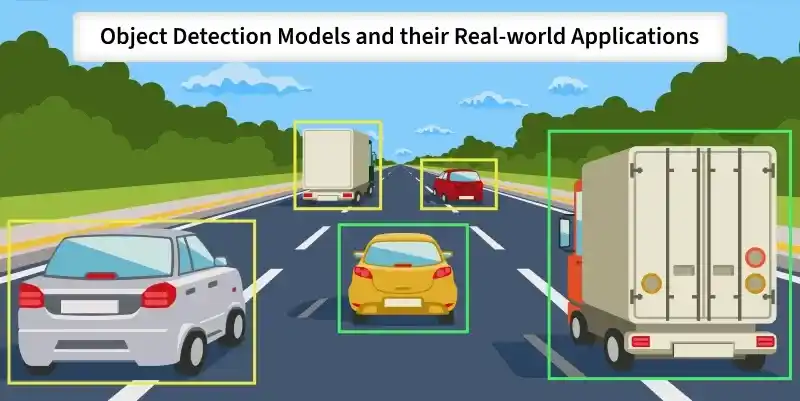
Object Detection
For example, in a street image, an object detection system can detect cars, traffic lights, pedestrians
Implementation of Object Detection
**Step 1: Set Up the Environment
First, install the required libraries. Run the following command in your command prompt.
pip install transformers torch pillow matplotlib
**Step 2: Import Required Libraries
Python `
from transformers import pipeline from PIL import Image import matplotlib.pyplot as plt import matplotlib.patches as patches
`
**Step 3: Initialize Object Detection Pipeline
This code initializes an object detection model using the pipeline API.
- **task="object-detection" : Specifies that we want to perform object detection on images.
- **model="facebook/detr-resnet-50" : Loads a pre trained DETR model (Detection Transformer) with a ResNet-50 backbone, trained to detect common objects. Python `
detector = pipeline( task="object-detection", model="facebook/detr-resnet-50" )
`
**Output:

Loading pretrained model
**Step 4: Load and Display Image
This opens the image file and displays it using Matplotlib, confirming that the image has been loaded correctly before running object detection.
You can download the image from here

Python `
image = Image.open("your image path")
plt.imshow(image) plt.axis("off") plt.show()
`
**Output:
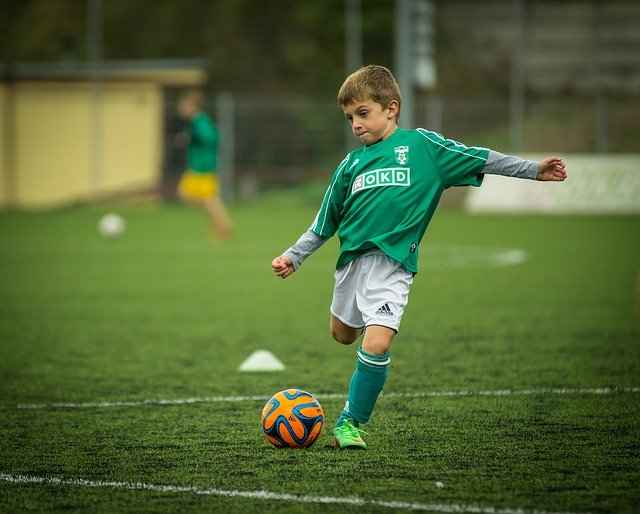
Image
**Step 5: Run Detection
Each detected object includes:
- **label: Predicted object class
- **score: Confidence score
- **box: Bounding box coordinates (xmin, ymin, xmax, ymax)
These results show what objects were detected and where they are located in the image.
Python `
results = detector(image)
for obj in results: print(obj)
`
**Output:

Output
**Step 6: Visualize Bounding Boxes Properly
This code draws bounding boxes around each detected object and displays the label with its confidence score directly on the image.
- Clearly visualizes detected objects
- Handles detection results in a structured way
- Clean and practical for real world applications Python `
fig, ax = plt.subplots(1) ax.imshow(image)
for obj in results: box = obj["box"] xmin, ymin = box["xmin"], box["ymin"] xmax, ymax = box["xmax"], box["ymax"]
width = xmax - xmin
height = ymax - ymin

rect = patches.Rectangle(
    (xmin, ymin),
    width,
    height,
    linewidth=2,
    edgecolor="red",
    facecolor="none"
)

ax.add_patch(rect)
ax.text(
    xmin,
    ymin,
    f"{obj['label']} ({obj['score']:.2f})",
    color="yellow",
    fontsize=10,
    backgroundcolor="black"
)
plt.axis("off") plt.show()
`
**Output:
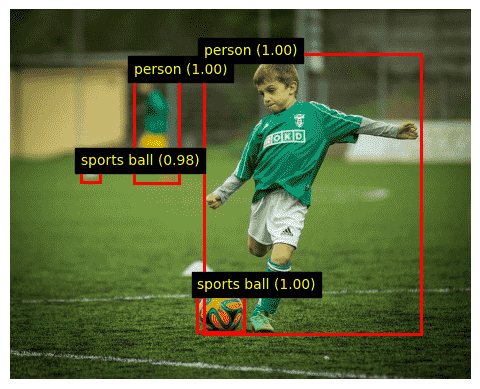
Detected Objects
You can download the full code from here