Google Gemini AI (original) (raw)
Last Updated : 15 Apr, 2026
Google Gemini AI is an advanced model by Google DeepMind that understands language, reasons and works with text, images, audio and video making it highly versatile and context-aware.
- Handles complex tasks and problem-solving.
- Understands different types of inputs together.
Coding Features
Gemini AI is packed with useful tools for coding workflows:
- **Code Generation: Generate Python scripts, JavaScript functions, Java programs and more. Just describe what you need and receive ready-to-run code.
- **Code Explanation: Explain complex concepts such as recursion, async programming and algorithms making them easy to understand for beginners and experts alike.
- **Debugging Support: Quickly identifies errors like missing semicolons, logic flaws or syntax issues and provides suggestions to fix them.
- **Multimodal Input: Handles text and images to convert UI sketches into HTML/CSS or analyze screenshots for code improvements.
- **Real Time Insights: Stays updated with the latest libraries, frameworks and coding trends.
- **Context Aware Assistance: Tracks your project context for tailored suggestions without repeated explanations.
Performance and Reliability
It delivers strong performance in coding and problem-solving, providing fast and accurate results across different tasks. It competes with top AI models by maintaining high accuracy and efficiency.
- **HumanEval (80–92%): Performs well in code generation and explanation.
- **MMLU (80–91%): Handles advanced programming and reasoning questions.
- **GSM8K (86–94%): Solves math-based coding problems effectively.
Architecture
Gemini AI is built on Google’s cutting-edge infrastructure:
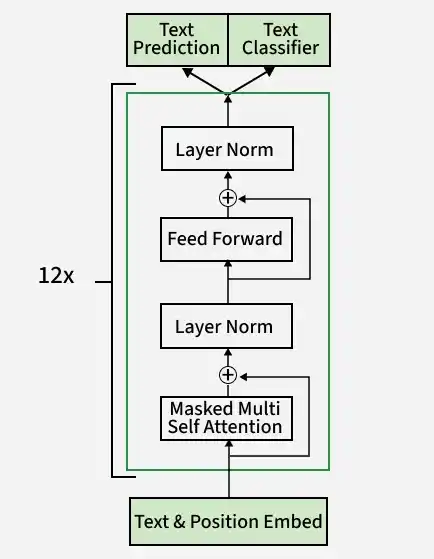
Decoder Only Architecture
- **Transformer-Based Neural Network: Trained on billions of tokens from code repositories, documentation and web sources.
- **Massive Context Window: 1-million-token window allows handling of large codebases seamlessly.
- **Reinforcement Learning: Continuously improves accuracy through feedback loops.
- **High-Speed Processing: Powered by Google TPU clusters for lightning fast responses.
Training Approach
It is trained using a combination of real data, human feedback and advanced techniques to improve accuracy and reliability.
- **Human Feedback: Coders and engineers refined its conversational precision.
- **Synthetic Data: Simulated scenarios prepared it for uncommon coding challenges.
- **Diverse Sources: Trained on GitHub, Stack Overflow and tech blogs.
- **Bias Mitigation: Designed to provide fair and accurate coding suggestions.
How to use Gemini AI
Gemini AI is easy to use and provides a simple interface to perform various tasks like coding, writing and problem-solving.
Step 1: Access Gemini AI
- **Visit Website: Go to the official Gemini website.
- **Sign Up: Log in using your Google account.
- **Choose Plan: Use free access or select a paid plan.
- **Get Started: You’ll be redirected to the Gemini home page and can start using it.
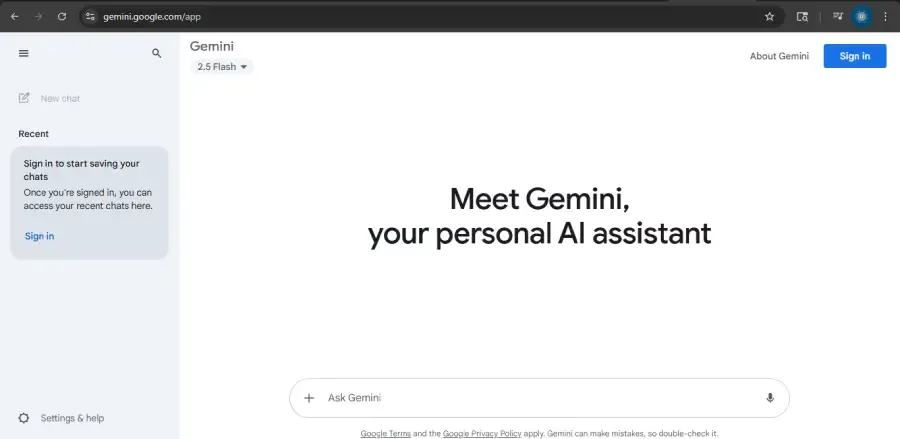
Access Gemini AI
Step 2: Enter Your Prompt in the Box
After signing in, you will see the Gemini home page with a prompt box at the bottom. You can either use sample questions or ask your own.
- **Use Suggestions: Try the sample questions shown above the prompt box.
- **Enter Prompt: Type your question in the Enter a prompt here box.
- **Voice Input: You can also use voice to give input.
- **Submit: Press Enter to send your prompt.
- **Get Response: Gemini analyzes your input and gives a relevant answer.
- **New Chat: Click New Chat to start a separate conversation.
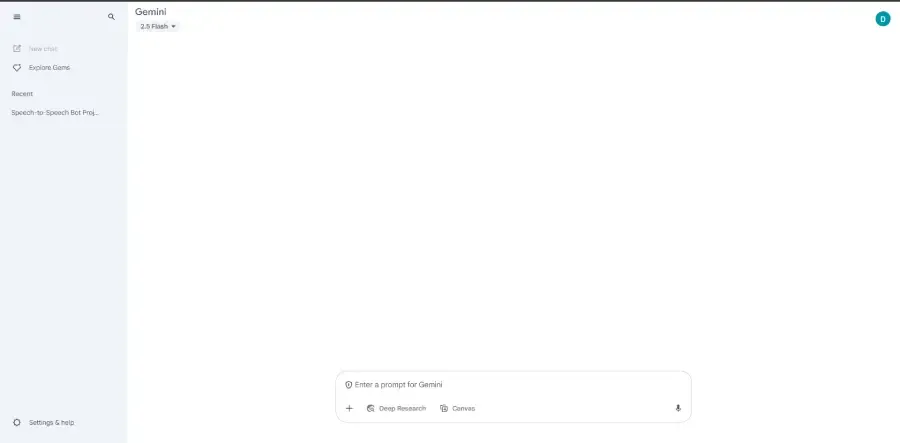
Enter Your Query or Prompt in the Box
Step 3: Write a prompt
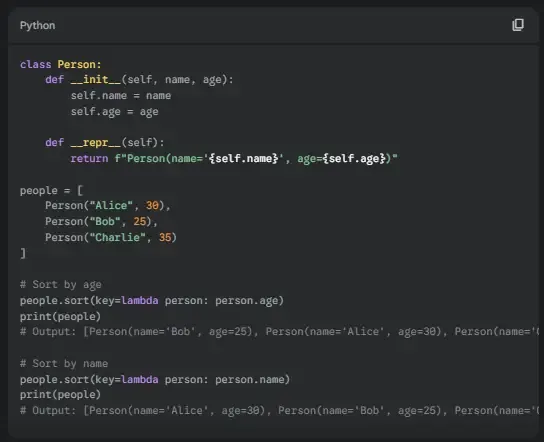
Clearly describe your task, like Sort an array in Python or Fix my HTML code. Mention the programming language and context for better results.

Write a prompt
Step 4: Specify Task Requirements
Clearly specify what you want Gemini to do, such as generating code, debugging or explaining a concept. Adding details like programming language and constraints helps improve the output.
Select a Model
Step 5: Review Output
Gemini AI provides code or explanations. For example, ask for a webpage and it might return HTML/CSS with comments.
Step 6: Refine and Test
If the output needs tweaks, adjust your prompt (e.g., Add error handling to this Python script). Test the code in a safe environment.
Copy the code into your project or share it via your preferred platform.
Use Cases
It is versatile for various coding scenarios. Here are examples with prompts and outputs:
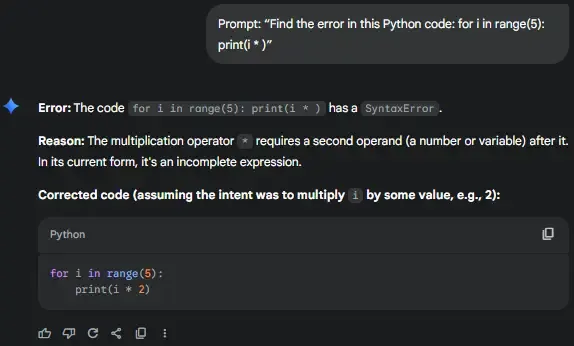
1. Debugging Code
**Prompt: Find the error in this Python code: for i in range(5): print(i * )
**Output:
Debugging Code
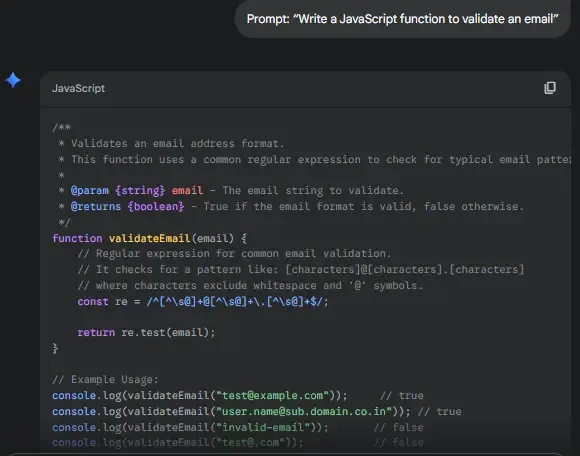
2. Writing Functions
**Prompt: Write a JavaScript function to validate an email
**Output:
Writing Functions
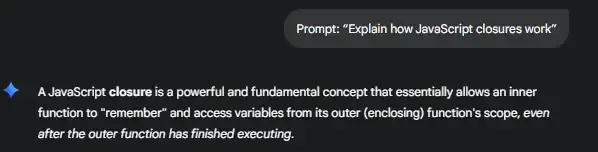
3. Learning Concepts
**Prompt: Explain how JavaScript closures work
**Output:
Learning Concepts
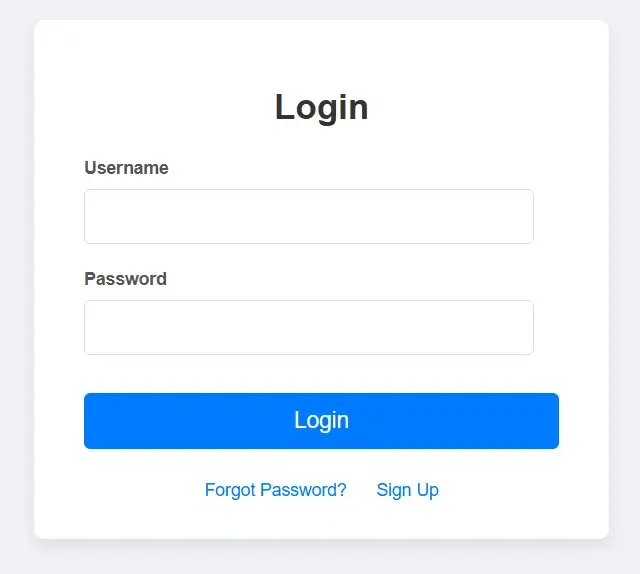
4. Building Apps
Prompt: Generate a simple login page using HTML and CSS
**Output:
HTML `
Simple LoginCSS
body { font-family: Arial, sans-serif; background-color: #f0f2f5; display: flex; justify-content: center; align-items: center; min-height: 100vh; margin: 0; }
.login-container { background-color: #fff; padding: 30px 40px; border-radius: 8px; box-shadow: 0 4px 10px rgba(0, 0, 0, 0.1); width: 100%; max-width: 380px; text-align: center; }
h2 { color: #333; margin-bottom: 25px; font-size: 28px; }
.input-group { margin-bottom: 20px; text-align: left; }
.input-group label { display: block; margin-bottom: 8px; color: #555; font-size: 14px; font-weight: bold; }
.input-group input[type="text"], .input-group input[type="password"] { width: calc(100% - 20px); padding: 12px 10px; border: 1px solid #ddd; border-radius: 5px; font-size: 16px; box-sizing: border-box; }
.input-group input[type="text"]:focus, .input-group input[type="password"]:focus { border-color: #007bff; outline: none; box-shadow: 0 0 0 3px rgba(0, 123, 255, 0.25); }
button[type="submit"] { background-color: #007bff; color: white; padding: 12px 20px; border: none; border-radius: 5px; font-size: 18px; cursor: pointer; width: 100%; transition: background-color 0.3s ease; margin-top: 10px; }
button[type="submit"]:hover { background-color: #0056b3; }
.links { margin-top: 25px; font-size: 14px; }
.links a { color: #007bff; text-decoration: none; margin: 0 10px; transition: color 0.3s ease; }
.links a:hover { color: #0056b3; text-decoration: underline; }
`
**Output:
Building Apps
Applications
- Write Python scripts, JavaScript functions or full application modules.
- Identify syntax errors, logic issues and optimize code.
- Explain programming concepts, algorithms and complex logic for students.
- Analyze screenshots, convert sketches to UI code or assist in multimedia projects.
- Summarize documentation, extract relevant code examples or automate repetitive tasks.
Advantages
- Handles text, code, images, audio and video for versatile assistance.
- Provides accurate, context aware solutions and step by step explanations.
- Generates, debugs and explains code across multiple programming languages.
- Accesses latest libraries, trends and best practices to keep outputs current.
- Works across Google platforms, cloud APIs and Google Assistant.
- Remembers project context to offer tailored suggestions.
Limitations
Gemini AI is useful, but it still has some limitations that users should keep in mind.
- May struggle with less common programming languages or frameworks.
- Very large or complex projects may not be fully understood.
- Image, video and UI to code features are still improving.
- Unclear instructions can lead to weaker results.
- Outputs should always be checked and tested before use.