Google Cloud Platform Cloud Storage (original) (raw)
Last Updated : 11 Mar, 2026
Google Cloud Platform (GCP) provides a broad set of cloud services, with Google Cloud Storage (GCS) as its core object storage solution. GCS is a fully managed, scalable service for storing and serving unstructured data like images, videos, and backups. It looks simple but offers a robust architecture for performance, durability, and cost optimization.
- Stores static assets and delivers content directly to end users.
- Designed for unstructured and binary data at any scale.
- Supports multiple performance, durability, and pricing needs.
- Requires understanding of core concepts, storage classes, and design choices for effective use.
The GCP has Buckets, Objects, and various storage classes. In order to leverage the power of GCS in your applications, it is necessary to learn about them.
Core Concepts in Google Cloud Storage
Google Cloud Storage is built around a small set of fundamental components. Understanding these concepts is essential before designing or integrating storage into your applications.
Objects
An object is the basic unit of storage in GCS. Any piece of data stored in Google Cloud Storage—such as a file, image, or video—is considered an object. Each object consists of:
- The data itself
- Metadata (such as content type, cache control, or custom key-value pairs)
- A globally unique name within its bucket
Objects are immutable, meaning that when you update an object, you are actually replacing it with a new version.
Buckets
Objects in Google Cloud Storage are organized into buckets. A bucket acts as a top level container and plays a critical role in how data is managed and secured.
Buckets allow you to:
- Control access permissions using IAM policies.
- Define storage class and location.
- Apply lifecycle management rules.
- Configure logging, versioning, and retention policies.
Because of their importance, buckets have strict rules regarding naming, creation, deletion, and access. Bucket names must be globally unique, and deleting a bucket requires it to be empty.
Design Consideration: Bucket vs. Object Operations
A common design pattern in GCS-based architectures is to minimize bucket-level operations and favor object-level operations instead. Bucket operations are relatively heavyweight and limited, whereas object operations scale efficiently.
For example:
- Updating metadata on an individual object.
- Setting HTTP headers (such as
Cache ControlorContent Type). - Managing access at the object level via signed URLs.
These object-level operations allow for fine-grained control without restructuring your storage architecture.
Storage Classes in Google Cloud Storage
Google Cloud Storage offers multiple storage classes, each optimized for different access patterns and cost considerations. Choosing the correct storage class is key to balancing performence and cost.
- **Standard Storage:
Designed for frequently accessed data with low latency and high throughput. This is the default choice for most production workloads. - **Nearline Storage:
Best suited for data accessed less than once per month, such as backups or disaster recovery data. - **Coldline Storage:
Ideal for archival data that is accessed infrequently (typically once per quarter or less). - **Archive Storage:
The lowest-cost option, intended for long-term data retention where access is rare.
Nearline, Coldline, and Archive storage classes offer significant cost savings but incur higher access costs and retrieval latency compared to Standard Storage.
Bucket Locations and Data Redundancy
When creating a bucket, you must also choose its location, which affects latency, availability, and data redundancy, location types:
- **Regional Buckets
Store data in a single geographic region. These are well-suited for applications where data locality and low latency within a specific region are important. - **Multi-Regional (or Dual-Region) Buckets
Replicate data across multiple geographically separated regions. This option provides higher availability and resilience against regional failures.
The primary difference between regional and multi-regional buckets is the level of geographic redundancy. Multi-regional buckets offer greater fault tolerance at a higher cost, making them ideal for mission-critical production systems.
Getting Started with Google Cloud Storage
You can create buckets and upload objects using:
- The Google Cloud Console.
- Command-line tools such as
gsutil. - Client libraries for various programming languages.
- The REST API.
During bucket creation, you will be prompted to select:
- A storage class.
- A geographic location.
- Access control and security settings.
Making the right choices at this stage helps ensure optimal performance and cost efficiency as your application scales.
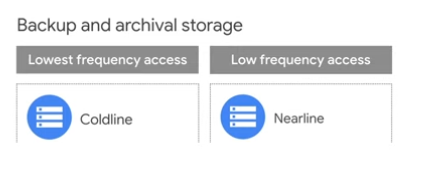
The type of bucket you choose has to do with your access patterns and then your resiliency patterns0 For example, if you are just achieving your data or only need it every few months, the best choice for you is either Codeline storage and Nearline storage as those are the cheapest and not super focused on frequent access or latency.
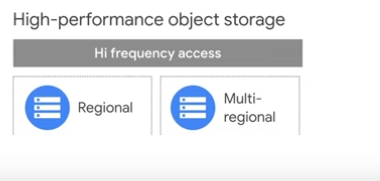
On the other hand, **Regional and Multi-Regional Buckets are best in production environments where latency really matters.
The only difference between the two is how much redundancy you want in your data from a geolocation perspective.