Internet Message Access Protocol (IMAP) (original) (raw)
Last Updated : 22 Nov, 2025
Internet Message Access Protocol (IMAP) is an application-layer protocol that operates as a contract for receiving emails from the mail server. It was designed by Mark Crispin in 1986 as a remote access mailbox protocol; the current version of IMAP is IMAP4.
It is used as the most commonly used protocol for retrieving emails. This term is also known as Internet mail access protocol, Interactive mail access protocol, and Interim mail access protocol.
It retrieves messages from your email provider to your email client (such as on your Mac or PC). Importantly, it does not delete messages from the email service after you download them until the user explicitly deletes them.
It allows you to view and manage your emails across multiple devices because it synchronizes the emails between your email client and the server. This synchronization ensures that changes such as read status, deletions, and folder organization are reflected consistently across all devices connected to the same email account.
**Features of IMAP
There are some basic features in IMAP
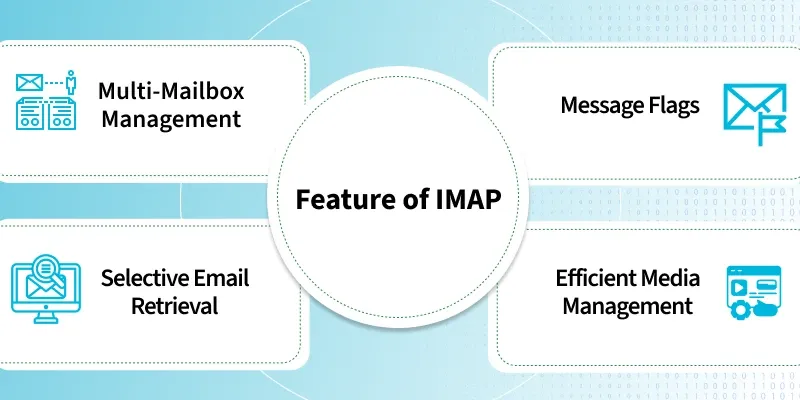
- **Multi-Mailbox Management: It supports the management of multiple mailboxes, allowing users to organize their emails into various categories or folders.
- **Message Flags: It provides the ability to add message flags, helping users keep track of the status of emails, such as whether they have been read.
- **Selective Email Retrieval: It allows users to decide whether to download the full content of an email or just retrieve the headers and decide later.
- **Efficient Media Management: When multiple files are attached to an email, IMAP simplifies the process of downloading media files by handling attachments efficiently.
**Working of IMAP
IMAP follows Client-server Architecture and is the most commonly used email protocol. It is a combination of client and server process running on other computers that are connected through a network.
This protocol resides over the TCP/IP protocol for communication. Once the communication is set up the server listens on port 143 by default which is non-encrypted. For the secure encrypted communication port, 993 is used.
- **Port 143: Default non encrypted IMAP communication.
- **Port 993: Secure IMAP communication with encryption (SSL/TLS).
The following steps are taken for the working of the IMAP :
- Email client Gmail establishes a connection with Gmail's SMTP server.
- By approving the sender's and recipient's email addresses, the SMTP server verifies (authenticates) that the email can be sent.
- The email is sent to the Outlook SMTP server by Gmail's SMTP server.
- The recipient's email address is authenticated by the Outlook SMTP server.
- IMAP or POP3 is used by the Outlook SMTP server to deliver the email to the Outlook email client.
The following figure shows the working of the IMAP.
.gif)
IMAP Working
**Architecture of IMAP
The Internet Message Access Protocol (IMAP) is a client–server model that allows users to access and view email messages stored on remote servers. Here is a summary of the events:
- **IMAP Clients: An IMAP client is an email application or software that users use to communicate with their email accounts. Examples include Microsoft Outlook, Mozilla Thunderbird, Apple Mail, and mobile email applications. The client communicates with the server to receive, manage, and send email messages.
- **IMAP Server: The IMAP server stores email messages and manages user mailboxes. It responds to requests from IMAP clients and provides access to email folders and messages. The server stores emails in a structured format, usually organized in user-defined folders or mailboxes. Common IMAP server software includes Dovecot, Courier IMAP, Cyrus IMAP, and Microsoft Exchange Server.
- **Network Protocols: It works over TCP/IP (Transmission Control Protocol/Internet Protocol) networks, and allows an client to connect to a server over the Internet or local area networks.
.png)
IMAP
**Steps Involved in IMAP Operation
- An email client, like Microsoft Outlook, connects to the server via IMAP when a user signs in.
- Specific ports are used for establishing the connection.
- The email client displays only the headers of each email initially.
- Attachments are not downloaded automatically; messages and attachments are downloaded to the client only when the user taps on them.
- Compared to alternative email retrieval protocols like Post Office Protocol 3, users can check their mail more quickly with IMAP (POP3).
- Emails remain on the server until they are specifically deleted by the user.
- The IMAP server listens on port 143, while IMAP over Secure Sockets Layer (SSL)/Transport Layer Security (TLS) uses port 993.