What is Cross Site Request Forgery (CSRF) (original) (raw)
Last Updated : 19 Sep, 2025
**Cross-Site Request Forgery (CSRF) is a critical web vulnerability that allows attackers to trick authenticated users into performing unintended actions, such as changing account details or even taking full control of their accounts.
Web applications typically rely on **cookies to maintain user sessions, since HTTP is a stateless protocol and does not natively support persistent authentication. Without cookies, users would need to re-enter their credentials for every request, which would severely impact usability. Cookies solve this by storing session information, but they also make applications susceptible to CSRF attacks if not properly protected.
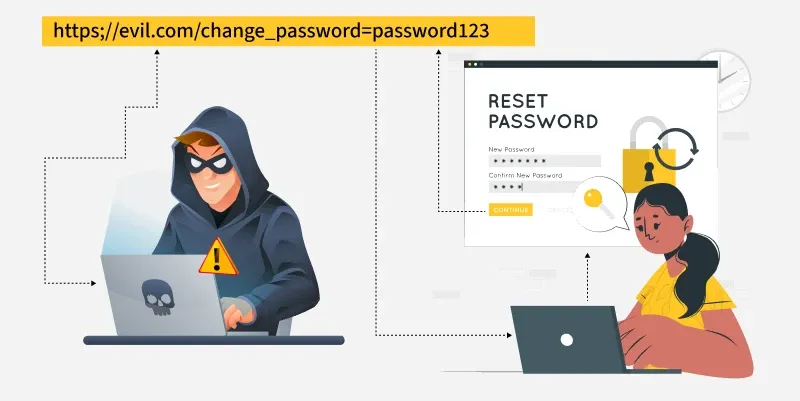
Imagine you’re logged into your online banking account to check your balance. Meanwhile, a malicious website silently tricks your browser into making unauthorized transactions on your behalf. This illustrates a Cross-Site Request Forgery (CSRF) attack, a serious web security vulnerability that impacts countless websites. Recognizing this threat is vital for both users and developers to build safer online experiences.
Conditions Required for a CSRF Attack
For a CSRF attack to succeed all three of the following must hold:
**A Relevant Action: The application exposes an action the attacker wants to trigger, for example:
- Changing a user’s email or password
- Transferring money
- Modifying account permissions
**Cookie-Based Session Handling
- The app identifies users solely by a session cookie (or another credential the browser automatically includes).
- The browser automatically sends that credential with requests made from other sites.
- No additional server-side verification (e.g., CSRF tokens, same-site cookie policy, or re-authentication) is enforced.
**Predictable Request Parameters
- The attacker can determine or guess all parameters required to perform the action.
- If a request requires a secret or random value (e.g., the current password, one-time token, or unpredictable nonce), the CSRF attempt will fail.
Exploit in Action
An attacker could create a malicious web page like this:
HTML `
GFG BANKGFG Bank
  <label for="pass">Password</label>
  <input id="pass" name="pass" type="password" placeholder="••••••••" required />

  <div class="actions">
    <button type="submit">Sign in</button>
    <button type="button" class="ghost" onclick="resetForm()">Reset</button>
  </div>
</form>

<footer>
  <div>GFG BANK</div>
</footer>
`
- The hidden form is automatically submitted.
- The victim’s browser includes their valid session cookie in the request.
- The vulnerable site thinks the user requested the change and updates the email to the attacker’s choice.
Example Scenrio
Below are real-world-inspired CSRF examples
Example 1: GET-based state change (vulnerable endpoint + image tag)
When an application performs a state-changing action on an HTTP GET request (bad practice), an attacker can trigger that action via image/script tags that the browser will load automatically and the browser will include cookies with those requests.
**Vulnerable endpoint:
GET /vote?post=123&up=1
Step-by-step attack flow
- Victim is logged in to
forum.example. forum.examplehas a vulnerable endpointGET /vote?post=123&up=1that records votes (state change via GET).- Attacker inserts
<img src="https://forum.example/vote?post=123&up=1">on a page or email. - Victim opens the page/email; browser requests the image URL with cookies: vote is recorded.
**Sanitised attacker snippet
GET must never change server state; use safe HTTP methods (POST/PUT/DELETE) plus CSRF protections.
Example 2: SPA + REST API using cookie auth (API CSRF)
Single-page apps (SPAs) that use cookie-based sessions are vulnerable if their APIs accept state-changing requests authenticated only by cookies and lack CSRF defenses.
Step-by-step attack flow
- **User logs in: The person signs into
example.com. The website gives their browser a small file called a **session cookie to remember that they’re logged in. - **Attacker’s trick page: The attacker makes a web page that secretly sends a request like:
fetch("https://api.example.com/user/delete-account", { method: "POST", credentials: "include" });
This code tells the browser: “Send a request to delete the user’s account, and include any cookies you already have.” - **Browser sends the cookie: The browser automatically adds the saved session cookie to the request, because it belongs to the same site (
api.example.com). - **Account deleted (if no protection): If the API doesn’t have CSRF protection, it sees the request as valid and deletes the account even though the user never clicked “Delete” themselves.
Hands On of CSRF
Given below the step by step hands on lab of CSRF
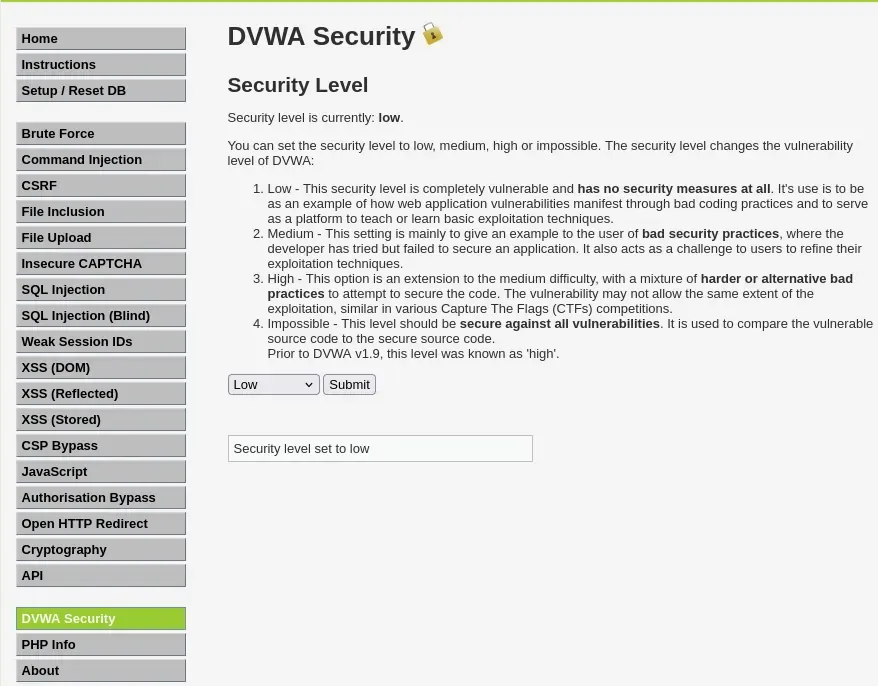
**Step 1: Set DVWA security to LOW
Login to DVWA as admin and in the DVWA Security page set the level to **Low. This makes the CSRF protection minimal or absent for learning.
**Step 2: Find the vulnerable action and inspect the request
- In DVWA, open the **CSRF vulnerability page that lets you perform a state change.
- Perform the action once normally (fill form and submit). In Network you’ll see the request to the target endpoint. Click it and note: Request method (POST or GET), Request URL, or Form field names and values (e.g.,
New Password, Confirm New Password)
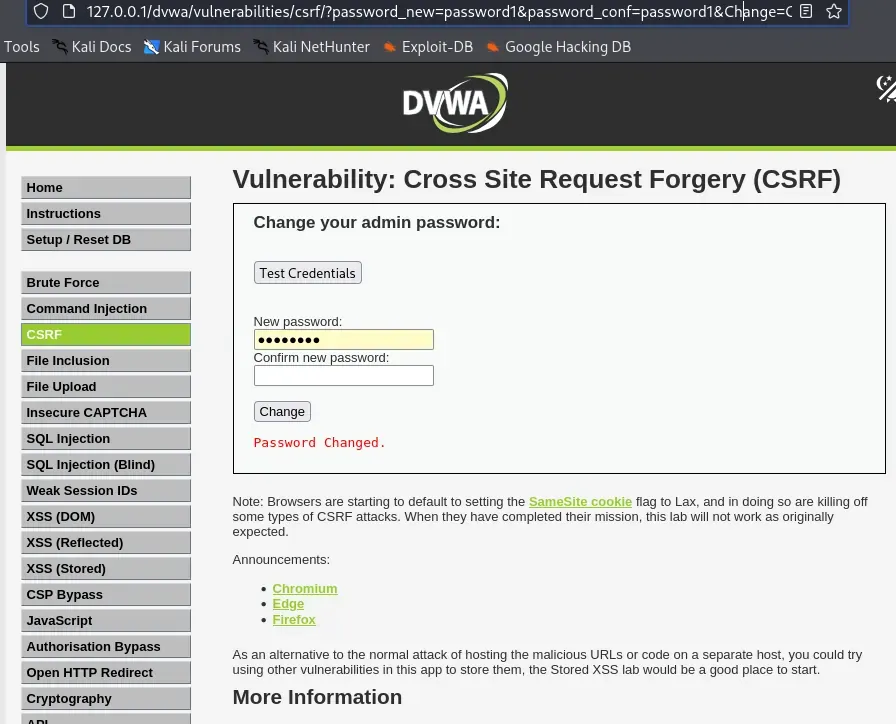
- Note the URL
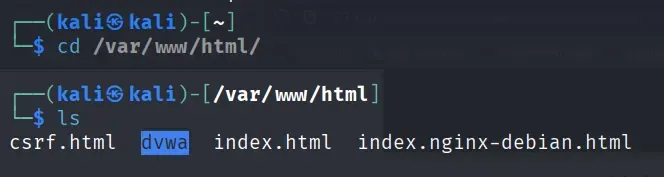
**Step 3: Create a simple attacker page (csrf.html)
- On your machine create a file csrf
.htmlcontaining a form that mimics the DVWA request. Replace the URL and field names with the ones you saw in step 2. HTML `
`
- Save the file in the server page
**Step 4: Simulate the victim and trigger the attack
- In one browser (victim): log into DVWA as the victim account and keep that session open.
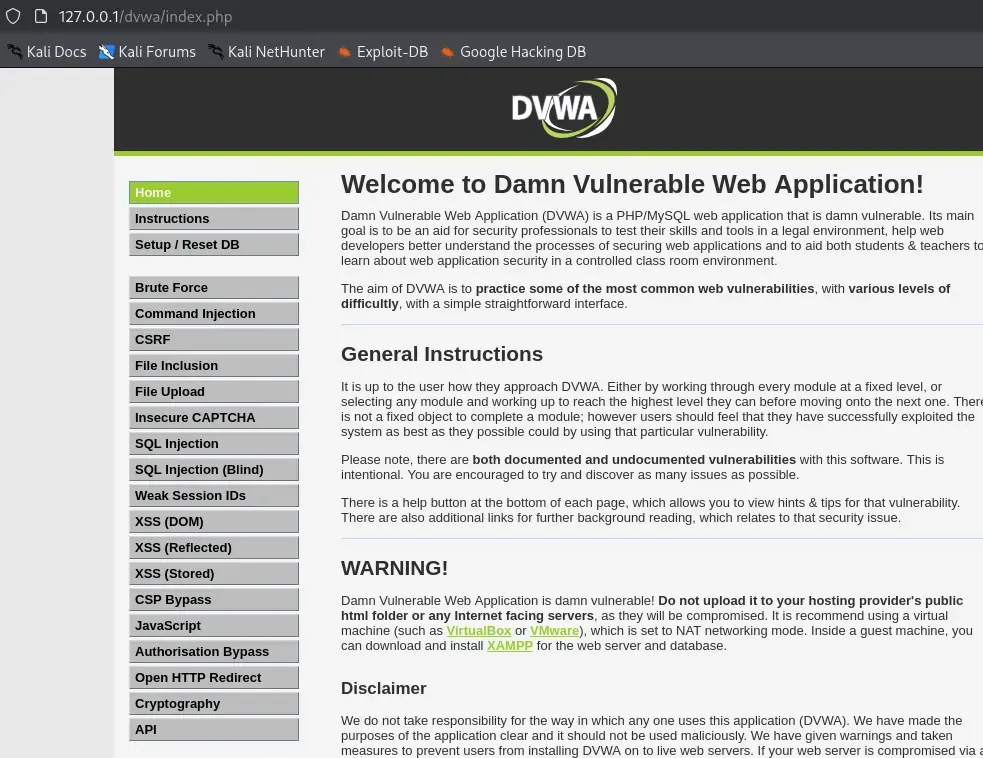
- In another browser (attacker page): visit
http://localhost/csrf.html.
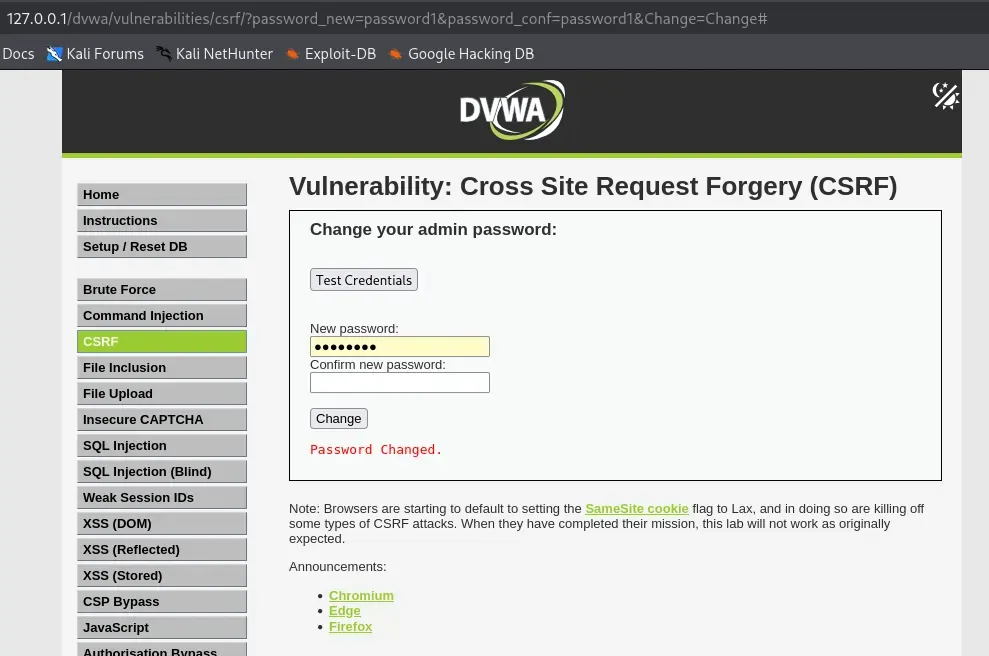
- Because the victim’s browser has an active session cookie for DVWA, when the attacker page auto-submits the form, the browser sends the request including the victim’s cookies to DVWA. If DVWA accepts that request (security LOW), the state change happens (e.g., password resets to the attacker-supplied value).
**Step 5: Verify the effect
- Return to the DVWA login page and try to log in using the newly set password (the one the attacker page used). If it logs in, the CSRF succeeded.
- Alternatively, check the DVWA user page for changed fields.
Attack Surfaces
CSRF attacks usually target HTTP requests that change something about a user’s account, like their name, email, password, or even logging them in/out without permission.
Exploitation
- The victim is logged into
example.com(session stored in cookies). - The attacker hosts a page on
evil.com. - On that page, the attacker places hidden code that looks like a normal request to
example.com(e.g., “change password”). - When the victim visits
evil.com, the hidden form is automatically submitted. - The browser includes the victim’s cookies, so
example.comthinks the request is genuine and changes the password to whatever the attacker set.
Prevention
**On User Side: User side prevention is very inefficient in terms of browsing experience, prevention can be done by browsing only a single tab at a time and not using the "remember-me" functionality.
**On Server Side: There are many proposed ways to implement CSRF protection on server side, among which the use of CSRF tokens is most popular. A CSRF token is a string that is tied to a user's session but is not submitted automatically. A website proceeds only when it receives a valid CSRF token along with the cookies, since there is no way for an attacker to know a user specific token, the attacker can not perform actions on user's behalf.