Trivial File Transfer Protocol TFTP (original) (raw)
Last Updated : 16 Oct, 2025
TFTP stands for Trivial File Transfer Protocol. TFTP is defined as a protocol that is used to transfer a file from a client to a server and vice versa. TFTP is majorly used when no complex interactions are required by the client and server. The service of TFTP is provided by UDP (User Datagram Protocol) and works on port number 69.
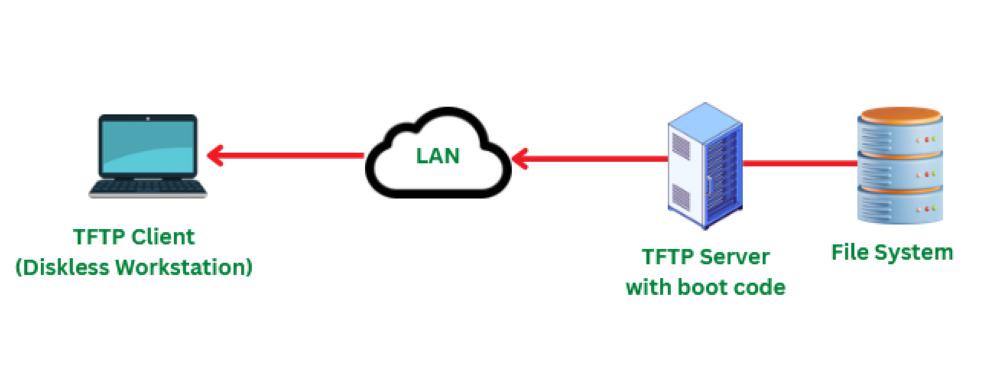
TFTP Protocol
**Note: TFTP does not provide security features therefore it is not used in communications that take place over the Internet. Therefore it is used only for the systems that are set up on the local internet. TFTP requires less amount of memory.
TFTP Message Formats
There are four types of TFTP Message formats. They are as follows
1. Read Request:
Read Request is also known as Type 1. A read request is used by the client to get a copy of a file from the server. Below is the format of the Read Request
| Read Request (1) (2 Octets) | File Name (variable) | 0 (1 Octet) | Mode (Variable) | 0 (1 Octet) |
|---|
2. Write Request:
Write Request is also known as Type 2. Write Request is being used by the client for writing a file into the server. Below is the format of the Write Request.
| Write Request(2) (2 Octets) | File Name (variable) | 0 (1 Octet) | Mode (Variable) | 0 (1 Octet) |
|---|
3. Data
Data is also known as Type 3. Data consists of a portion of a file that is being copied. The data block is of fixed size that is 512 octets. Below is the format of the Data.
| Data (3) (2 Octets) | Sequence Number (2 Octets) | Data (Upto 512 octets) |
|---|
4. Acknowledgement
Acknowledgment is also known as Type 4. The data present at the last in the message consists of the End of File(EOF) where the size is less than 512 octets. This acknowledgment is used by both client and server for acknowledging the received data.
| Ack(4) (2 Octets) | Sequence Number (2 Octets) |
|---|
Working of TFTP
- TFTP makes use of port number 69 as it uses User Datagram Protocol (UDP).
- When the connection is established successfully between client and server, the client makes a Read Request (RRQ) or
- Write Request( WRQ). If a client wants to only read the file it requests RRQ and if the client wants to write some data into a server then it requests for WRQ.
- Once the connection is established and a request is made communication of files takes place in the form of small packets. These packets are 512 bytes each.
- The server then communicates the packet back to the client and waits until it receives an acknowledgment from the client that the packet has been received.
- When the acknowledgment is received from the client side, the server again sends the next packet which is 512 bytes each.
- The same steps as mentioned above continue until the last packet is sent by the server to the client.
Comparison of TFTP with FTP
| Feature | TFTP | FTP |
|---|---|---|
| Protocol | UDP-based | TCP-based |
| Authentication | None | Username & password required |
| Reliability | Less reliable | Reliable (TCP error handling) |
| File Size | Small files | Can handle large files |
| Use Case | Simple transfers, firmware | General-purpose file transfer |
Read related articles Introduction to Microsoft SMB, A network file sharing protocol