Create a Prime Number Finder using HTML CSS and JavaScript (original) (raw)
Last Updated : 05 Aug, 2025
In this article, we will see how to create a Prime Number Finder using HTML, CSS, and JavaScript. The main objective of this project is to allow users to input a number and check if it is a prime number or not. Prime numbers are those, that can only be divided by 1 and themselves. We'll develop a basic web application that will take user input and will determine whether the entered number is prime or not.
Final Output
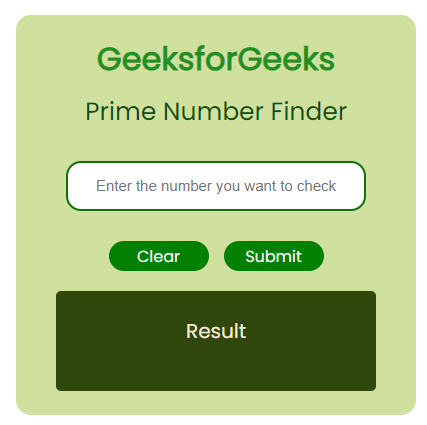
Preview Prime Number Finder
Prerequisites
Approach
- Create a basic structure by implementing an input element where the user will provide the number as input and two buttons are used, where one is for submit and another is for clearing the input area using HTML.
- Now, we will apply CSS properties to give style to the button & input elements like border-radius, height, width, etc.
- Create a function checkPrime and use the if conditionto check if the number input by the user is less than or equal to 1, then return false, otherwise, it will calculate for other positive divisors.
- Using the Math.sqrt() method, if condition, and for loop, we will check if the number is prime or not.
- The result is displayed when the user clicks on the button submit inside the result area. By clicking the clear button the input area will be cleared.
Project Structure
The following project structure will be displayed:
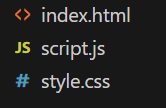
Project Structure
Example: This example describes the basic implementation of the Prime Number Finder using HTML, CSS, and JavaScript.
HTML `
GeeksforGeeks
Prime Number Finder
            <div class="input-container">

                <input type="number"
                       class="input-feild"
                       id="input-id"
                       placeholder=
                       "Enter the number you want to check">
            </div>

            <div class="btn-container utility_flex ">
                <button class="btn-clear btn-style"
                        id="id-clear">
                    Clear
                </button>
                <button class="btn-submit btn-style"
                        id="sub-id">
                    Submit
                </button>
            </div>

        </div>
        <div class="para-text">
            <p class="message"
               id="dom-msg">
              Result
              </p>
        </div>
    </div>
</div>
<script src="script.js"></script>
CSS
/* style.css */ @import url( 'https://fonts.googleapis.com/css2?family=Poppins&display=swap');
- { margin: 0; padding: 0; box-sizing: border-box; }
.utility_flex { display: flex; justify-content: center; align-items: center; }
.box { height: 400px; width: 400px; background-color: rgb(207, 224, 159); border-radius: 15px; padding: 20px; font-family: 'Poppins', sans-serif; }
.outer-box { height: 100vh; }
.inner-box { flex-direction: column; gap: 30px; }
.btn-container { gap: 15px; }
.logo-text { color: rgb(31, 145, 31); }
.gfglogo { flex-direction: column; gap: 10px; }
.btn-style { width: 100px; height: 30px; background: green; border-radius: 15px; color: whitesmoke; text-align: center; padding: 3px; border: none; }
.message { background-color: rgb(47, 71, 11); height: 100px; text-align: center; color: antiquewhite; padding: 25px; border-radius: 5px; font-size: 20px; }
input { height: 50px; width: 300px; border: 2px solid rgb(14, 112, 14); border-radius: 15px; text-align: center; font-size: 15px; }
.para-text { padding: 20px; }
.sub-heading { color: rgb(12, 78, 12); font-size: 25px; }
JavaScript
// script.js function checkPrime(num) { if (num <= 1) { return false; } for ( let i = 2; i <= Math.sqrt(num); i++ ) { if (num % i === 0) { return false; } } return true; }
document .getElementById("sub-id") .addEventListener("click", function () { let num = document.getElementById("input-id").value; let result = checkPrime(num);
        if (result) {
            document.getElementById("dom-msg").innerHTML =
                num + " is a prime number.";
        } else {
            document.getElementById("dom-msg").innerHTML =
                num + " is not a prime number.";
        }
    }
);
document.getElementById("id-clear") .addEventListener("click", () => { document.getElementById("input-id").value = ""; document.getElementById("dom-msg").innerHTML = "Result"; })
`
Output:
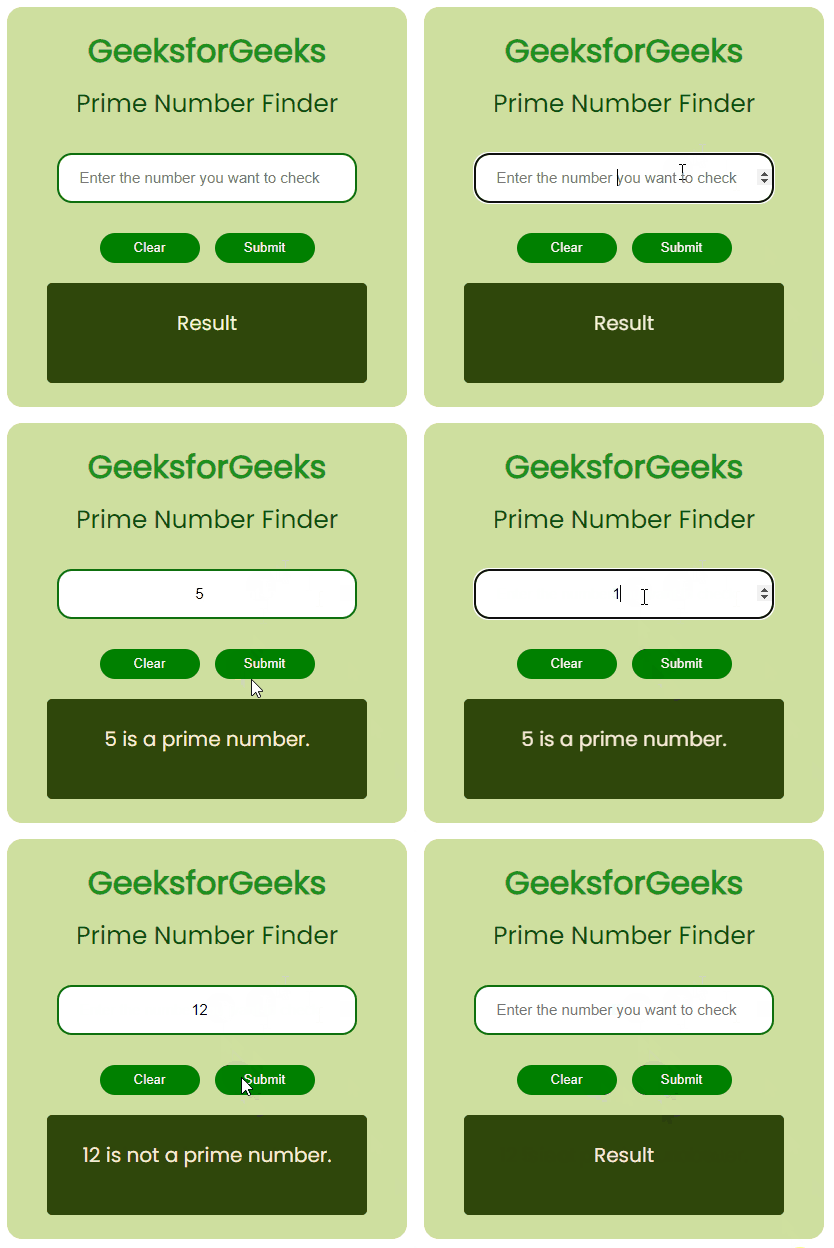
Prime Number Finder using HTML CSS & JavaScript
Create a Prime Number Finder using HTML CSS and JavaScript