CSS Cheat Sheet A Basic Guide to CSS (original) (raw)
Last Updated : 19 Dec, 2025
CSS (Cascading Style Sheets) is a styling language used to control the presentation of documents written in HTML, XML, and similar markup languages. It defines how elements appear on screen or in other media, enhancing the overall look and user experience of a webpage.
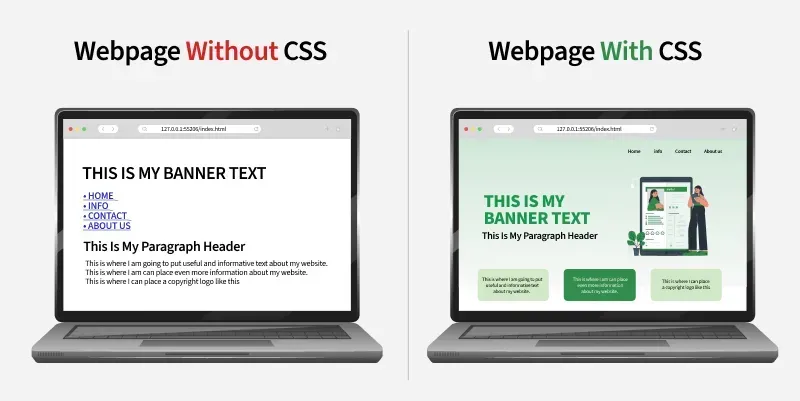
- Allows developers to style and layout web pages with colors, fonts, spacing, and positioning.
- Separates content from design, making webpages easier to maintain and more visually consistent.
CSS Basics
Cascading Style Sheet(CSS) is used to set the style in web pages that contain HTML elements, here we will see in how many ways we can add CSS for our HTML, there three different ways to do so one by one we will see those procedure.
**External CSS: External CSS contains a separate CSS file with a .css extension which contains only style property with the help of tag attributes.
selector{
property1: value1;
property2: value2;
}
**Include external CSS file: The external CSS file is linked to the HTML document using a link tag.
**Internal CSS or Embedded: Internal CSS is embedded within the HTML file using a style HTML tag.
**Inline CSS: The inline CSS contains CSS properties in the body section specified within HTML tags.
**Clearfix: It clears floats to select or control margins and padding.
.clearfix::after {
content: "";
clear: both;
display: block;
}
Selectors
CSS selectors are used to find or select the HTML elements you want to style.
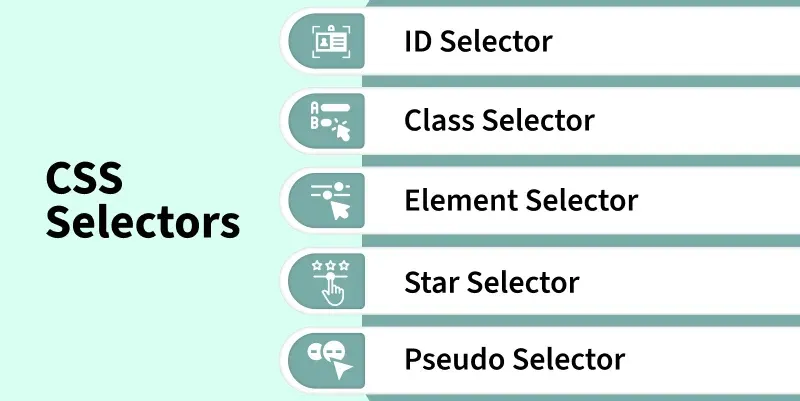
These are categorized as follows:
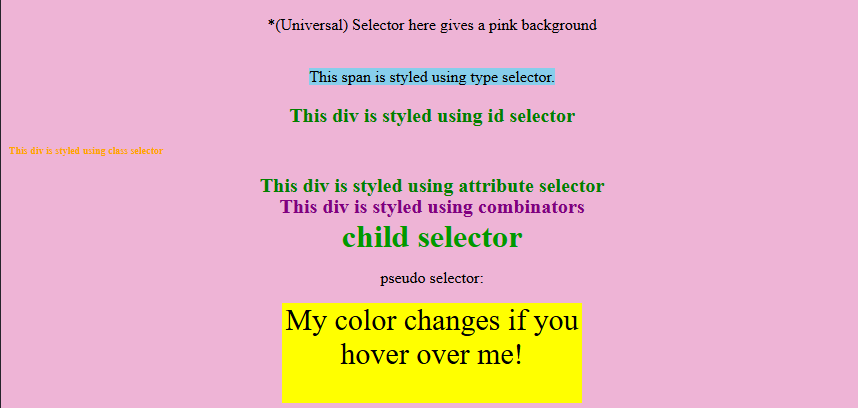
- **Universal Selector: Applies a common style to every element on a page when Universal Selector targets all elements.
- **Type Selector: Styles all elements of a specific HTML tag because Type Selector matches by element type.
- **ID Selector: Targets a single unique element since ID Selector matches an element with a specific id.
- **Class Selector: Styles multiple elements with shared design as Class Selector selects elements using a common class.
- **Attribute Selector: Enables precise styling because Attribute Selector matches elements based on attribute presence or value.
- **Combinator Selectors: Create advanced element targeting since Combinator Selectors define relationships like parent–child or sibling.
- **Pseudo Selectors: Allow dynamic styling as Pseudo Selectors apply styles based on element states or conditions like hover or first-child. HTML `
*(Universal) Selector here gives a pink background
This span is styled using type selector.
child selector
pseudo selector:
`
**Output:
Font Properties
CSS font properties are used to set the font's content of the HTML element as per requirement.
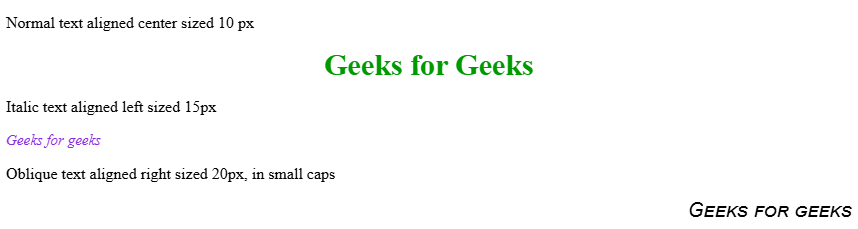
- **font-family: Sets the typeface for text because font-family chooses custom or generic fonts for styling.
- **font-style: Controls text appearance as font-style makes text normal, italic, or oblique for emphasis.
- **font-variant: Changes text presentation since font-variant converts lowercase text into small-caps for a formal look.
- **font-weight: Adjusts text boldness because font-weight sets thickness from normal to bold or numeric levels.
- **font-size: Determines text scale as font-size sets how large or small text appears for readability. HTML `
Normal text aligned center sized 10 px
Italic text aligned left sized 15px
Oblique text aligned right sized 20px, in small caps
`
**Output:
Text-properties
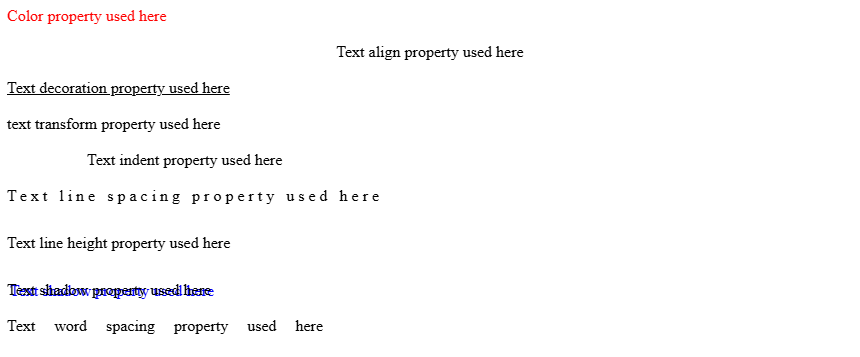
CSS text formatting properties are used to format and style text by setting their color, alignment, spacing, etc. as per requirement.
- **text-color: Controls visual appearance of text because text-color sets the color applied to written content.
- **text-alignment: Positions text horizontally as text-alignment sets left, right, center, or justified formatting.
- **text-decoration: Adds or removes visual effects since text-decoration applies underlines, overlines, or line-through styling.
- **text-transformation: Changes text case because text-transformation converts content to uppercase, lowercase, or capitalized form.
- **text-indentation: Structures paragraphs as text-indentation shifts the first line inward for readability.
- **letter-spacing: Modifies character gaps because letter-spacing controls distance between individual letters.
- **line-height: Improves readability since line-height adjusts vertical spacing between lines of text.
- **text-shadow: Enhances appearance as text-shadow adds shadow effects behind text.
- **word-spacing: Adjusts layout because word-spacing sets spacing between words. HTML `
`
**Output:
Background properties
The CSS background properties are used to design the background and define the background effects for elements.
- **background-color: Sets element backdrop because background-color applies a specific color to define theme or highlight areas.
- **background-image: Creates decorative visuals as background-image places one or more images behind element content.
- **background-repeat: Manages image tiling since background-repeat decides if a background image repeats horizontally, vertically, both, or not at all.
- **background-position: Controls image placement because background-position sets exact alignment of a background image inside an element.
- **background-origin: Adjusts starting area as background-origin chooses whether an image begins at padding, border, or content region.
- **background-attachment: Defines scroll behavior since background-attachment keeps a background fixed or moving with page scroll.
- **background-clip: Limits visual coverage because background-clip decides how far background color or image extends within an element. HTML `
Background Image property
Background repeat property: no-repeat
Background position property
Background origin property: The background-origin is a property used to set the origin of the image in the background.
Background-attachment property
The property background-attachment property in CSS is used to specify the kind of attachment of the background image It can be set to scroll or remain fixed.
`
Box Properties
The CSS box model is essentially a box that wraps around every HTML element consisting of the border, padding, margin, and content.
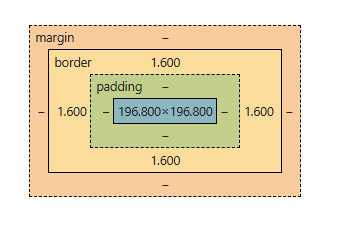
The CSS properties used to attain the box model are:
- **margin: Creates outer spacing because margin defines space around an element to separate it from others.
- **padding: Improves readability as padding sets inner space between content and border.
- **border: Adds structure since border controls thickness, style, and color around an element.
- **width: Controls horizontal size because width determines how wide an element appears in layout.
- **height: Controls vertical size as height specifies how tall an element appears within layout. HTML `
`
**Output:
Border Properties
The CSS border properties allow you to specify how the border of the box representing an element should look.
- **Border Color: Applies color to edges because Border Color sets border color when a border style exists.
- **Border Style: Creates visual patterns as Border Style defines solid, dotted, dashed, or decorative border types.
- **Border Width: Adjusts edge thickness because Border Width controls how thick or thin a border appears HTML `
`
Classification Properties
The CSS classification properties allow you to specify how and where an element is displayed.
- **Display: Controls page rendering because Display sets an element as inline, block, flex, grid, or none.
- **Float: Manages content flow as Float lets elements shift left or right allowing text to wrap.
- **Position: Defines placement because Position sets static, relative, absolute, fixed, or sticky behavior.
- **Clear: Regulates layout flow as Clear blocks floating elements on chosen sides.
- **Visibility: Handles element presence because Visibility decides if an element is visible, hidden, or collapsed while keeping space.
- **Cursor: Customizes pointer style as Cursor changes mouse appearance to default, pointer, help, or crosshair. HTML `
<p>attribute function</p>
<a href="https://www.geeksforgeeks.org/">GeeksforGeeks</a><br><br>
<p>Calc function</p>
<div class="geeks">
    <h3>The calc() Function</h3>
</div><br><br>

<p>URL function</p>
<div class="url" style="height:200px; width:100%">
    <h3>CSS url() function</h3>
</div><br>
<p> var function</p>
<div class="gfg1">demonstration of var function</div><br>
`
The CSS Media Query is used to make the web page more responsive according to the different screens or media types. Media queries include a block of CSS only if a certain expression is true.
**Syntax:
@media not | only mediatype and (expression) {
// Code content
- **All: Used for all types of media devices, applying styles universally.
- **Print: Used when printing a document, allowing styles optimized for printed output.
- **Screen: Used for digital displays such as computer screens, tablets, and smartphones.
- **Speech: Used for screen readers that read content aloud, enabling accessibility-focused styling.