Introduction to Pinecone Vector Database (original) (raw)
Last Updated : 15 Apr, 2026
Pinecone is a fully managed vector database for AI applications that enables fast storage, indexing and search of high-dimensional embeddings, supporting semantic search and recommendations without managing infrastructure.
- Stores and indexes vector embeddings efficiently.
- Enables fast similarity search for semantic matching.
- Supports applications like recommendations and search systems.
- Handles scaling and performance automatically.
- Provides filtering and real-time updates for dynamic data.
Vector Databases
A vector database is designed to store, index and search high-dimensional embeddings, enabling similarity-based search instead of exact matches. It uses methods like cosine similarity or Euclidean distance to find semantically similar data.
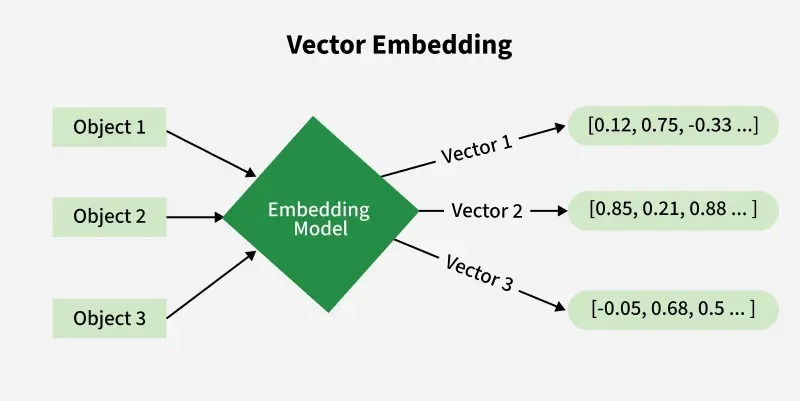
Vector Databases
Features of Pinecone Vector Database
- Provides a fully managed and scalable infrastructure without server management.
- Enables real time similarity search with low latency even at large scale.
- Supports high dimensional vectors from models like BERT or CLIP.
- Uses efficient ANN algorithms for fast and accurate nearest neighbor search.
Getting Started with Pinecone
Step 1: Sign Up and Log In
Create an account on Pinecone and log in to access the dashboard and API credentials.

Pinecone
Step 2: Get Your API Key
- Retrieve your API key from the Pinecone dashboard.
- This key is required to authenticate and connect your application to Pinecone.
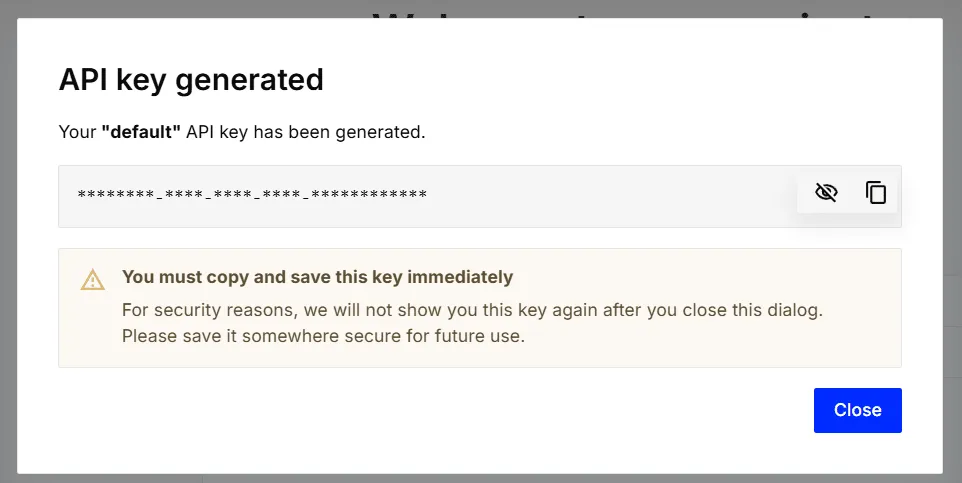
API Key
Step 3: Install Pinecone Python Client
Run pip install pinecone in your terminal to install the Pinecone Python client library. This lets you connect to and use Pinecone’s vector database from your Python code.
Python `
pip install pinecone
`
Step 4: Initialize Pinecone
- Import the Pinecone client and initialize it using your API key.
- This securely connects your Python application to Pinecone and allows you to manage vector indexes. Python `
from pinecone import Pinecone
pc = Pinecone(api_key="your api key")
`
Step 5: Create an Index
- Create or connect to a Pinecone index (e.g., “gfg”).
- This index is used to store, query and manage your vector embeddings. Python `
index = pc.Index("gfg")
`
Step 6: **Upsert Vectors
- Define vectors with unique IDs, numerical values and optional metadata.
- Insert (upsert) these vectors into the Pinecone index for storage and retrieval. Python `
vectors = [ { "id": "vec1", "values": [0.1, 0.2, 0.3], "metadata": {"text": "example text 1"} }, { "id": "vec2", "values": [0.4, 0.5, 0.6], "metadata": {"text": "example text 2"} } ]
`
Step 7: Query the Index
- Send a query vector (e.g., [0.1, 0.2, 0.3]) to the Pinecone index.
- Retrieve the top similar vectors along with their metadata for context. Python `
query_vector = [0.1, 0.2, 0.3] Result = index.query( vector=[0.1, 0.2, 0.3], top_k=2, include_metadata=True ) for match in response.matches: print(f"ID: {match.id}") print(f"Score: {match.score}") print(f"Metadata: {match.metadata}")
`
**Output:
ID: vec1
Score: 0.9998
Metadata: {'text': 'example text 1'}
ID: vec2
Score: 0.85
Metadata: {'text': 'example text 2'}
Applications
- Enables semantic search to find relevant content based on meaning instead of keywords.
- Supports recommendation systems by matching user preferences with similar items.
- Enhances chatbots and Q/A systems by retrieving relevant answers from knowledge bases.
- Allows image and video search by comparing visual embeddings for similar content.