Qdrant (original) (raw)
Last Updated : 1 Apr, 2026
Qdrant is an open source vector database that stores embeddings and enables fast similarity search based on meaning, supporting semantic search, recommendations and RAG with low latency.
- Stores embeddings for text, images and other data types.
- Performs fast similarity search using ANN algorithms.
- Supports semantic search and recommendation systems.
- Allows metadata filtering for more precise results.
- Designed for scalable and low latency AI applications.
Qdrant Components
**1. Collections: A collection is a named group of points. All vectors in a collection must have the same dimensionality and use the same distance metric for similarity search. Each point contains:
- A vector (embedding)
- An optional unique ID
- An optional payload (metadata)
**2. Distance Metrics: Defines how similarity is measured between vectors, such as Cosine, Dot product or Euclidean distance.
**3. Points: The basic data unit in Qdrant, which includes
- **id: Unique identifier for the vector
- **vector: A high-dimensional numerical representation of data (text, images, documents, audio, video, etc.)
- **payload: Optional JSON metadata linked to the vector which is useful for filtering search results
**4. Storage Types: It offers two storage options
- **In Memory Storage: Keeps vectors in RAM for maximum speed, persisting to disk in the background.
- **Memmap Storage: Uses memory mapping to a file on disk, offering a balance between performance and storage efficiency.
Implementation
Step 1: Create a Qdrant Cloud Account and get Credentials
- Go to the official website of Qdrant and click on login/Sign Up.
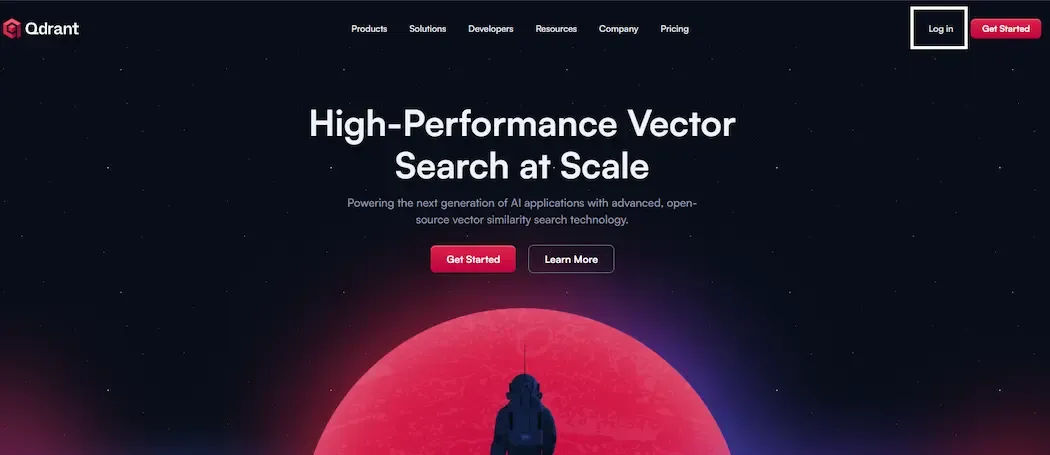
Official Website
- We can login/signup using either using Google or GitHub.
- Name the cluster, select the Cluster Version, select the cluster Provider and the Region.
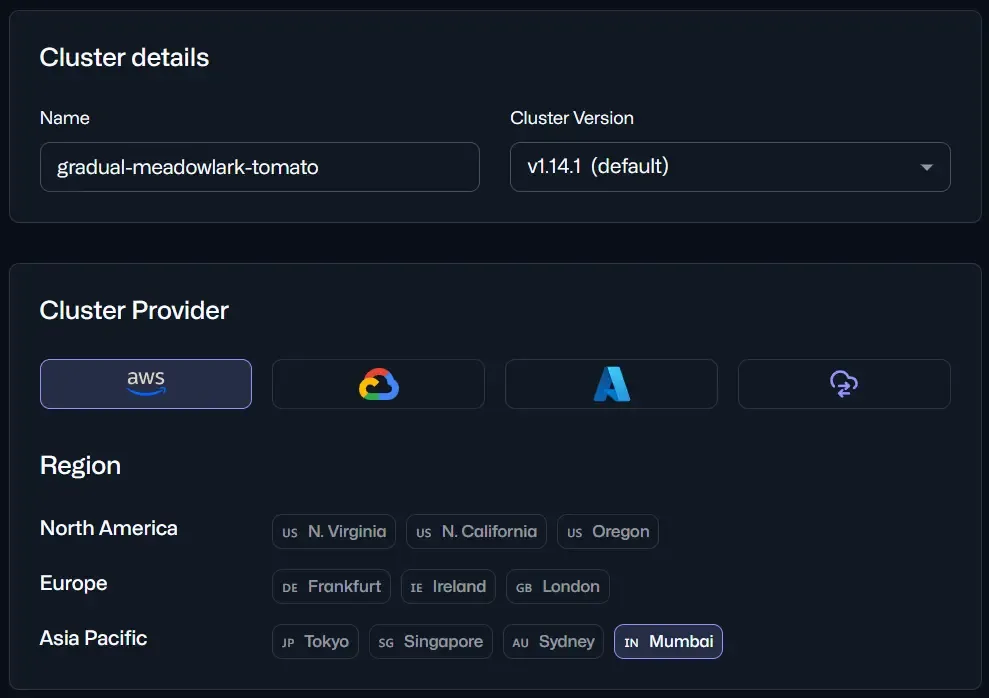
Cluster Provider Selection
- On the main menu, we can find "Create" button click on it to create a cluster.
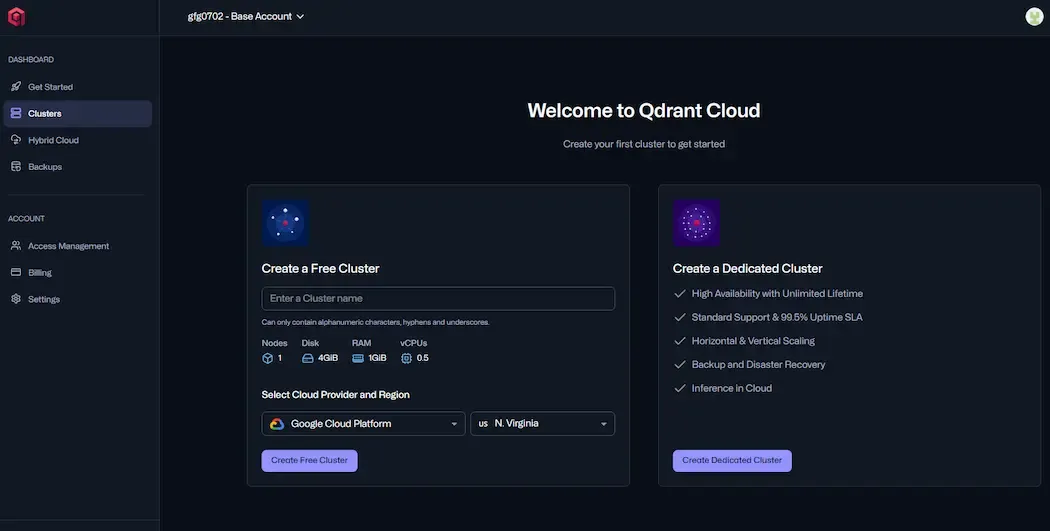
Cluster Creation
Qdrant provides one free cluster which has 1 node, 4GB Disk, 1GB RAM and 0.5vCPU. If we want to have more clusters with better specifications, Qdrant provides paid versions too.
Step 2: Find and copy the API key and URL of Cluster.
After creating the cluster, find URL.
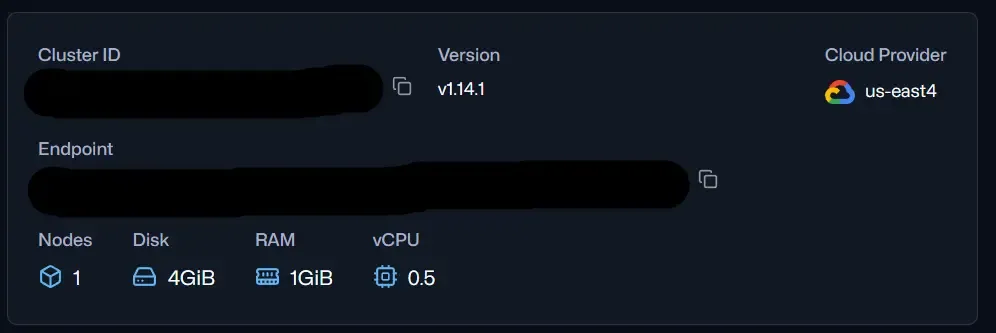
Cluster Details
find the "API Keys" tab and select that.
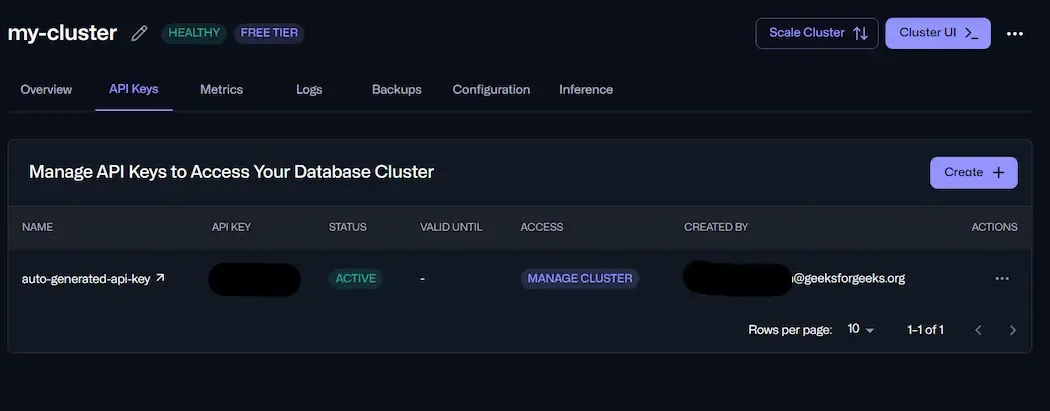
API Key
Step 3: Install and Import Libraries
- **qdrant-client: Python SDK for connecting to and working with Qdrant vector databases.
- **sentence-transformers: Library for turning text into embeddings (vectors) that capture meaning.
- **numpy: Used for handling and manipulating arrays/numbers.
- **os: to manage environment variables for storing credentials securely. Python `
!pip install -q qdrant-client sentence-transformers numpy
import os
`
Step 4: Set Credentials as Environment Variables
- Store our Qdrant Cloud URL and API Key in environment variables.
- This keeps sensitive info out of our code and lets us easily switch to a different cluster or key without changing the script. Python `
os.environ["QDRANT_URL"] = "https://YOUR-CLUSTER-URL" os.environ["QDRANT_API_KEY"] = "YOUR-API-KEY"
`
Step 5: Initialize the Qdrant Client
- Use the environment variables to connect to our Qdrant database.
- The QdrantClient object acts as our connection, allowing us to create collections, add/update vectors and run searches. Python `
from qdrant_client import QdrantClient
qdrant_url = os.environ["QDRANT_URL"] qdrant_key = os.environ["QDRANT_API_KEY"]
client = QdrantClient( url=qdrant_url, api_key=qdrant_key, ) client
`
**Output:
<qdrant_client.qdrant_client.QdrantClient at 0x7f6dc16ce090>
Step 6: Create a collection for 384-dimensional vectors with cosine distance.
- A collection is like a table for storing vectors.
- size=384 must match the embedding size from our model (all-MiniLM-L6-v2 outputs 384 dimensions).
- Cosine distance is a good choice for normalized text embeddings because it measures similarity by angle, not length. Python `
from qdrant_client.http.models import VectorParams, Distance
collection = "colab_demo"
client.recreate_collection( collection_name=collection, vectors_config=VectorParams(size=384, distance=Distance.COSINE), )
`
**Output:
True
Step 7: Prepare some sample texts
Small, mixed-domain dataset to test semantic grouping and retrieval.
Python `
texts = [ "A guide to building RAG systems with Qdrant.", "Exploring hiking trails in the Alps.", "Best practices for securing APIs in production.", "How to connect Qdrant Cloud from Google Colab.", "Fine-tuning sentence transformers for domain data." ]
`
Step 8: Generate Embeddings using a Sentence Transformer
- Loads the model "sentence-transformers/all-MiniLM-L6-v2".
- Converts each sentence into a 384‑dimensional vector that reflects meaning.
- Normalizes embeddings so cosine similarity calculations are consistent. Python `
from sentence_transformers import SentenceTransformer import numpy as np from qdrant_client.http.models import PointStruct
model = SentenceTransformer("sentence-transformers/all-MiniLM-L6-v2") embeddings = model.encode(texts, normalize_embeddings=True)
`
**Output:
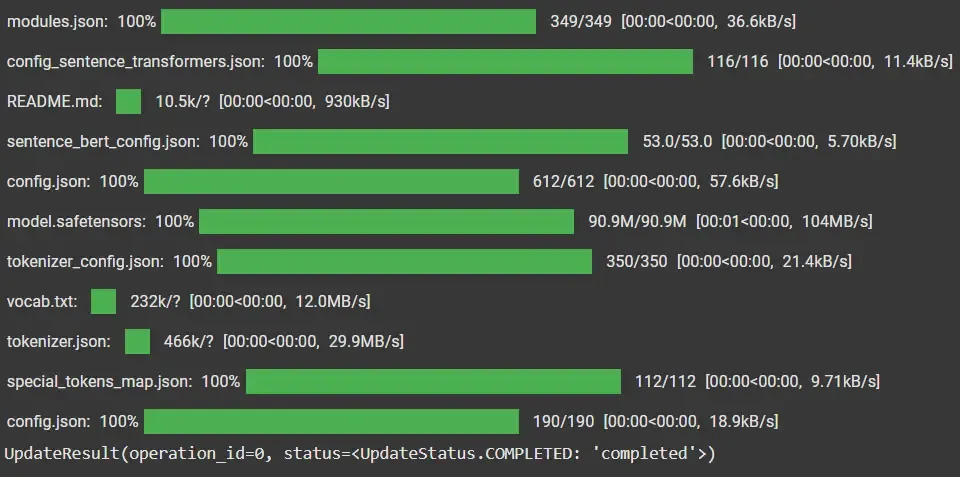
Model Loading
Step 9: Update Vectors(points) with Payloads
- **An ID: unique identifier for the vector.
- **The vector embedding: numerical representation of the text.
- **A payload: extra metadata (like topic) that can be used for filtering and better search control. Python `
points = [ PointStruct( id=i, vector=embeddings[i].tolist(), payload={"topic": "ai" if i in ( 0, 3, 4) else "travel" if i == 1 else "security"} ) for i in range(len(texts)) ]
client.upsert(collection_name=collection, points=points)
`
Step 10: Create a Payload Index
- Index the topic field so Qdrant can quickly filter and find vectors that match a given topic condition.
- This improves query performance when we search within a category.
- Take a search query (text), generate its embedding and use it to find the most similar vectors in the collection.
- Optionally filter results by topic (e.g., only topic = "ai"). Python `
from qdrant_client.http.models import PayloadSchemaType
client.create_payload_index( collection_name=collection, field_name="topic", field_schema=PayloadSchemaType.KEYWORD, )
`
Step 11: Run Semantic Search
- Encodes the query into a vector and retrieves the most similar results, with optional filtering.
- Displays results with similarity score, a normalized confidence (0–1), metadata and original text for easy understanding. Python `
def explain_hits_with_confidence(result, texts): print("Top results with confidence estimate (cosine-based):") rows = [] scores = [p.score for p in result.points] smin, smax = min(scores), max(scores) for p in result.points: conf = (p.score - smin) / (smax - smin) if smax > smin else 1.0 rows.append({ "id": p.id, "score": round(p.score, 4), "confidence_0_1": round(conf, 3), "payload": p.payload, "text": texts[int(p.id)] if int(p.id) < len(texts) else "" }) from pprint import pprint pprint(rows, width=120)
explain_hits_with_confidence(result, texts)
`
**Output:
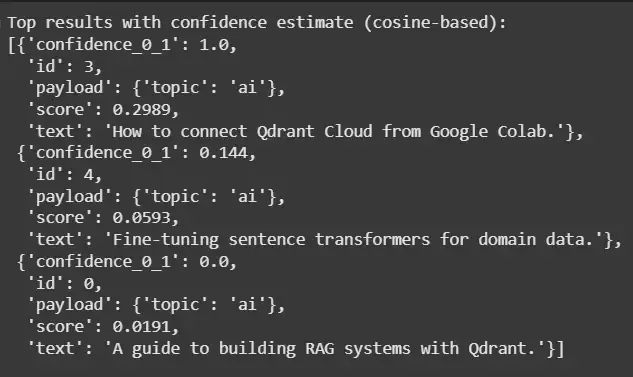
Output
Applications
Qdrant is widely used in AI systems for fast and meaningful similarity search across different domains.
- Delivers personalized recommendations in platforms like e-commerce, streaming and social media.
- Enables image and multimedia retrieval by finding similar visual content.
- Supports NLP tasks like semantic search, document similarity and text recommendations.
- Helps detect anomalies by identifying unusual patterns in data.
- Improves product search by matching items with user preferences.
- Filters and recommends relevant content in social networks based on similarity.