ZeroShot Learning for Novel Class Recognition using CLIP Model (original) (raw)
Last Updated : 7 Aug, 2025
Zero-shot learning (ZSL) allows models to classify objects they’ve never seen by using semantic information. The Contrastive Language-Image Pretraining (CLIP) model represents a significant advancement in zero-shot learning. Unlike traditional deep learning models that are limited to a fixed set of output classes, CLIP can generalize to new tasks and classes by combining image and text embeddings. It aligns image and text representations in a shared space via contrastive learning:
- **Image Encoder: (e.g., Vision Transformer or ResNet) generates an image embedding.
- **Text Encoder: (Transformer-based) produces a text embedding.
- **During training: CLIP brings related images and text closer together and pushes mismatched pairs apart.
- **Inference: For a new image and a set of class descriptions, CLIP computes similarity scores. The image is classified as the class whose description it matches best even if that class was never seen in training.
Step-by-Step Implementation
Lets see the step-by-step implementation of Zero-shot learning for Novel Class recognition using CLIP model,
Step 1: Install and Import Libraries
We will install and import all the required libraries,
- **transformers: Transformers gives access to the CLIP model and its processing tools.
- **torch: PyTorch is the deep learning framework behind the scenes.
- **pillow: Pillow is a library for loading and working with images in Python.
- **CLIPProcessor: Handles formatting images and text for CLIP.
- **CLIPModel: The actual CLIP neural network that does the recognition.
- **Image from PIL: Loads image files into a format Python can use. Python `
!pip install transformers torch pillow
from transformers import CLIPProcessor, CLIPModel from PIL import Image import torch
`
Step 2: Load the Pre-trained CLIP Model
Load a pre-trained instance of the CLIP model from OpenAI's model hub. This model has been trained on a variety of images and their descriptions, making it capable of generalizing from text to unseen visual content.
- **from_pretrained: Downloads a ready-made model and processor.
- The model has learned to align images and texts in the same space, making zero-shot learning possible. Python `
model = CLIPModel.from_pretrained("openai/clip-vit-base-patch32") processor = CLIPProcessor.from_pretrained("openai/clip-vit-base-patch32")
`
**Output:
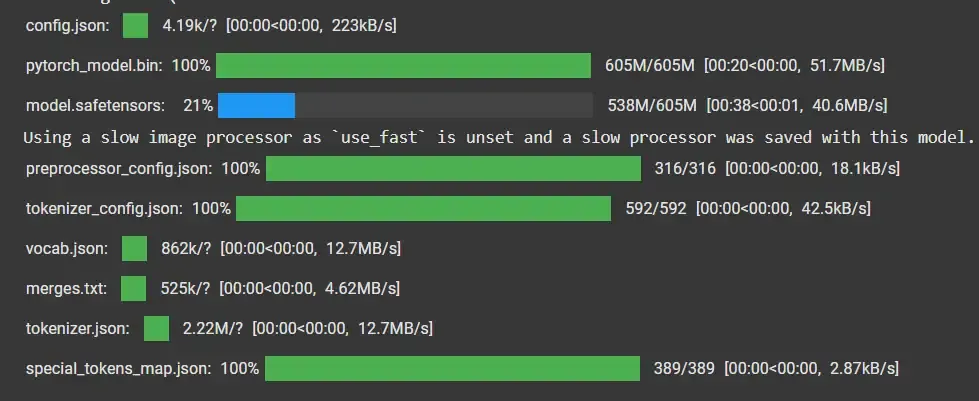
Loading the Pre-Trained Model
Step 3: Load the Image
The used sample can be downloaded from here.

Upload an image to be classified. We can use a direct file path if we are working locally or use a feature like Colab's upload feature if we are working in a notebook environment.
- **Image.open: Reads our image file so we can process it programmatically. Python `
image = Image.open("/content/dog.jpg")
`
Step 4: Define Class Labels and Preprocess Data for the Model
Define a list of text descriptions that represent the classes we are going to classifying. These labels are used by the CLIP model to compare against the image. The preprocessing step tokenizes text, resizes/crops the image and bundles everything up as PyTorch tensors.
- return_tensors="pt" tells it to use PyTorch’s format.
- padding=True ensures all text prompts are the same length in token format. Python `
labels = ["a photo of a dog", "a photo of a cat", "a photo of a car"]
inputs = processor(text=labels, images=image, return_tensors="pt", padding=True)
`
Step 5: Perform Zero-Shot Classification
Pass the processed inputs to the CLIP model.
- The model compares our image to each label and rates the similarity.
- **softmax makes the scores readable as probabilities, so we can see which class is the most likely. Python `
outputs = model(**inputs) logits_per_image = outputs.logits_per_image probs = logits_per_image.softmax(dim=1)
`
Step 6: Get the Predicted Class
Determine the predicted class by finding the label with the highest probability. This step concludes the classification process, providing a zero-shot learning-based prediction.
Python `
predicted_class = labels[probs.argmax()] print(f"Predicted class: {predicted_class}")
`
**Output:
Predicted class: a photo of a dog
Application of CLIP in Novel Class Recognition
Zero-shot learning using CLIP can be highly impactful in various industries. Some applications include:
- **Healthcare: CLIP helps spot rare diseases by matching medical images with symptom descriptions, even when labeled data is scarce.
- **E-commerce: Retailers can instantly categorize brand-new products using written details, automating inventory without needing new model training.
- **Autonomous Vehicles: Cars can identify unfamiliar obstacles on the road described in text prompts, improving real-world safety.
- **Content Moderation: Platforms can flag inappropriate or harmful images using up-to-date descriptions, even in the absence of labeled examples.
Strengths of CLIP for Zero-Shot Learning
- **Generalizes to Unseen Classes: Can accurately recognize new categories or objects without retraining, by leveraging descriptive text prompts.
- **No Task-Specific Data Needed: Eliminates the need for additional labeled datasets or fine-tuning for each new task or class—just supply new textual descriptions.
- **Cross-Domain Flexibility: Handles a wide variety of tasks (classification, style recognition, etc.) across domains by understanding both images and language.
- **Efficient with Minimal Data: Performs well even in few-shot or zero-shot scenarios, making it effective where data is limited or rapidly changing.
Limitations
- **Susceptible to Bias: May reproduce biases found in large, web-crawled training data, which can affect fairness in real-world applications.
- **Contextual Limitations: Sometimes misinterprets nuanced, complex or ambiguous visual contexts, leading to incorrect matches with text prompts.
- **Dependence on Prompt Quality: Highly reliant on the accuracy and detail of text descriptions—vague or poorly constructed prompts can reduce performance.
- **Not Robust to Adversarial Inputs: Can be tricked by carefully designed misleading images or prompts, exposing vulnerabilities in security-critical scenarios.