Amazon Web Services Introduction to Elastic Cache (original) (raw)
Last Updated : 3 Jun, 2026
Amazon ElastiCache is a fully managed, in-memory caching service supporting flexible, real-time use cases. It allows you to deploy, run, and scale popular open-source compatible in-memory data stores seamlessly within the AWS Cloud.
- Stores data in RAM rather than on physical disks, reducing read and write latencies from milliseconds to microseconds.
- Supports both Redis OSS (and Valkey) and Memcached engines to work natively with existing application codebases.
- Acts as a high-speed data buffer in front of databases like Amazon RDS or DynamoDB to handle read-heavy workloads.
- Offers both simple and advanced clustering modes to support high availability and write-scaling.
- Provides a serverless deployment option that automatically scales memory and processing capacity based on real-time application demands.
Amazon ElastiCache architectural positioning between application and database
**Note: Caching is the process of storing frequently accessed data in a temporary, high-speed data storage layer known as a cache.
Redis vs. Memcached
ElastiCache supports two distinct in-memory data store engines:
| **Feature | **Redis (Recommended) | **Memcached |
|---|---|---|
| **Data Structures | Complex. Strings, Hashes, Lists, Sets, Sorted Sets, Bitmaps, and Geospatial Indices. | Simple. Simple Key-Value store (Strings only). |
| **Persistence | Yes. Supports snapshots (RDB) and append-only files (AOF) for backup and restore. | No. Purely volatile cache; data is lost on node reboot. |
| **Replication | Yes. Supports primary-replica replication and Multi-AZ failover. | No. Scaled out horizontally through partitioned nodes. |
| **Cluster Mode | Yes. Shards data across multiple node groups for high write scalability. | Yes. Multi-threaded architecture natively optimized for vertical multi-core scaling. |
| **Pub/Sub | Yes. Native support for Publish/Subscribe messaging patterns. | No. |
| **Best For | Leaderboards, Session Stores, Real-time Analytics, and Priority Queues. | Simple, high-performance database query caching and transient session data. |
**Note: Use Redis for 95% of modern workloads. Select Memcached only if you require a simple, multi-threaded cache or need compatibility with a legacy Memcached codebase.
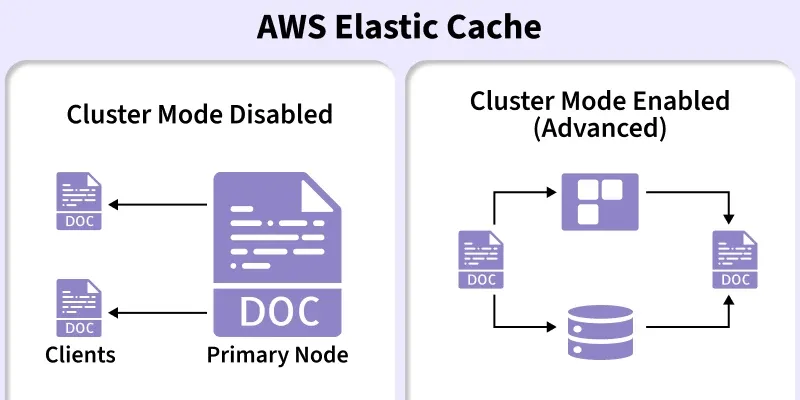
Cluster Mode Enabled vs. Disabled
When designing a Redis cluster, you must choose its operational architecture during creation:
| **Feature | **Cluster Mode Disabled | **Cluster Mode Enabled |
|---|---|---|
| **Structure | 1 Primary + up to 5 Replicas. | Up to 500 Shards (each w/ Primary + Replicas). |
| **Data Partitioning | None (Single node group holds 100%). | **Sharding (Data spread across node groups). |
| **Scaling (Read) | Add up to 5 replicas. | Add replicas or shards (Horizontal). |
| **Scaling (Write) | **Vertical only (Scale up instance type). | **Horizontal (Add more shards). |
| **Best For | Small datasets; simplest logic. | High write throughput; TB-scale datasets. |
Serverless vs. Provisioned
AWS provides two deployment models to manage ElastiCache cluster capacity:
| **Feature | **ElastiCache Serverless | **Self-Designed (Provisioned) |
|---|---|---|
| **Management | Zero-touch; auto-scales CPU/Memory. | Manual node/instance type selection. |
| **Scaling Speed | **Instant; no capacity planning needed. | Manual or via Auto-Scaling policies. |
| **Pricing Model | Data stored (GB-hr) + ECPUs (Compute). | Fixed hourly rate per node. |
| **Availability | Multi-AZ by default. | User-configured (Single or Multi-AZ). |
| **Best For | Spiky traffic; new apps; dev/test. | Steady-state traffic; Reserved Node savings. |
Caching Strategies
To use ElastiCache effectively, your application must implement an appropriate caching pattern:
Lazy Loading (Cache-Aside)
- **Mechanism: The application attempts to read from the cache first. If a cache miss occurs, the application queries the database, writes the retrieved data to the cache, and returns it to the client.
- **Pros: Memory is used efficiently since only requested data is cached.
- **Cons: The initial request suffers a performance penalty due to the round-trip database query.
Write-Through
- **Mechanism: The application writes new or updated data to both the database and the cache simultaneously.
- **Pros: Guarantees the cache is always updated, preventing dirty reads.
- **Cons: Increases write latency due to completing two consecutive write operations.
Steps to Access Amazon ElastiCache Console
Follow these steps to access the AWS Management Console and locate ElastiCache:
**Step 1: Sign in to the AWS Management Console, type "ElastiCache" in the top search bar, and select the first option.
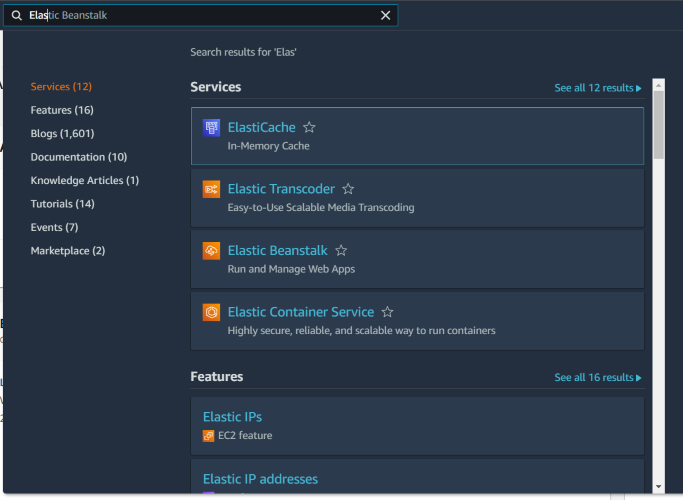
Searching for ElastiCache in the AWS Management Console
**Step 2: Use the left navigation pane to configure Redis/Valkey clusters, Memcached clusters, parameter groups, or subnet groups.
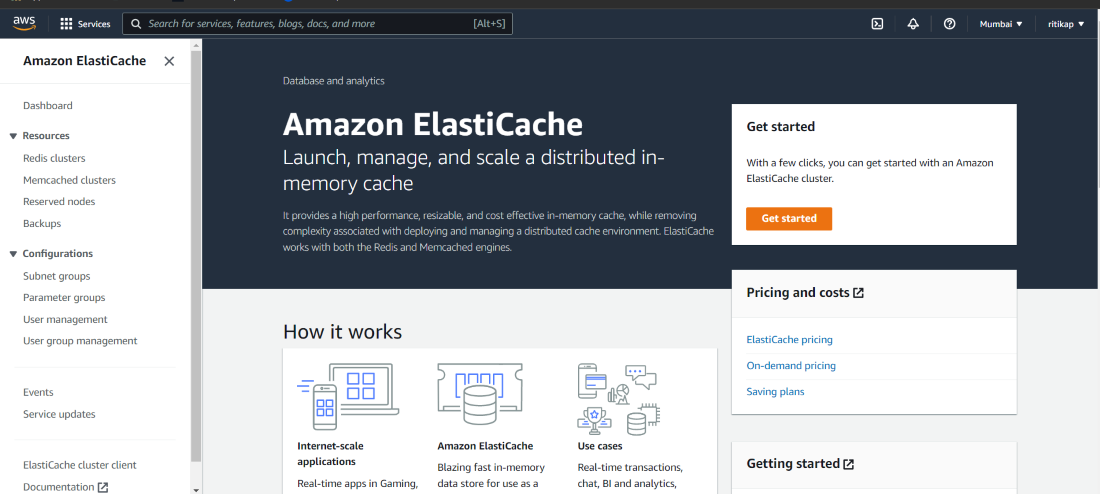
The Amazon ElastiCache service landing page and left navigation panel
ElastiCache vs. DynamoDB DAX
While both are in-memory caching solutions, they differ in flexibility and integration scope:
| **Feature | **ElastiCache (Redis) | **DynamoDB DAX |
|---|---|---|
| **Purpose | General-purpose cache designed for any database type (e.g., Amazon RDS, Aurora, DynamoDB, MongoDB, or on-premises databases). | Specialized, transparent write-through/read-through cache built exclusively for Amazon DynamoDB. |
| **Code Changes | Yes. Requires explicitly writing application logic to check the cache, handle misses, and update records. | None. Requires only changing the endpoint in your DynamoDB client configuration. |
| **Flexibility | High. Can store multi-purpose objects, application sessions, operational queues, and leaderboards. | Low. Caches only API results from DynamoDB GetItem, BatchGetItem, Query, and Scan calls. |
Common Use Case Architectures
Implement ElastiCache to resolve performance bottlenecks in the following architectural scenarios:
- **Database Query Caching: Position ElastiCache in front of relational databases like Amazon RDS to cache heavy read-queries (e.g., "Daily Top 10 Products"), relieving CPU utilization on RDS.
- **Session Management Store: Store volatile customer sessions and shopping carts. Because Redis supports persistence, session data remains secure and accessible even if backend web application servers reboot.
- **Real-Time Leaderboards: Utilize native Redis Sorted Sets to maintain instant global rankings for millions of active concurrent users with sub-millisecond retrieval.