Introduction to Wireshark (original) (raw)
Last Updated : 28 Apr, 2026
Wireshark is a free and open-source network protocol analyzer used to monitor and analyze network traffic at a granular level. It allows users to inspect data packets flowing across a network in real time or from saved captures. This makes it a critical tool for understanding network behavior, diagnosing issues and investigating security incidents.
- Supports detailed packet inspection with decoding of hundreds of network protocols
- Allows filtering of traffic to focus on specific packets or communication streams
- Enables offline analysis using previously captured network data
- Provides a graphical interface for easier visualization of packet-level details
- Widely used in network forensics and incident analysis
Key Features
Wireshark analyzes network packets in detail, similar to how a voltmeter inspects electrical signals.
1. Live Capture & File Input
- Capture from Ethernet, Wi-Fi (monitor mode), USB, Bluetooth, loopback, etc.
- Supports pcap/pcapng formats; compatible with tcpdump and tshark
- Can open, save, merge and replay capture files
2. Protocol Decodes & Dissectors
- Supports hundreds of protocols: Ethernet, IP, TCP/UDP, HTTP, VoIP, USB & more
- Add custom protocol dissectors using plugins or Lua scripts
3. Filtering & Search Tools
- Capture filters (BPF) to limit traffic before capture
- Display filters for precise viewing (e.g., http, ip.addr == 192.168.1.1)
- Powerful search, follow-stream and packet-tracing tools
4. Color Coding & Customization
- Color rules to highlight errors, retransmissions, suspicious traffic
- Custom profiles for columns, filters and layouts
5. Statistics & Analysis Tools
- Protocol hierarchy, IO graphs, flow graphs
- VoIP analysis, wireless metrics, expert system alerts
- Export stats for reporting or forensic analysis
Interface Overview (Core GUI Components)
Wireshark’s main window is organized into several interactive areas:
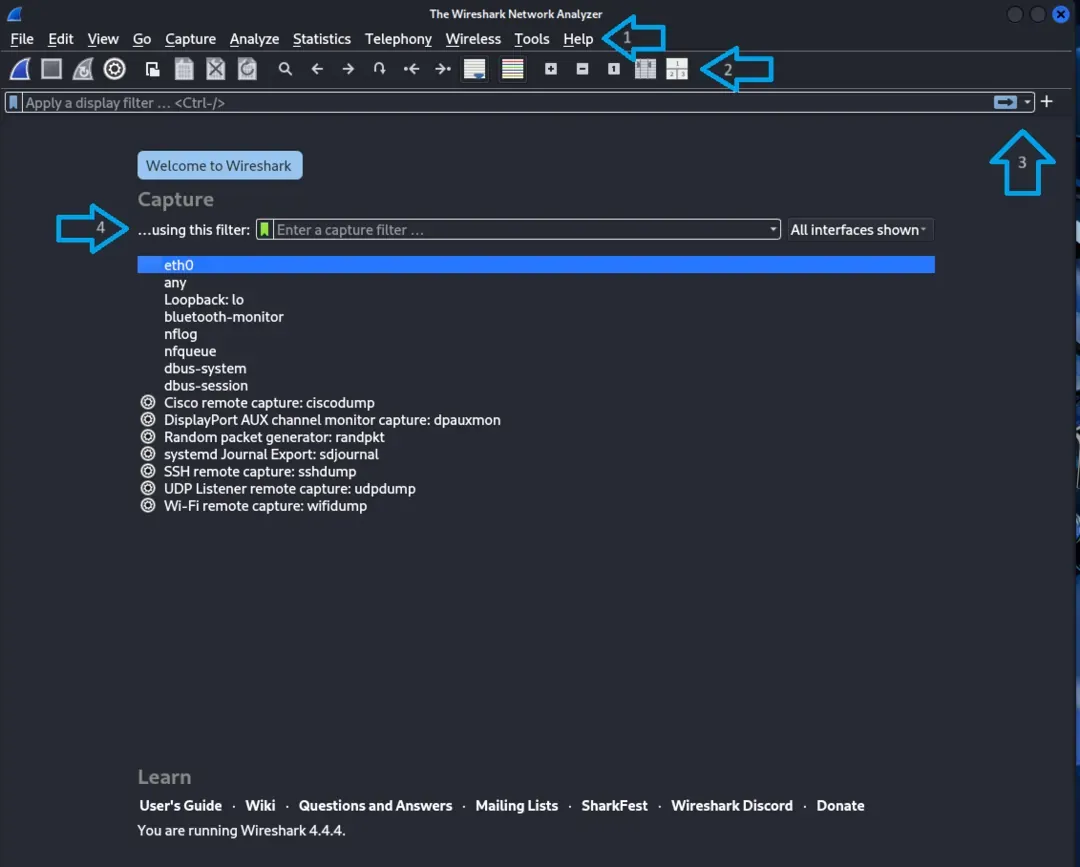
- Full access to capture, filters, statistics, telephony tools, wireless tools
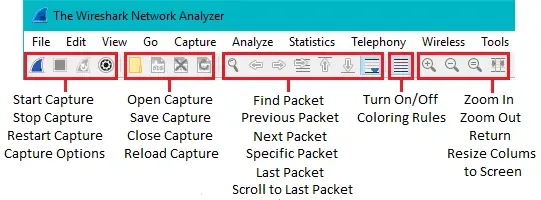
2. Main Toolbar
- Quick buttons for start/stop capture, open/save files, restart capture
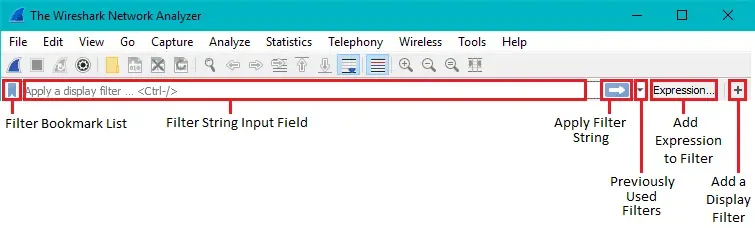
3. Filter Toolbar
- Capture filter (before capture)
- Display filter (after capture) with real-time validation
4. Interface List (Start Screen)
- Shows available network adapters and their current traffic
- Select interface + optional capture filter before starting

Main Pane Layout (post capture)
You can also enable the Packet Diagram Pane to get a visual, textbook-style representation of packet headers and payload structure.
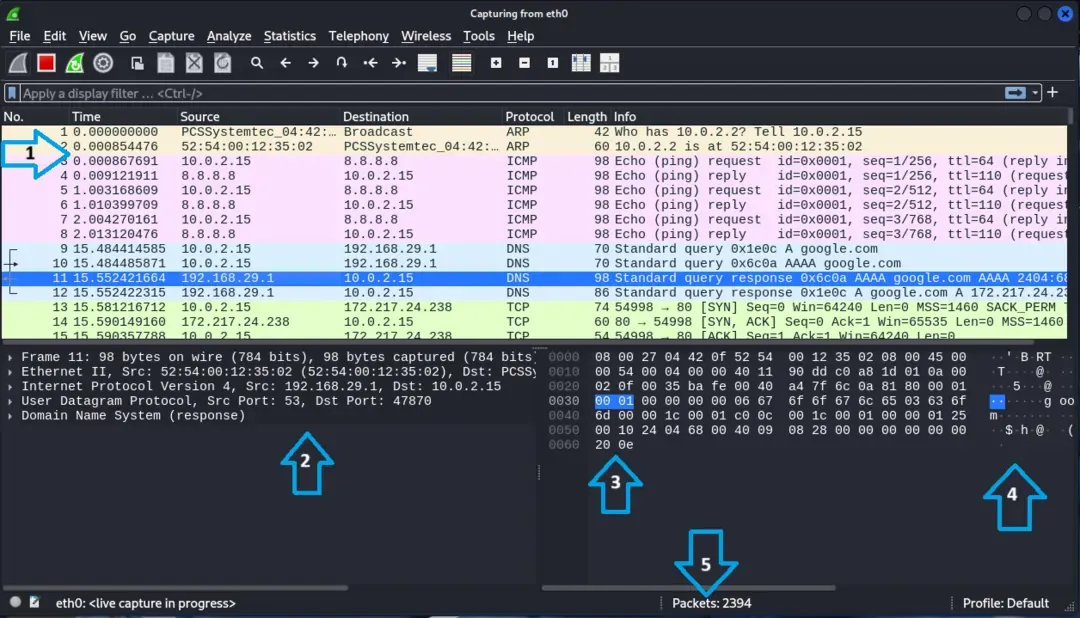
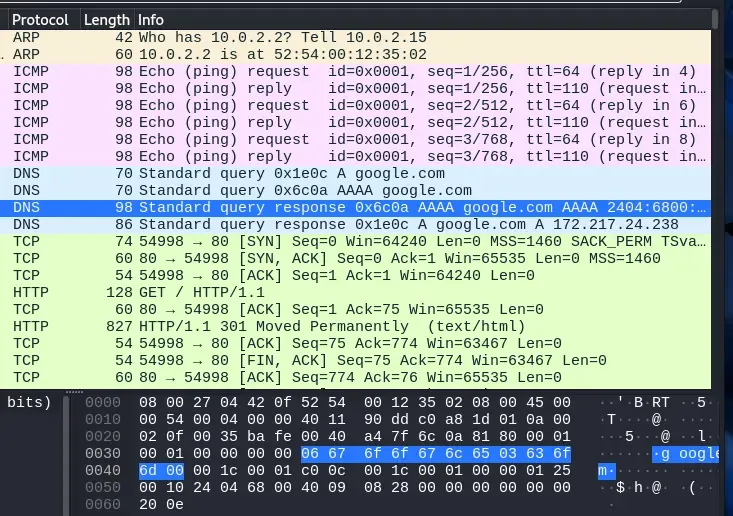
1. Packet List Pane
- Table view of all packets: Time, Source, Destination, Protocol, Info
- Columns fully customizable
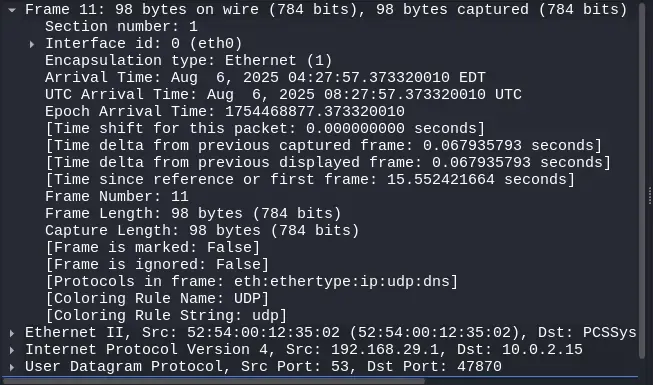
2. Packet Details Pane
- Layer-by-layer breakdown: Ethernet -> IP -> TCP/UDP -> Application
- Expandable and clickable fields
3. Packet Bytes Pane
- Raw hex + ASCII view
- Linked highlighting with Details Pane
4. Packet Diagram Pane
- Visual representation of packet structure (header + payload)
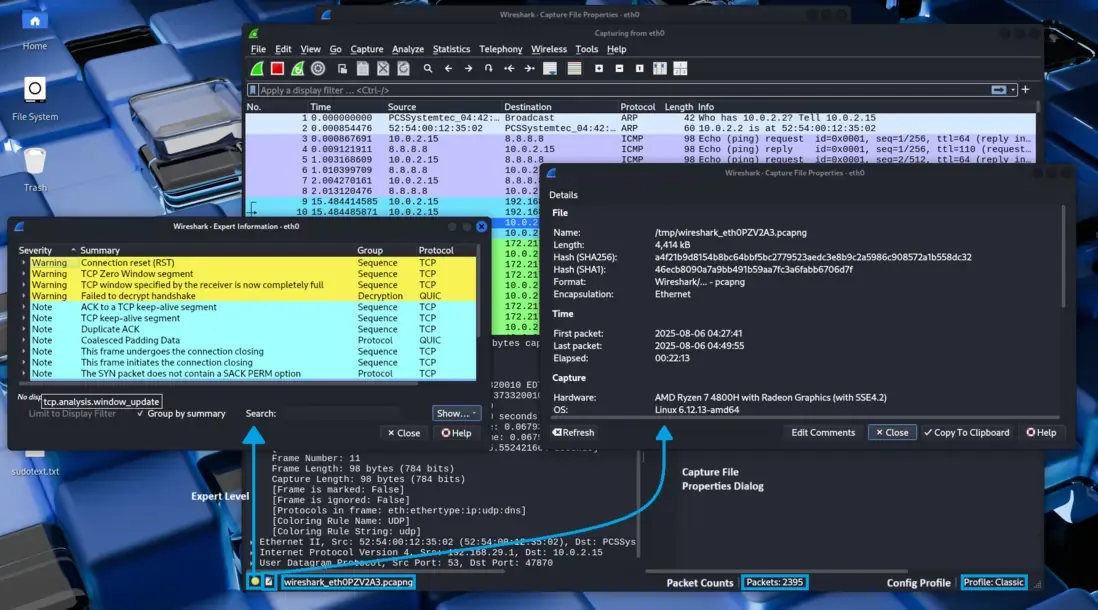
5. Status Bar
- Shows packet stats, filter validation, dropped packets, file path
Usage Workflow
- Open Wireshark and select the desired network interface.
- Apply a capture filter before starting the capture. (Optional)
- Start the capture and allow network traffic to flow.
- Stop the capture once sufficient data has been collected.
- Apply display filters to isolate specific packets or traffic.
- Inspect packets using the packet details and byte views.
- Use statistical tools (e.g., flow graphs, protocol hierarchy) for deeper analysis.
- Save or export the capture for documentation or further investigation.