Process Hacker (original) (raw)
Last Updated : 18 May, 2026
Process Hacker is an open-source system monitoring and debugging tool for Windows that allows users to view, analyze and control running processes, services and network connections in real time. It provides deep visibility into how applications interact with system resources such as CPU, memory, disk and network.
Key Features of Process Hacker
1. Detailed Process Tree View
Process Hacker displays running processes in a detailed tree structure, helping users understand parent-child relationships between applications and services.
- View process IDs, file paths and command-line details.
- Identify suspicious or hidden processes.
- Monitor CPU and memory usage in real time.
2. Service Management
The tool allows users to manage Windows services directly from one interface.
- Start, stop or restart services.
- View service configurations and dependencies.
- Detect unauthorized startup service.
3. Network Monitoring
Process Hacker provides real-time visibility into process-based network activity.
- Monitors TCP and UDP connections per process.
- Displays remote IP addresses, ports and connection states.
4. Memory and Handle Management
Enables inspection of process memory, modules and system handles. It provides deep insight into how processes interact with system resources.
- Monitor TCP and UDP connections.
- View remote IP addresses and ports.
- Detect suspicious outbound communication.
5. Real-time System Information
It helps users inspect process memory and system resources for advanced troubleshooting.
- View loaded DLLs and memory regions.
- Detect abnormal memory usage or code injection.
- Identify resource-heavy applications.
Installation and setup: Process Hacker on Windows
Below is a clear, practical step-by-step guide to download, install and configure Process Hacker on Windows.
Step 1: Go to the official download page
- Open your browser and search for “Process Hacker releases” or visit the official Process Hacker website.
Step 2: Download the installer
- On the SourceForge page, click the Download button.
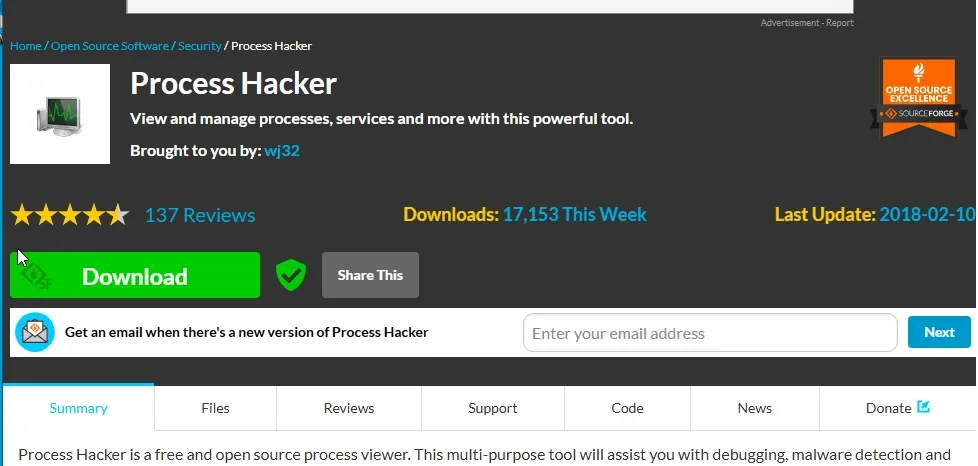
Installer
- The file will usually be named something like:
processhacker-2.39-setup.exe
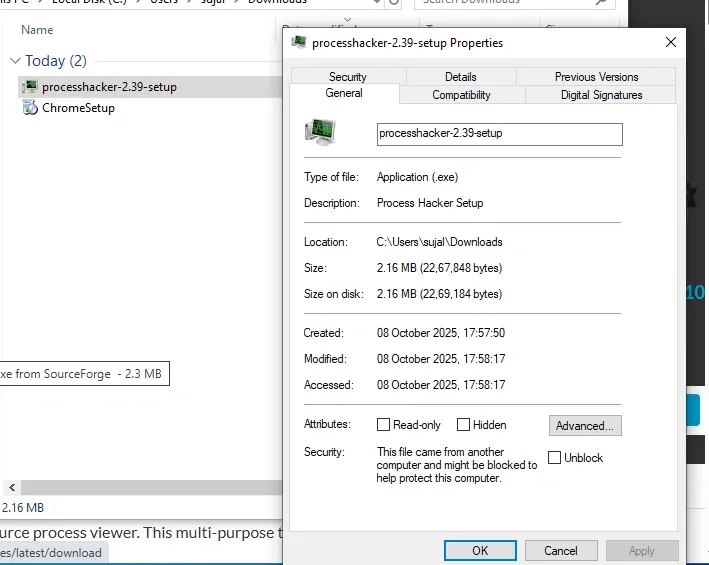
Processhacker exe file
Step 3: Run the installer
- Once downloaded, double‑click the
.exefile. - If Windows shows a SmartScreen warning, click More info > Run anyway (only if you’re sure you got it from SourceForge).
Step 4: Follow the setup wizard
- Choose your installation language.
- Accept the license agreement.
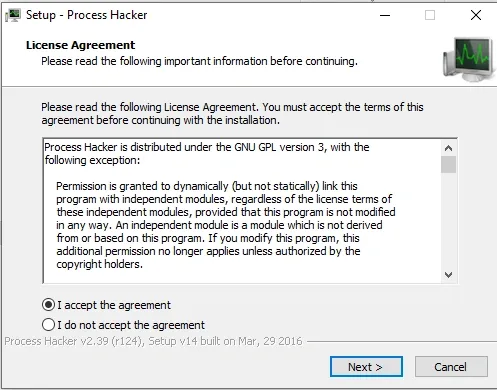
Setup Agreement
- Select the installation folder (default is fine).
- Choose whether you want shortcuts on the desktop/start menu.
- Click Install.
Step 5: Launch Process Hacker
- After installation, you can open it from the Start Menu or desktop shortcut.
- If you want full functionality (like killing protected processes), right‑click the shortcut-Run as administrator.
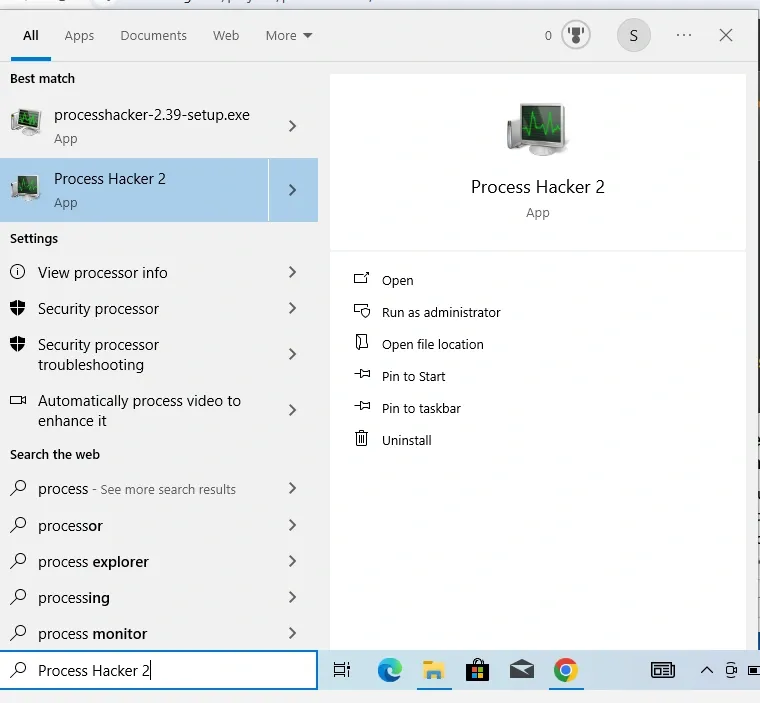
Launch Process Hacker
Practical Uses of Process Hacker
Real-world use cases explained with clear, step-by-step guidance. Based on Process Hacker version 2 and 3.
1. Terminating Unresponsive or Malicious Processes
Imagine your web browser freezes and won't close normally or you've accidentally downloaded a suspicious program that's running in the background and consuming resources. Process Hacker can force-terminate it safely, preventing further issues like data loss or security risks.
**Steps to Perform:
- Open Process Hacker and run it as administrator.
- In the main window, look at the list of processes (sorted by name or CPU usage by clicking the column headers).
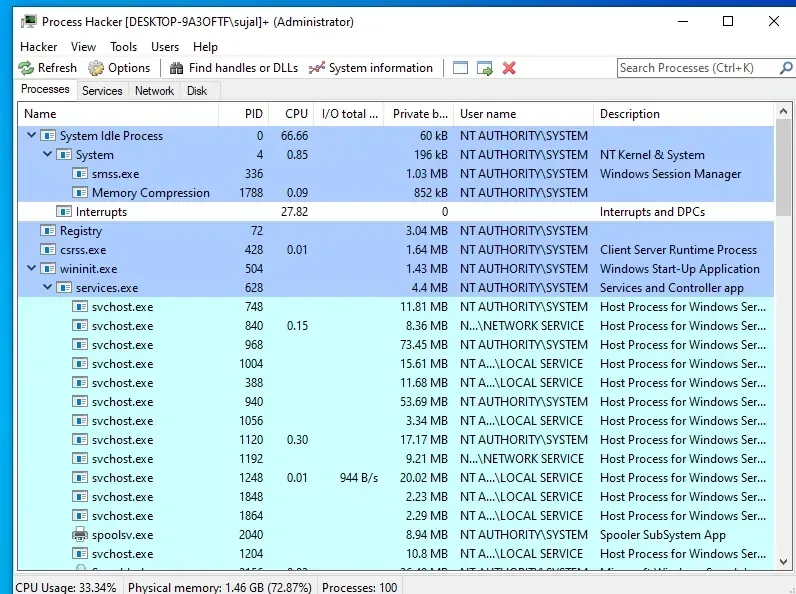
CPU USAGE
- Find the unresponsive or suspicious process (e.g., "chrome.exe" if it's your browser). You can search for it using the search bar at the top.
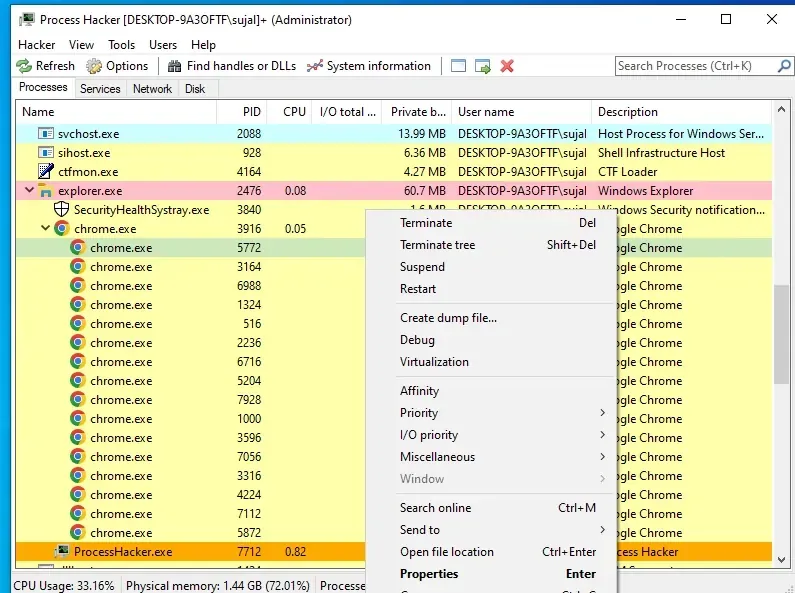
chrome.exe
- Right-click the process and select "Terminate" (or press Delete key). Confirm if prompted.
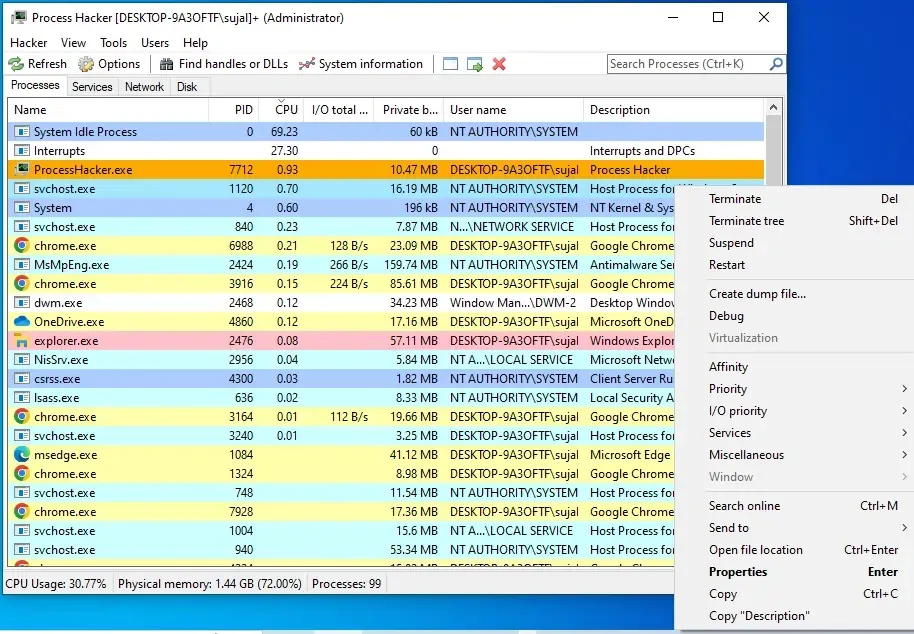
Terminate
- If it's a tree of related processes (like multiple browser tabs), right-click and choose "Terminate tree" to end all child processes.
2. Investigating Malware or Suspicious Activity
If your computer is slowing down unexpectedly or you notice unusual network activity (e.g., a program sending data without your knowledge), Process Hacker helps inspect processes for signs of malware, like hidden connections or high resource use from unknown apps.
**Steps to Perform:
- Launch Process Hacker as administrator.
- Sort the process list by CPU, Memory or I/O (input/output) columns to spot high-usage items.
- Right-click a suspicious process (e.g., one with a generic name like "svchost.exe" but unusual behavior) and select "Properties."
**In the Properties window, check tabs:
- **Threads: See what the process is doing in real-time.
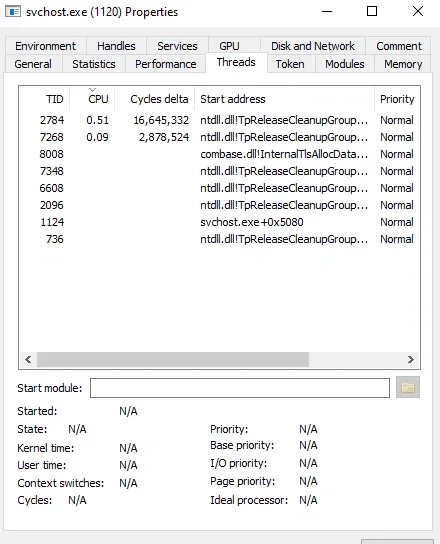
Threads
- **Modules: View loaded DLL files (libraries) for anything unfamiliar.
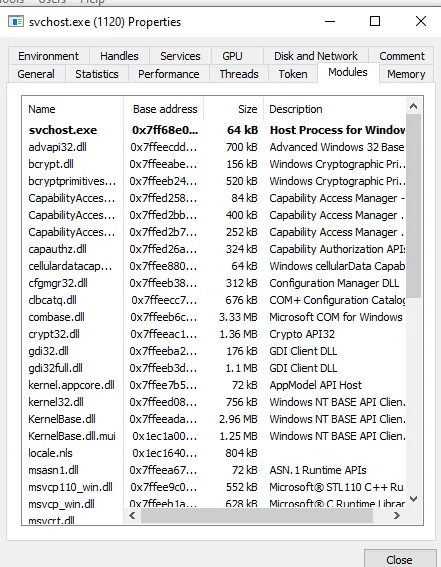
Modules
- **Handles: Look for open files or registry keys it might be accessing suspiciously.
- **Network: Check for active connections (e.g., IP addresses it's connecting to).
3. Monitoring System Performance
If your PC feels sluggish during gaming or video editing, Process Hacker can track overall CPU, memory, disk and network usage in real-time, helping you identify bottlenecks like a program hogging RAM.
**Steps to Perform:
- Open Process Hacker as administrator.
- Go to the "System Information" window (Tools > System Information or Ctrl+I).
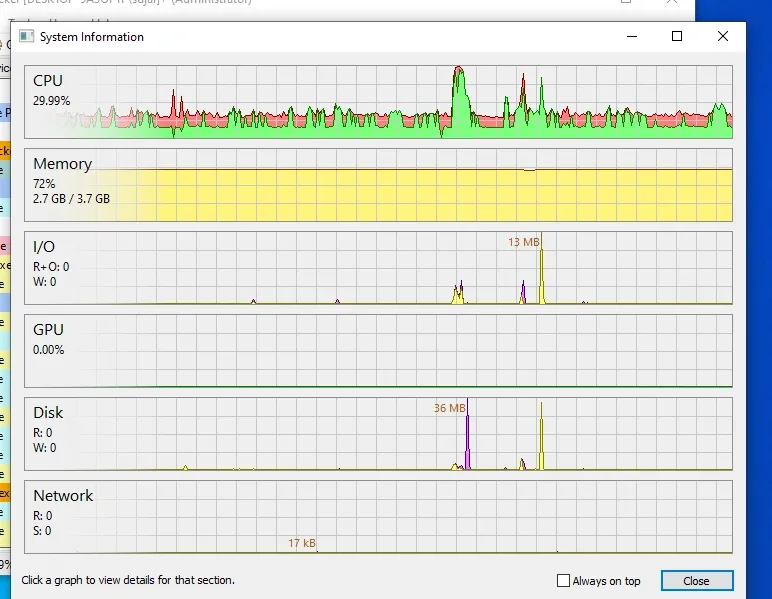
System Performance
**View graphs for:
- **CPU: Shows usage per core.
- **Memory: Tracks RAM and virtual memory.
- **I/O: Monitors disk read/write speeds.
- **Network: Displays upload/download activity.
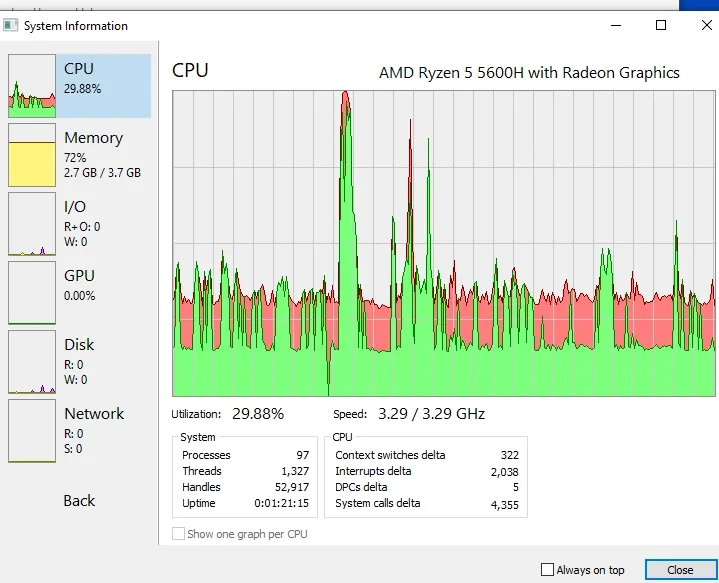
Graphs of system performance
Comparison with Other Tools
| Feature | Task Manager | Process Explorer | Process Hacker |
|---|---|---|---|
| Basic Monitoring | Yes | Yes | Yes |
| Deep Memory Analysis | No | Yes | Excellent |
| Open Source | No | No | Yes |
| Plugin Support | No | Limited | Yes |
| Kernel-Level Insights | No | Yes | Excellent |