Common Git Problems and Their Fixes (original) (raw)
Last Updated : 27 Mar, 2026
Common Git problems arise from mistakes during commits, merges, or file handling, but Git provides commands to fix and manage these issues efficiently.
- Use commands like amend, reset, and revert to fix commit-related mistakes.
- Manage files and history properly to avoid unwanted changes or data loss.
- Use tools like rebase and bisect to maintain clean history and find issues quickly.
1. Edit a commit message
Editing a commit message fixes mistakes in the latest commit, and --amend updates it by creating a new commit and modifying history.
- Use git commit --amend to open the editor and modify the message.
- Use git commit --amend -m "New message" to update it directly.
- Avoid using amend after pushing, as it creates a new commit and alters history.
git commit --amend git commit --amend -m "New message"
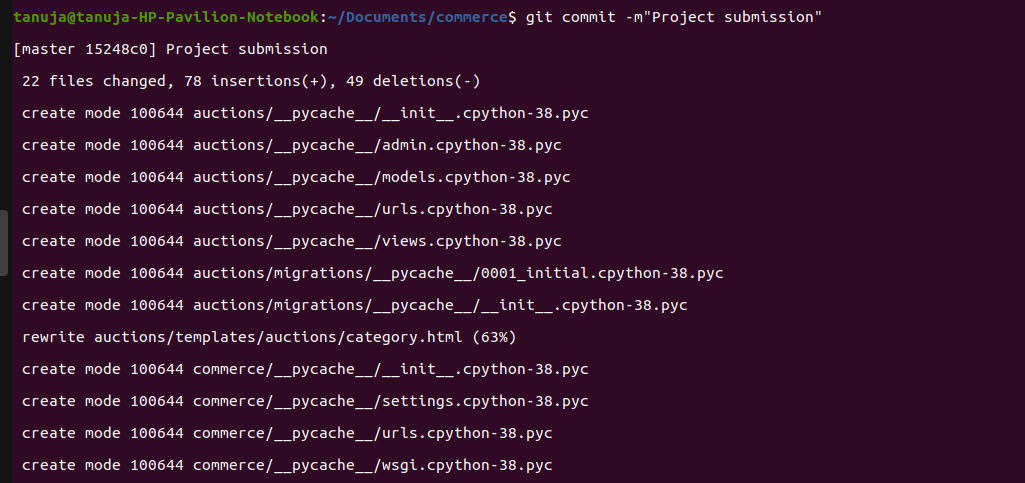
Normal commit
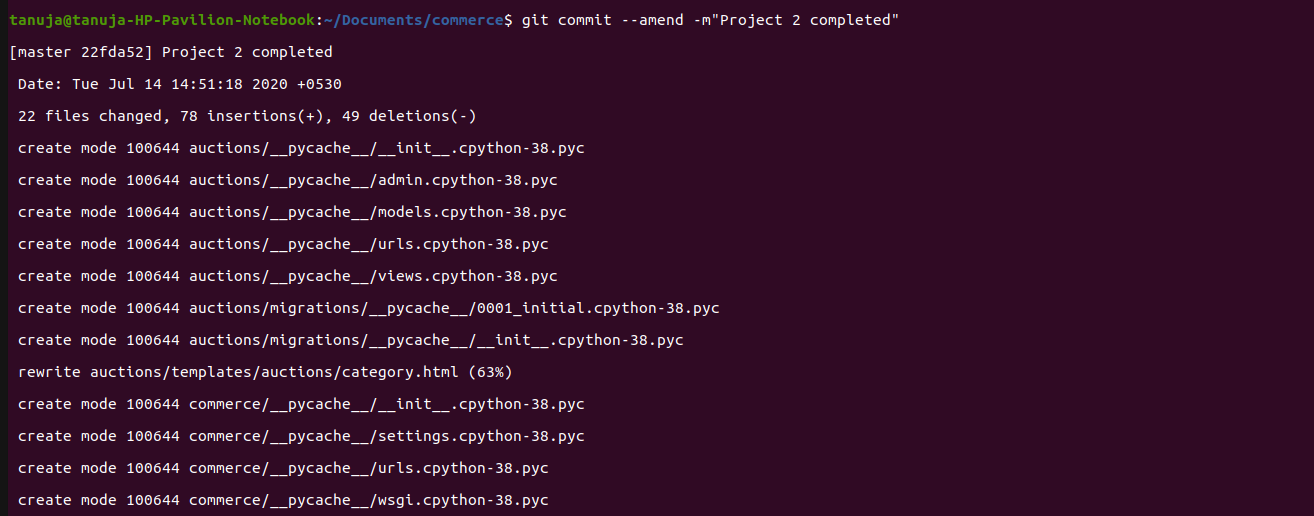
amend commit
Adding a Missed File to Last Commit
If a file was forgotten during git add:
git add forgotten_file_name git commit --amend

Cleaning Older Commits (Using Rebase)
If the commit is not the latest, use interactive rebase:
git rebase --interactive git rebase --interactive origin branch

This will give the following menu:

**Note: Interactive rebase allows full control over commit history, including modifying, merging, or deleting commits before pushing to the remote repository.
2. Undo the local commits
Undoing local commits helps fix mistakes made after committing changes but before pushing them to the remote repository.
- Use git reset HEAD-2 to undo last 2 commits while keeping changes
- Use git reset --hard HEAD-2 to undo commits and discard changes
- Helps correct recent mistakes in local commit history
git reset HEAD-2 git reset --hard HEAD-2

Removing a File Without Deleting It
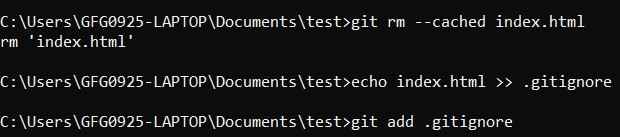
- Use git reset filename or git rm --cached filename to unstage the file.
- Prevent accidental deletion from the system.
- Add file to .gitignore to avoid tracking again.
git reset filename git rm --cached filename echo filename >> .gitignore
3. Reverting pushed commits
Reverting pushed commits helps fix mistakes in commits that are already pushed to the central repository without altering commit history.
- Use git revert to safely undo changes by creating a new commit.
- Can revert a specific commit, previous commit, or a range of commits.
- Use -n option to apply changes without creating a new commit immediately.
git add . git commit -m "first commit" git revert -n HEAD

**Note: Revert does not delete history but creates a new commit that undoes the changes, making it safe for shared repositories.
4. Avoid repeated merge conflicts
Avoiding repeated merge conflicts helps save time by reusing previously resolved conflicts during future merges.
- Git can remember how conflicts were resolved earlier.
- Prevents resolving the same conflicts multiple times.
- Useful when merging branches repeatedly.
git config --global rerere.enabled true

5. Find a commit that broke something after a merge
Git bisect helps identify the commit that introduced a bug by performing a binary search between good and bad commits.
- Used to find the commit that caused an issue.
- Narrows down the search by checking commits between good and bad states.
- Saves time compared to manual searching.
git bisect start
git bisect bad
git bisect good
git bisect good // OR git bisect bad
