Difference between git add A and git add (original) (raw)
Last Updated : 7 May, 2026
git add is used to move changes from the working directory to the staging area. Different options like -A, -u, and . control how and what changes are staged.
- Stages changes before committing and controls staging behavior.
- Determines scope (entire repository vs current directory).
- Handles tracked and untracked files differently.
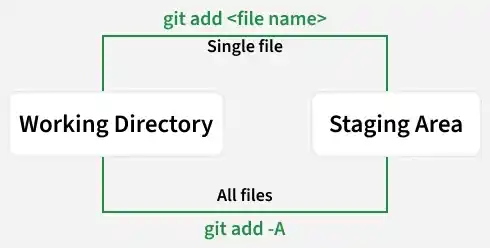
Git add- Command
git add is used to move changes from the working directory to the staging area, preparing selected files and updates for the next commit.
- Stages changes so they can be included in the next commit.
- Allows adding specific files, multiple files, or all changes at once.
- Behavior and scope depend on options used (e.g., ., -A, -u).
- Helps control exactly what changes are committed.
git add
**Example:
git add readme.md
Git add -A Command
git add -A stages all changes in the repository, including new, modified, and deleted files, regardless of the current directory.
- Stages all file types: untracked, modified, and deleted.
- Works across the entire working tree.
- Can be run from any directory and still stage everything.
- Useful for quickly staging all changes.
git add -A
git add --all
Example: Staging Single and Multiple Files
**Step 1: Changes are made in multiple files in the working directory.

Step 2: To stage a specific file:
git add

**Step 3: To stage all changes at once:
git add -A
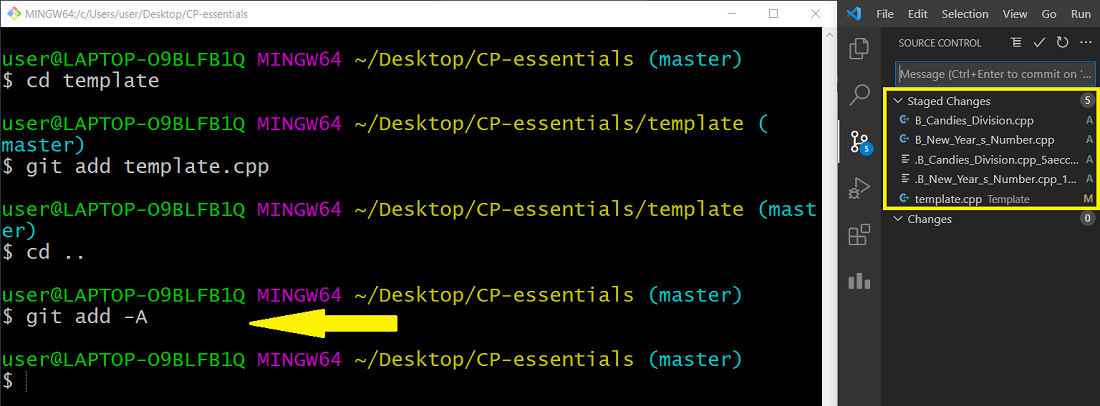
git add Vs git add -A
Comparison of git add and git add -A based on scope and the types of changes they stage.
| git add | git add -A |
|---|---|
| Git add add any particular file only. | Git add sends all files from the untracked area to the stage area. |
| Git add is more like to be used in big projects where small changes are used to be made. | Git add -a, all the untracked files to the staging area. |
| "Git add" is comparatively less handy. | "Git add -a" is more healthy. |
| Git add doesn't deletion adds stage changes. | Git add stages changes including modification or code deletion. |