Getting Changes from a Remote Git Repository (original) (raw)
Last Updated : 9 May, 2026
Getting changes from a remote Git repository keeps your local project updated with the latest work from collaborators.
- Developers retrieve updates from the remote repository to keep their local copy current.
- Changes from other contributors are not updated automatically.
- Git provides commands like git pull and git fetch to get these updates.
Git Pull Command
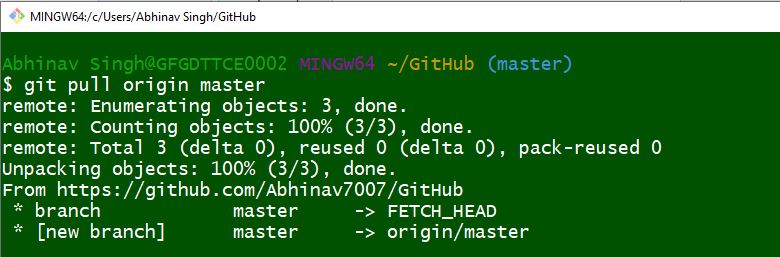
The git pull command updates your local repository by fetching and merging changes from a remote repository.
**Syntax
git pull
**Working
- Connects to the remote repository.
- Runs git fetch to download the latest commits.
- Runs git merge to integrate those commits into the current local branch.
**Attributes of git pull
- **--no-commit: Merges branches but skips automatic commit.
git pull --no-commit
- **--rebase: Merges changes without creating an extra merge commit, keeping history cleaner.
git pull --rebase
- **--verbose: Displays detailed information about files and merge operations during the pull.
git pull --verbose
Git Fetch Command
The git fetch command downloads updates from the remote repository but does not merge them automatically into your local branches. This allows you to review changes before integrating them.
**Syntax
git fetch
**Working
- Connects to the remote repository.
- Downloads new commits, branches, and tags.
- Updates remote-tracking branches (e.g., origin/main).
- Does not modify the current local branch or working directory.
**Attributes of git fetch
- **--all: Fetches all registered remotes along with their branches.
git fetch --all
- **--dry-run: Simulates a fetch operation without applying changes.
git fetch --dry-run
- **--prune: Remove remote-tracking refs that no longer exist on the remote.
git fetch --prune
Git pull Vs Git fetch
| git fetch | git pull |
|---|---|
| Downloads changes from the remote repository. | Downloads and merges changes into the current branch. |
| Does not modify the local working branch. | Updates the local branch immediately. |
| Allows reviewing changes before merging. | Integrates changes automatically. |
| Provides more control over updates. | Faster way to sync the repository. |