Git diff (original) (raw)
Last Updated : 7 May, 2026
git diff is a Git command used to compare changes between different states of a repository, helping developers see what has been modified in files before committing or merging.
- git diff compares the Working Tree with the Index, showing unstaged changes.
- git diff --cached compares the Index with HEAD, showing staged changes.
- git diff HEAD compares the Working Tree with HEAD, showing all local changes.
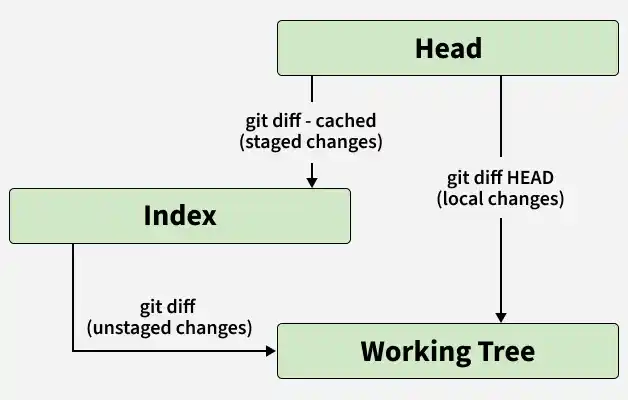
Usage of git diff
Showing Differences for a Specific File or Directory
This allows you to view changes in a specific file or folder, helping you focus only on relevant modifications.
- Used to isolate changes instead of viewing the entire repository.
- Helpful for debugging or reviewing specific modules.
git diff file_name
OR
git diff folder_name/
**Example:
git diff app.java
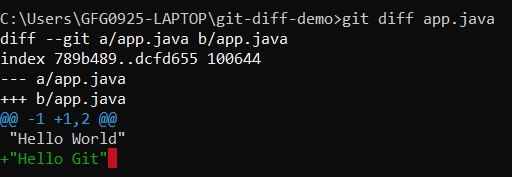
Differences for a specific file
Showing Both Staged and Unstaged Changes
This shows all local changes by comparing your working directory and staging area with the last commit.
- Displays a complete view of all modifications.
- Useful before committing to review everything.
- Helps identify both staged and unstaged changes in one place.
git diff HEAD
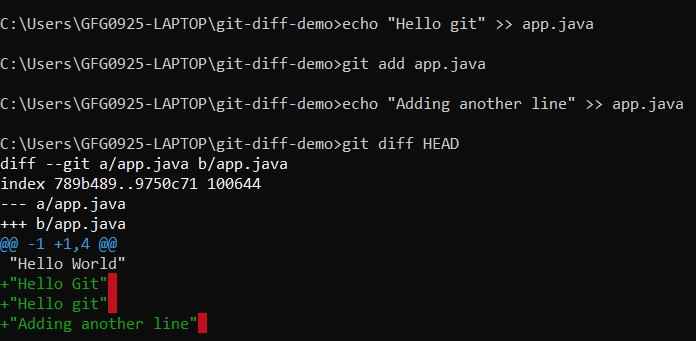
Staged and Unstaged Changes
Shows Difference for Staged Files
This displays changes that are staged and ready to be committed but not yet saved in history.
- Focuses only on staged changes.
- Helps verify what will be committed.
git diff --staged
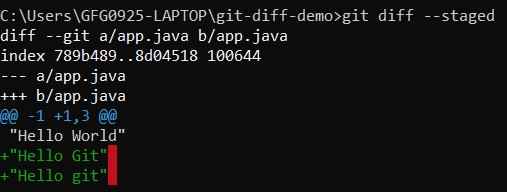
Staged Files
Comparing Branches and Commits Using git diff
This allows you to compare changes between branches or commits to understand differences, track history, and review code before merging.
- Helps analyze differences across branches and track changes between commits.
- Direction of comparison affects output (what is added or missing).
- Useful for debugging, version tracking, and pre-merge review.
git diff
**Example:
To view differences between two specific commits, run:
git diff c5deeae 82733c3
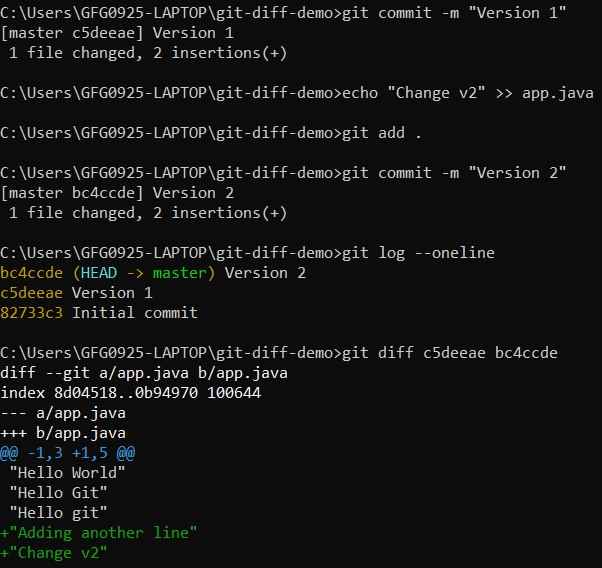
Comparing Commits
To view differences between the master branch and feature branch, run:
git diff master feature
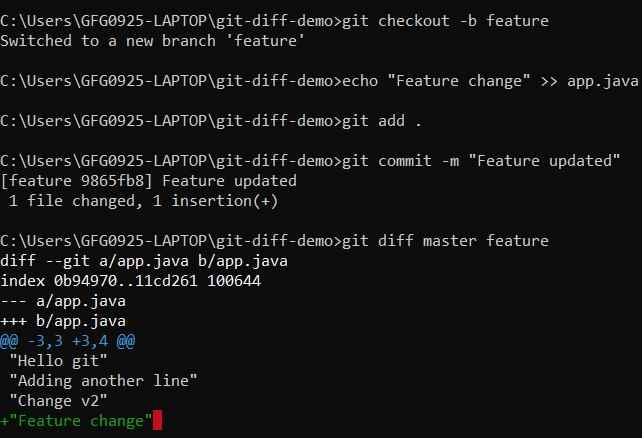
Comparing Branches