Filtering Commit History in Git (original) (raw)
Last Updated : 8 May, 2026
git log is a useful Git command used to view and analyze the commit history of a repository. It allows developers to list, filter, and display commits in various formats, helping track changes and understand project evolution.
- Displays complete commit history in reverse chronological order.
- Shows details like commit ID, author, date, and message.
- Supports filtering and customization of output.
- Helps in tracking changes and debugging issues.
Common git log Commands
Below are some common git log commands you might use:
1. List Commit History
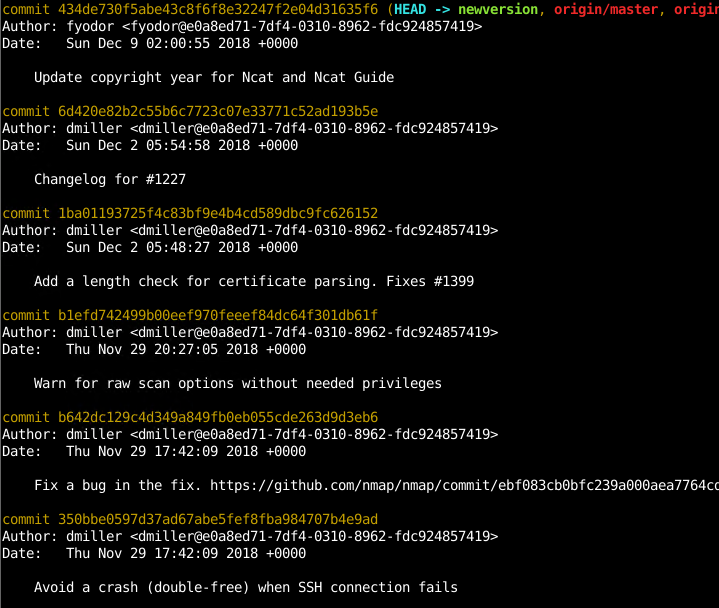
Displays all commits with full details.
git log
List Commit History
- Commit number which is a unique hash identifies the commit.
- Author the developer who commits. Also, email information is provided.
- Date specifies when the commit occurred.
2. One Commit Per Line
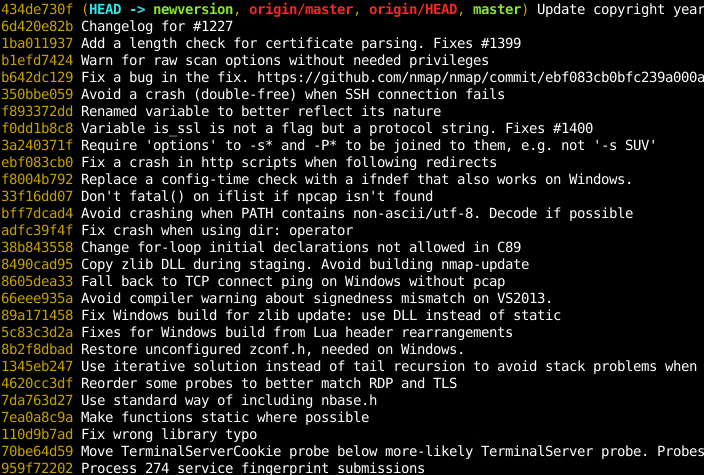
Shows a compact view with short commit ID and message.
git log --oneline
List One Commit Per Line
3. Show Statistics
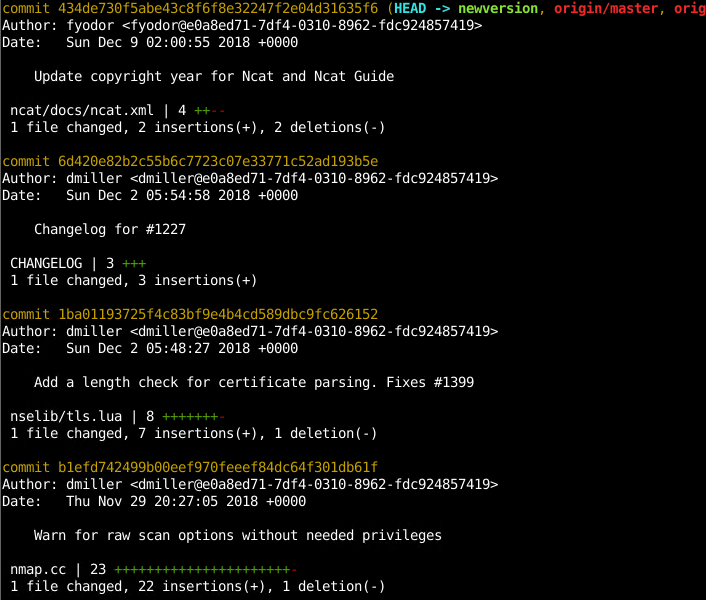
Displays files changed, insertions, and deletions.
git log --stat
Print Statistics
The extra information like changed file, changed file count, number of lines added, number of lines deleted.
4. Show Diff (Patch)
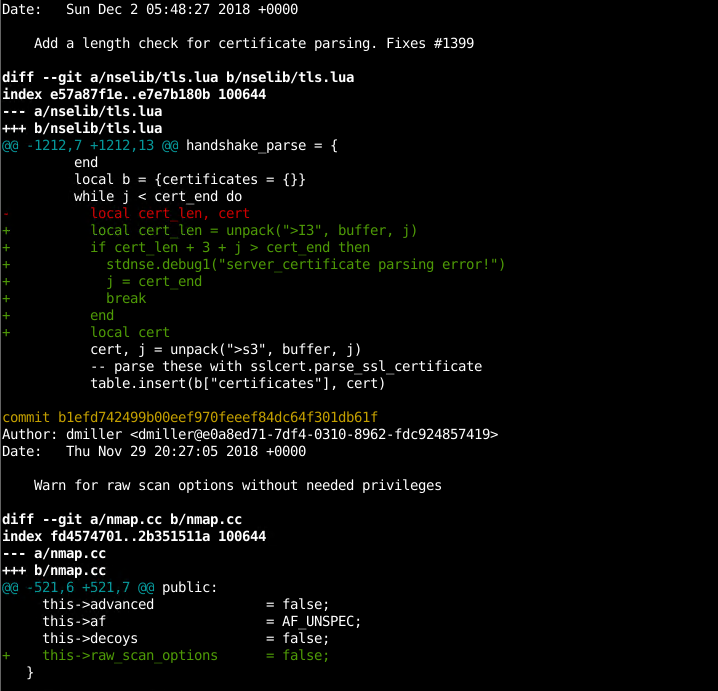
Displays detailed code changes (diff).
git log -p
Print Patch or Diff Information
Added code is shown in green with +, and removed code is shown in red with -.
5. Show Specific Commit
Displays detailed information about a particular commit.
git show
git show b1efd742499b00eef970feeef84dc64f301db61f
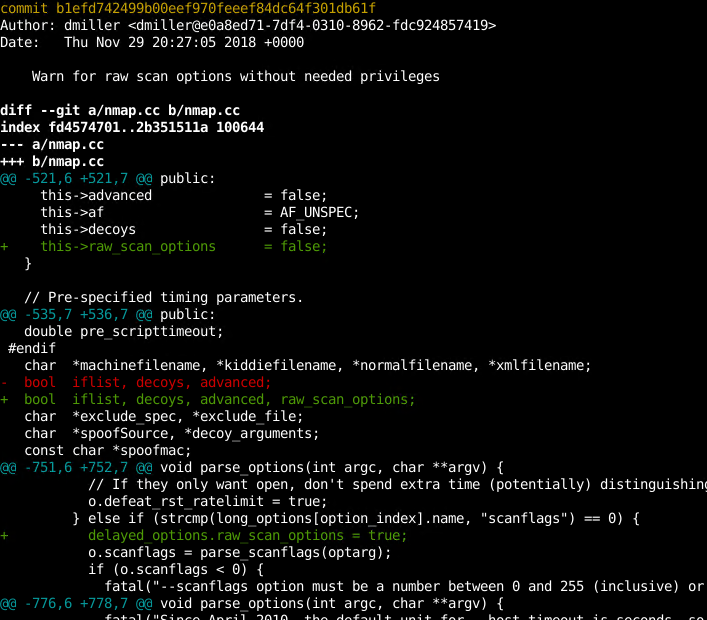
Print Specific Commit In Detail
Specific commit provides diff information in detail.
6. Show Specific Commit Stats
Shows only statistics for a specific commit.
git show --stat
git show --stat b1efd742499b00eef970feeef84dc64f301db61f
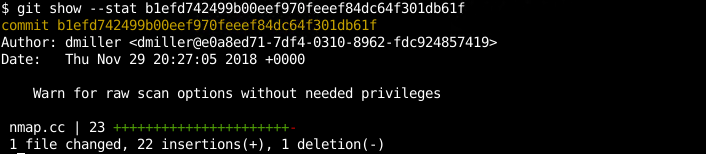
Show/Print Specific Commit Stats
Lists commits grouped by author.
git shortlog
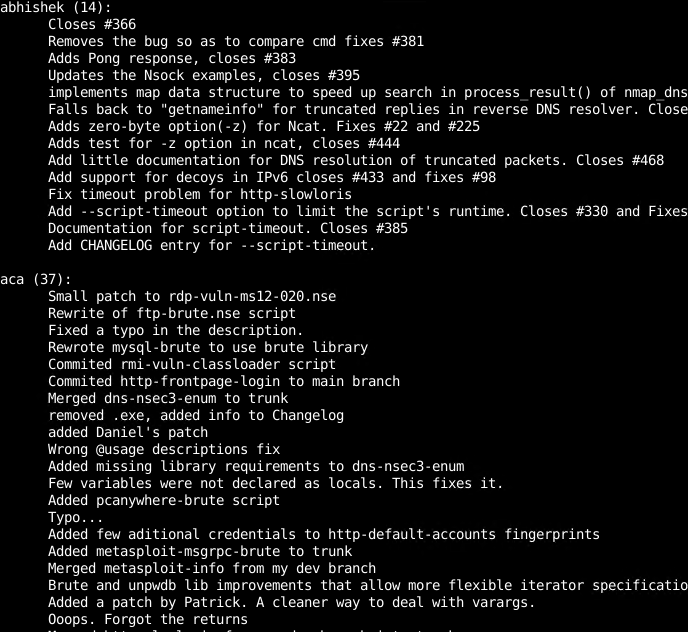
Group Commits By Author
8. Show Author Commit Count
Displays number of commits per author.
git shortlog -s
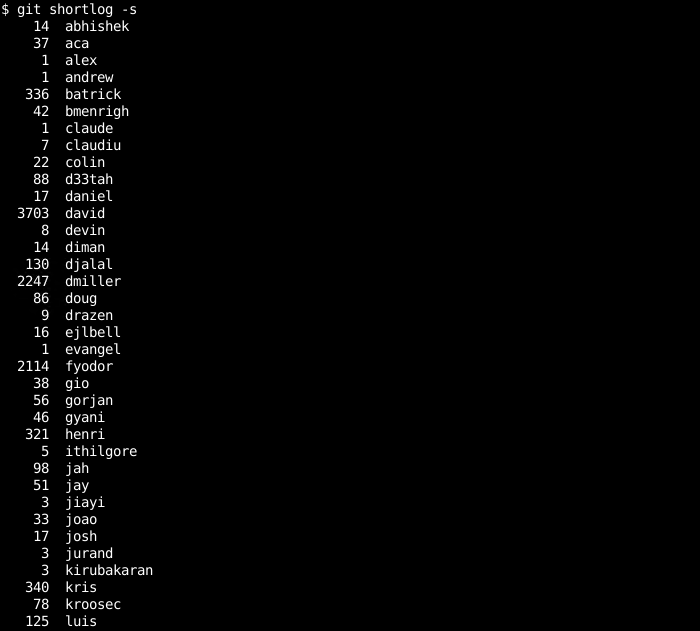
Show Author Commit Numbers
9. Sort Authors by Commit Count
Sorts authors based on number of commits.
git shortlog -n -s
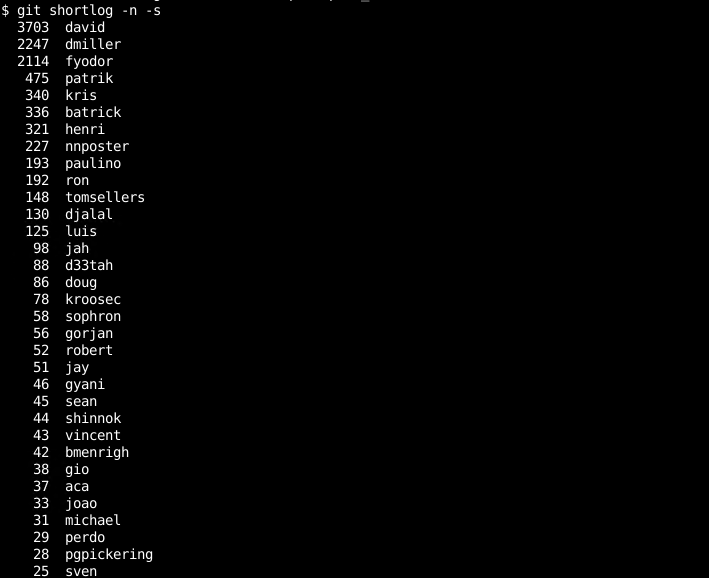
Sort Authors By Commit Numbers
10. Pretty Print Logs
Customizes log output format.
git log --pretty="%cn committed %h on %cd"
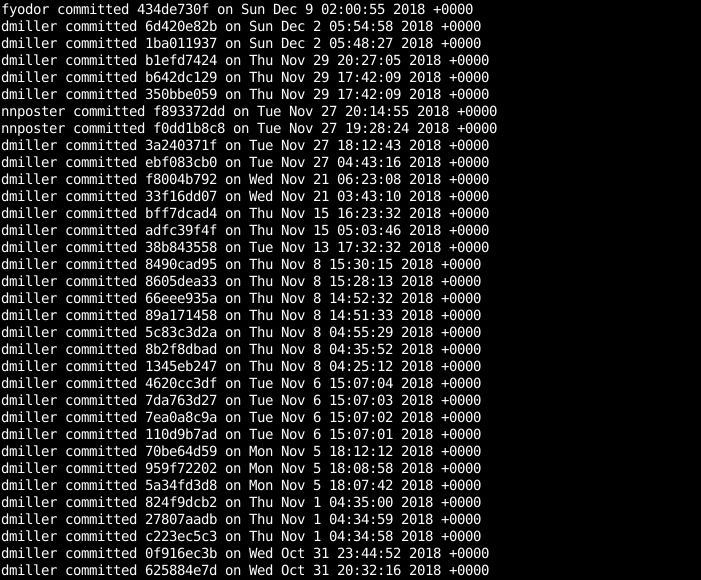
Pretty Print
11. Filter by Author
Shows commits by a specific author.
git log --author="author_name"
git log --author="dmiller"
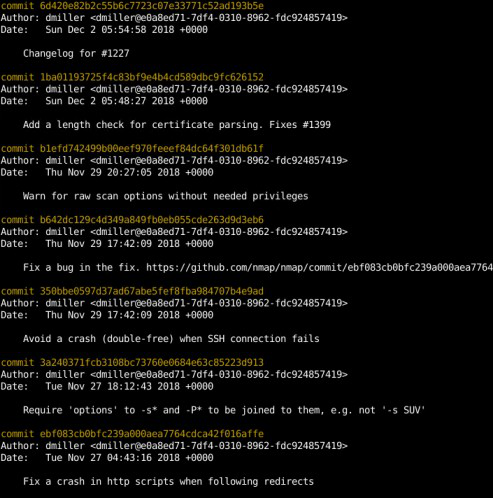
Filter by Author
12. Limit Number of Commits
Displays a specific number of recent commits.
git log -5 --oneline

Filter by Number
13. Show Only Merge Commits
Displays only merge commits.
git log --merges
14. Exclude Merge Commits
Displays commits excluding merge commits.
git log --no-merges