Git Subtree (original) (raw)
Last Updated : 7 May, 2026
Git Subtree is a strategy for including one Git repository as a subdirectory within another repository, allowing full integration of external code.
- Keeps another project’s code inside your repository.
- Allows easy pulling and pushing of updates.
- Stores complete code and commit history locally.
- Does not require separate repository access after addition.
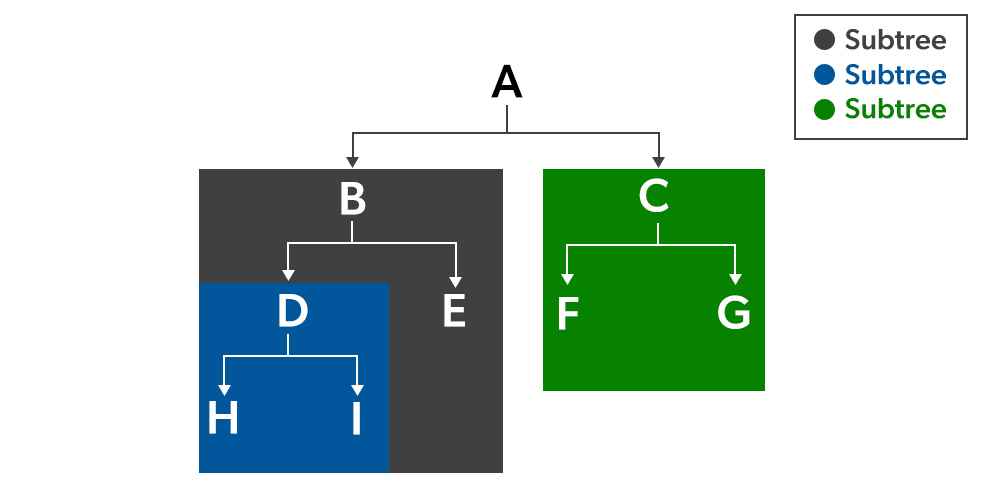
Adding a Subtree to Parent Repository
To add a subtree to a parent repository, first add the remote, then use the subtree command.
git remote add remote-name
git subtree add --prefix=folder/ remote-name subtree-branchname
The entire commit history of the child repository is merged into the main repository.
Using --squash
git subtree add --prefix= --squash
- Combines all commits into a single commit.
- Keeps history cleaner.
**Example:
git subtree add --prefix=subtreeDirectory https://github.com/microsoft/hermes-windows master --squashPush
Copies the external repository into subtreeDirectory.
Push Changes to Subtree
Use the following command to push local subtree changes to the remote repository:
git subtree push-all
- Pushes subtree changes to the corresponding remote.
- Synchronizes local updates with the external repository.
Pull Changes from Subtree
Use the following command to fetch and merge updates from the remote subtree:
git subtree pull-all
- Retrieves latest changes from the remote subtree.
- Updates the local subtree with new commits.
Replace add with pull to update existing subtree:
git subtree pull --prefix= --squash
Benefits
- **Integration: Seamlessly integrates external repositories into your main project.
- **Simplicity: Simplifies the workflow compared to Git Submodules by avoiding additional metadata and simplifying commands.
- **Autonomy: Each subtree can be managed independently, making it easier to track changes and updates.
- **Flexibility: Allows for merging and splitting subtrees without affecting the main repository.
Disadvantages
Git subtrees can introduce complexity in tracking and managing integrated repositories.
- Not immediately obvious that a subtree is being used
- Difficult to identify and list subtrees in a project.
- Hard to track associated remote repositories.
- Commit history can become confusing after multiple subtree merges.
Git Subtree Vs Git Submodule
Git subtree and submodule are two approaches to include external repositories, differing in integration, storage, and workflow.
| Git Subtree | Git Submodule |
|---|---|
| Repository is stored as a subdirectory inside the main project. | Repository is stored as a separate linked repository. |
| Simple no extra commands after cloning. | Requires git submodule init and git submodule update. |
| Clones everything in one go. | Needs an additional step to fetch submodules. |
| Fully integrated — subtree files are part of main repo history. | Submodule files are not part of main repo history. |
| Works completely offline. | May need internet access to update submodules. |
| Subtree commits are merged into main repo commits. | Submodule stores only a reference (commit ID) of the external repo. |
| Easier to understand and manage. | More complex to maintain and sync. |
| Team members don’t need special setup. | Every collaborator must initialize submodules manually. |
| Best when simplicity and integration are priorities. | Best when keeping repositories strictly separate is important. |