Git Logs (original) (raw)
Last Updated : 7 May, 2026
git log is a Git command used to view the commit history of a repository, helping developers track changes, analyse progress and understand contributions.
- Displays commits in reverse chronological order (latest first).
- Shows commit hash, author details, date, and commit message.
- Helps in tracking changes and reviewing project history.
**Syntax:
git log
Running this command shows a detailed list of all commits in your repository.
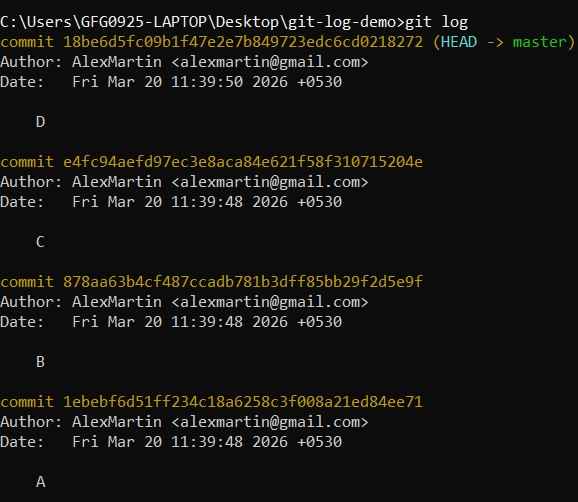
Output
Each entry represents one commit.
Useful Git Log Options
Git Log has many options to customize how you view the commit history. Here are some of the most commonly used ones:
1. View a Compact One-Line Log
Shows each commit in a single line (commit hash and message only).
git log --oneline
2. Show Graph of Branches
Displays a visual branch structure along with commits.
git log --oneline --graph
Helps to understand how different branches have diverged and merged.
View only commits made by a particular developer.
git log --author="Alice"
Useful for reviewing contributions by a specific team member.
4. Filter Commits by Date
View commits within a certain date range.
git log --after="2025-09-01" --before="2025-10-01"
Helps track progress during specific development periods.
5. Search Commits by Message Keyword
Find commits with specific keywords in their message.
git log --grep="bug fix"
Useful for locating when a specific feature or fix was introduced.
6. View Files Changed in Each Commit
Show the list of modified files in each commit.
git log --stat
Displays file-level changes and total insertions/deletions.
7. See the Actual Code Changes
To view the full diff (code changes) in each commit:
git log -p
Useful for debugging and code reviews.
Colorizing Git Logs
You can add colors to your Git logs to make them more readable and visually organized.
1. Basic Colored Log
Displays commits with colors, along with graph and branch details.
git log --oneline --graph --decorate --color
- **--color: Enables colored output.
- Highlights branches, tags, and commits.
- Improves readability when combined with graph view.
2. Always Color Git Logs
Configure Git to automatically use colors in output.
git config --global color.ui auto
- **auto: Uses color when output is shown in terminal.
- **always: Forces color even when output is redirected.
- **never: Disables colored output.
3. Example Output (Colored)
Git uses different colors to distinguish elements:
- **Branch names: Green
- **Tags: Yellow
- **Commit hashes: Red/Magenta
- **Commit messages: Default (white)
4. Combine With Other Options
Use color with other log options for a structured view.
git log --oneline --graph --decorate --color --all
- Displays all branches.
- Shows commit graph.
- Highlights branches, tags, and commits with color.
Finding Specific Commits
Git provides multiple ways to search through commit history, making it easier to locate specific changes based on messages, authors, dates, or files.
Based on Text
**1. Search by Commit Message
Find commits containing specific keywords in their messages.
git log --grep="fix bug"
- Searches commit messages for matching text.
- Useful for tracking fixes, features, or changes.
**2. Search by Author
View commits made by a specific contributor.
git log --author="Alex"
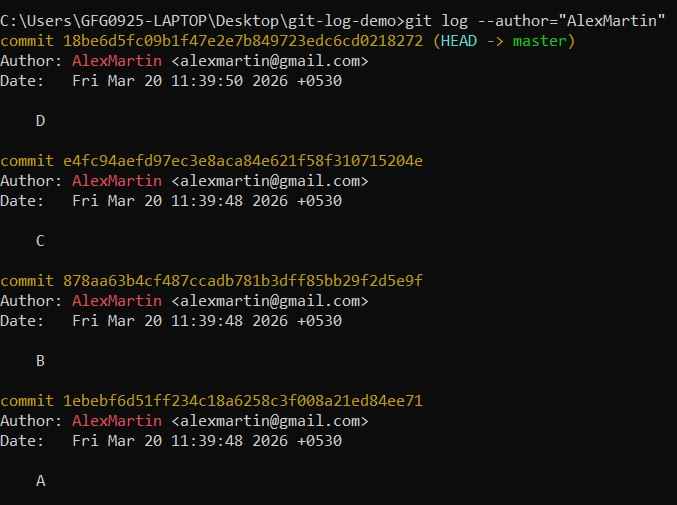
Helps analyze individual contributions.
**3. Search by Commit Hash
Find a commit using full or partial hash.
git log a1b2c3
Displays matching commit details.
**4. git grep
Search for a string inside files tracked by Git.
git grep "search-text"
- Finds occurrences in project files.
- Faster than regular search tools for Git repos.

Based on date and time
**1. Search by Date
Filter commits within a specific time range.
git log --after="2025-09-01" --before="2025-10-01"
- Tracks work done during a specific period.
- Useful for sprint or release analysis.
**2. Search by Relative Time
git log --after="4 days ago"
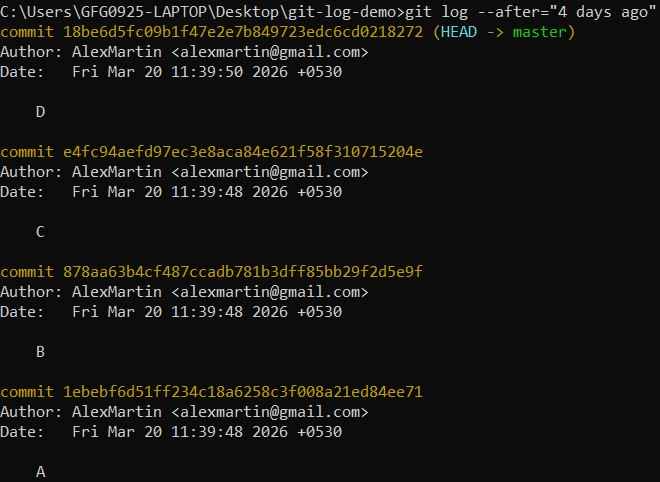
Output
**3. Search By Specific Date
git log --since="19-03-2026"
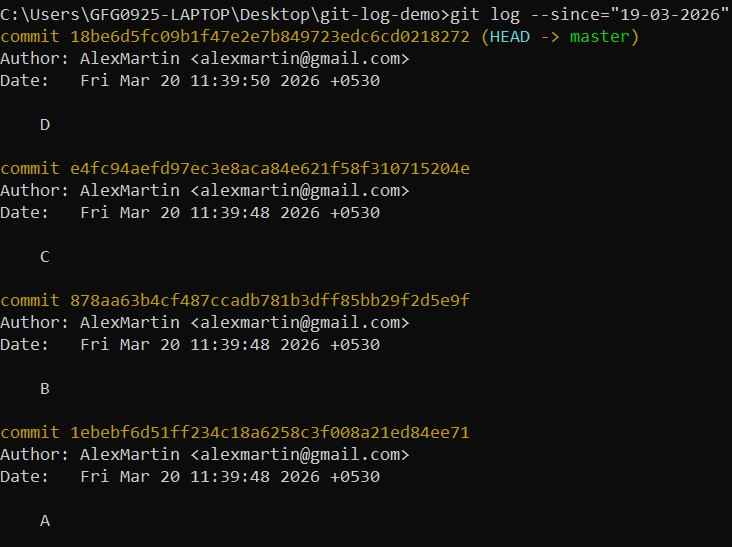
Output
Based on Commit History
**1. Search by File Changes
View commits that modified a specific file.
git log --
Helps track history of a file.
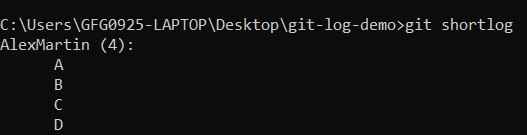
**2. git shortlog
Displays commits grouped by author.
git shortlog
Output
- Displays commits grouped by author when only a single contributor exists.
- In multi-developer repositories, lists all contributors with commit counts and messages.
- Supports multiple options (-s, -n, -e) for customized and structured output.
| Parameter | Details |
|---|---|
| -s or --summary | It displays the number of commits and the committer's name |
| -e or --email | It displays the committer's name, number of commits, commit messages along with the mail id |
| -n or --numbered | It sorts the output by the number of commits instead of alphabetically by committer's name |
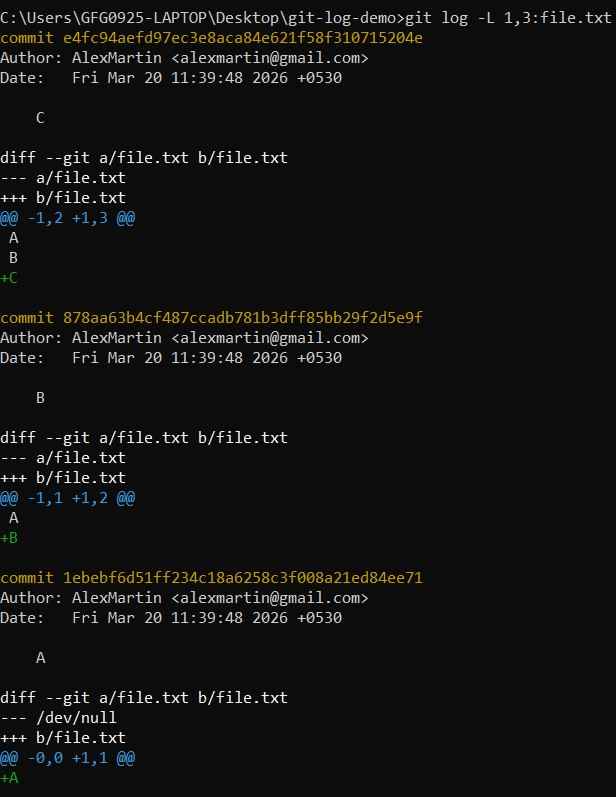
**3. Line Range Tracking in a File
View changes within a specific line range.
git log -L ,:
Tracks history of specific lines and useful for debugging.
Output
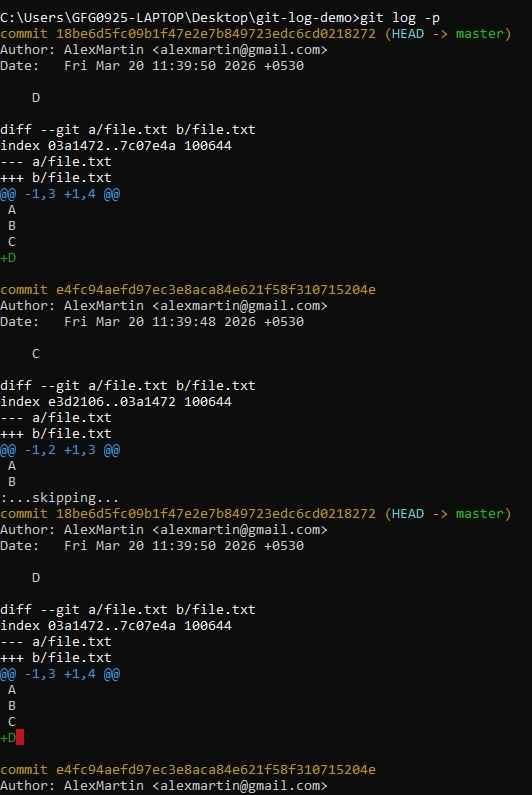
**4. View Changes Inline (Diff)
Show actual code changes in commits.
git log -p
- Displays patch/diff for each commit.
- Useful for debugging and review.
Output
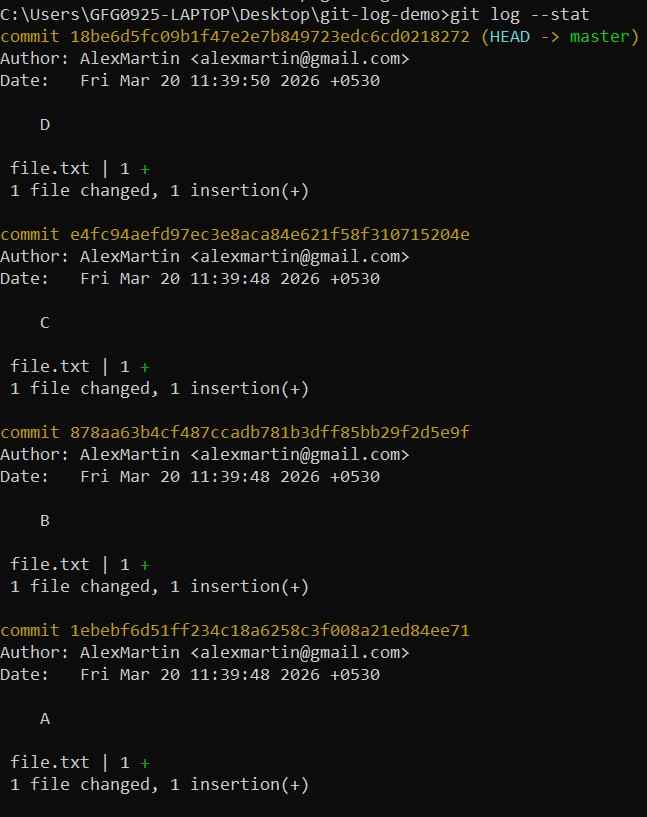
**5. View Files Changed in Commits
Show file-level changes with statistics.
git log --stat
Display insertion and deletions.
Output
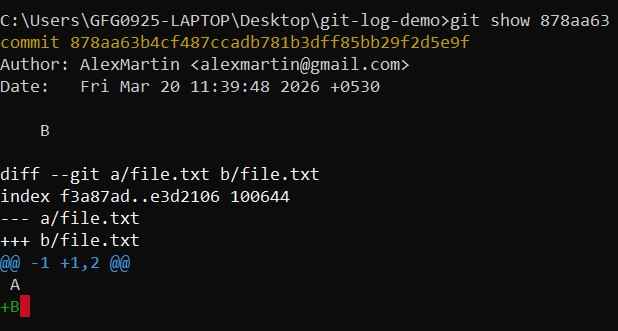
**6. Contents of a Commit
Show detailed information of a specific commit.
git show
Display commit message and code changes.
Output
**7. View Committer Info in One Line
Display compact log with committer details.
git log --oneline --pretty=format:"%h %an %ar %s"
- ****%h:** short hash
- ****%an:** author name
- ****%ar:** relative time
- ****%s:** commit message

Output