HTML | <area> rel Attribute (original) (raw)
Last Updated : 20 Jul, 2022
The rel attribute is used to specify the relationship between the current and the linked document. It is used only when href attribute present.
Syntax:
Attribute Values:
- alternate: It defines an alternate version of the document i.e. print page, translated or mirror.
- author: It defines the author of the document.
- bookmark: It specify a related document.
- help: It specifies a help document.
- license: It defines copyright information for the document.
- next: It defines the next document in a selection.
- nofollow: It is used by Google, to specify that the Google search spider should not follow that link and mostly used for paid links.
- noreferrer: It is used to specify that the browser should not send an HTTP referrer header if the user follows the hyperlink.
- prefetch: It specifies that the target document should be cached.
- prev: It specifies the previous document in a selection.
- search: It specifies the search tool for the document.
- tag: It specifies a tag keyword for the current document.
Note: The rel attribute is new in HTML 5.
Example:
HTML `
HTML area rel Attribute
<map name="shapemap">

    <!-- area tag contained image. -->
<area shape="poly" coords="59, 31, 28, 83, 91, 83"href="https://media.geeksforgeeks.org/wp-content/uploads/20190227165802/area2.png" alt="Triangle" rel="alternate">

<area shape="circle" coords="155, 56, 26"href="https://media.geeksforgeeks.org/wp-content/uploads/20190227165934/area3.png" alt="Circle" rel="alternate">
<area shape="rect" coords="224, 30, 276, 82"href="https://media.geeksforgeeks.org/wp-content/uploads/20190227170021/area4.png" alt="Square" rel="alternate">

`
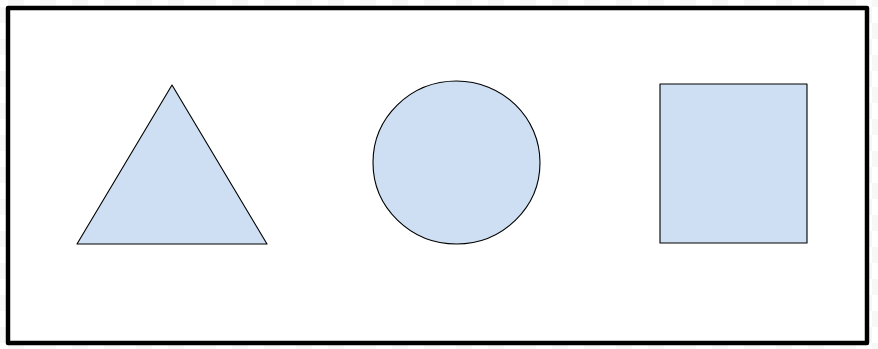
Output:
- Before click on specific clickable area:
- After click on specific clickable area:
Supported Browsers: The browser supported by HTML rel Attribute are listed below:
- Google Chrome
- Edge 12 and above
- Internet Explorer
- Firefox
- Safari
- Opera