HTML <script> Tag (original) (raw)
Last Updated : 11 Jul, 2025
The **HTML
// For External JavaScript Linking **Note: This tag supports all the Global attributes. **Example 1: Add script tag inside the body section of HTML document. HTML ` ` **Output: HTML script tag example Output **Example 2: Add script tag inside the head section of HTML document. HTML ` ` **Output: **Attributes
Attributes
Descriptions
**async
It is used to specify the script is executed asynchronously.
**cross-origin
It is used for loading an external script into their domain from a third-party server or another domain with the support of HTTP CORS Request.
**defer
It is used to specify that the script is executed when the page has finished parsing.
**integrity
It is used to give permission to the Browser to check the fetched script to make ensure the source code is never loaded.
**nomodule
It indicates that the script should not execute in the browsers that support ES module. It is a boolean attribute.
**nonce
It is used by Content Security Policy to check whether a given fetch will be allowed to proceed for a given element or not.
**referrerpolicy
It is used to specify the reference information that will be sent to the server when fetching the script.
**src
It is used to specify the URL of an external script file.
**type
It is used to specify the media type of the script.
HTML script Tag
<p id="GFG"></p>

<!-- HTML script Tag Starts Here -->
<script>
    document.getElementById("GFG").innerHTML
        = "Hello GeeksforGeeks!";
</script>
<!-- HTML Script Tag Ends Here -->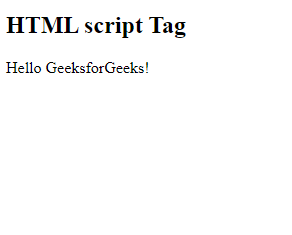
GeeksforGeeks
HTML script Tag
<button type="button" onclick="Geeks()">
    Hello GeeksforGeeks
</button>
<script>
    function Geeks() {
        alert('Welcome to GeeksforGeeks!');
    }
</script>
**Supported Browsers