How to Install and Customize Apache on Ubuntu or Debian? (original) (raw)
Last Updated : 23 Jul, 2025
One of the most dominant forces in web server software is the Apache HTTP Server, often shortened to Apache. This free and open-source project, overseen by the Apache Software Foundation, has been a major player in shaping the Internet since its launch in 1995. Installing an Apache web server on Ubuntu or Debian is a straightforward process, but the specific commands might differ slightly depending on your Linux distribution. In this article, we will install Apache Web Server on various Linux distributions like Ubuntu, Debian, etc.
**Steps to Install Apache Web Server in Linux (Debian)
Step 1: Check your Linux distribution.
- Use the following command to check which Linux distribution you are using.
grep -E '^(VERSION|NAME)=' /etc/os-release

Checking linux distribution (Linux Mint Debian OS)
Step 2: Update Your System.
sudo apt update && sudo apt upgrade
Step 3: Install Apache Web Server
sudo apt install apache2 -y
Step 4: Enable the Services
sudo systemctl enable apache2
**Step 5: Test the Server by Hosting Simple Website
- First, we will create a directory for our test website using following command.
sudo mkdir /var/www/html/test_website
- Now we will add index.html for our test website along with some testing code using following command
echo '
Example
GFG
This is a Apache Test Server for Ubuntu and Debian
' | sudo tee /var/www/html/test_website/index.html
Now we will add configuration file using following command
sudo echo '<VirtualHost *:80>
ServerName web.testingserver.com
DocumentRoot /var/www/html/website
DirectoryIndex index.html
ErrorLog /var/log/httpd/example.com_error.log
CustomLog /var/log/httpd/example.com_requests.log combined
' >
/etc/httpd/conf.d/web.confOnce we created the required config file and test website, we will need to own the Apache website directory for permissions.
We will use chown and chmod command as follows
sudo chown -R apache: apache /var/www/html/test_website
sudo chmod -R 755 /var/www/html/test_websiteNow you can see locally hosted website on localhost.
Link: http://localhost/
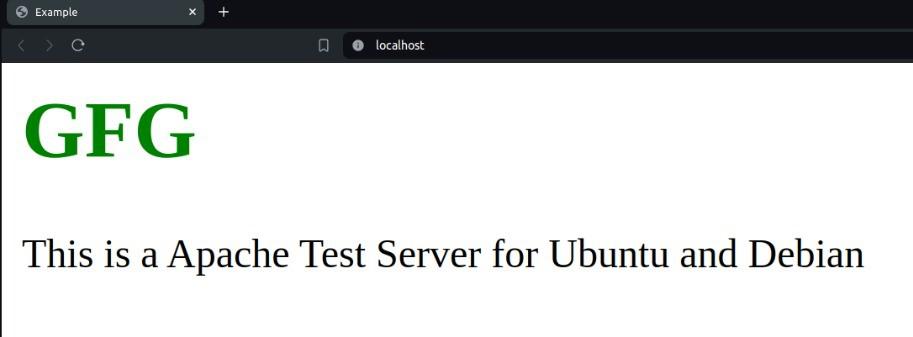
testing website on local server