Installation and Use Git in Google Colab (original) (raw)
Last Updated : 27 Mar, 2026
Using Git in Google Colab allows you to manage repositories and perform version control operations directly in a cloud-based environment.
- Install and configure Git in the Colab environment.
- Clone repositories and manage code using Git commands.
- Use authentication (tokens/credentials) to push and pull changes.
Installation of Git in Google Colab
Git can be configured and used in Google Colab to clone repositories, make changes, and push updates directly from the cloud environment.
**Step 1: Verify the git installation on the machine by running
git version
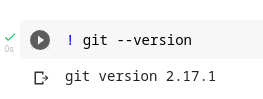
git version
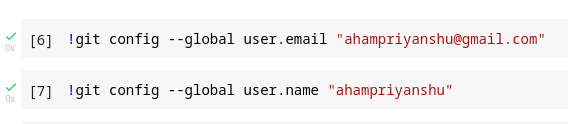
**Step 2: Update git configuration settings by adding your email and username to the commit.
!git config --global user.email "email"
!git config --global user.name "username"
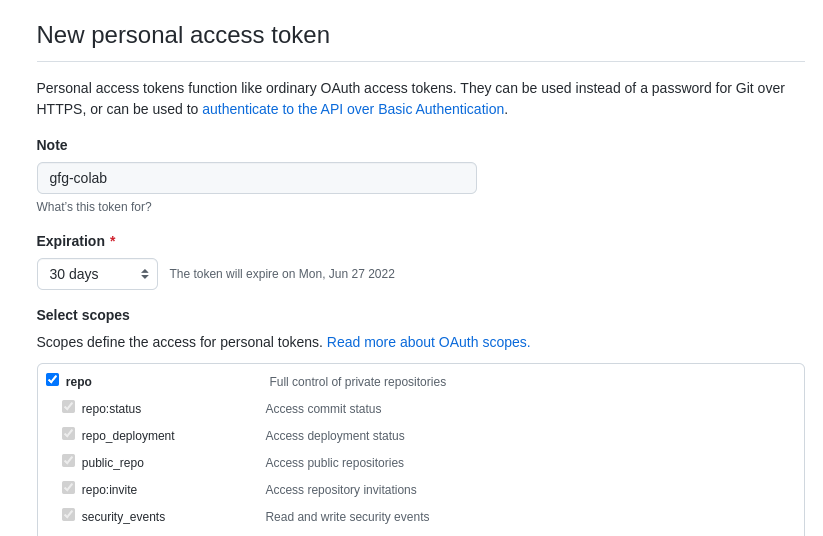
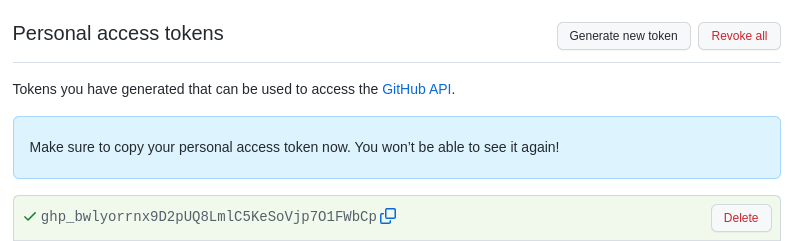
**Step 3: Generate Personal Access Token (PAT)
Create a GitHub PAT with required permissions to authenticate cloning and pushing operations.
**Step 4: Clone the required repository using the PAT.
!git clone https://github.com/username/repository
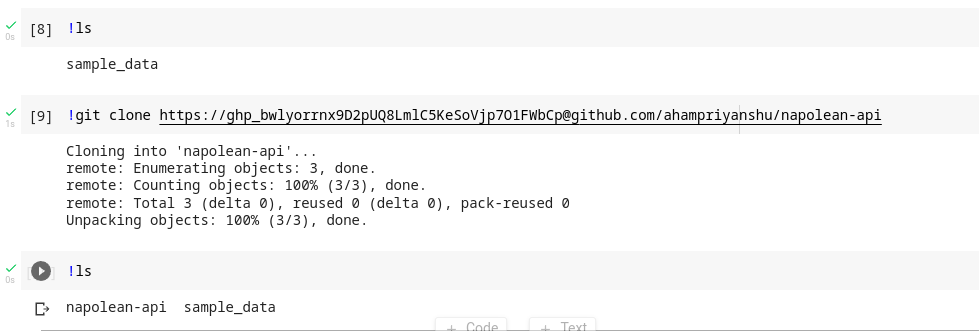
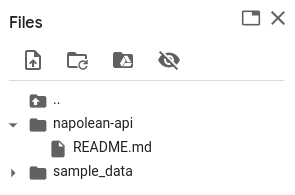
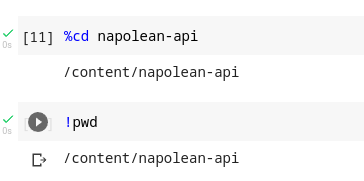
**Step 5: Change the working directory to the newly cloned folder by using the % operator.
%cd folder_name
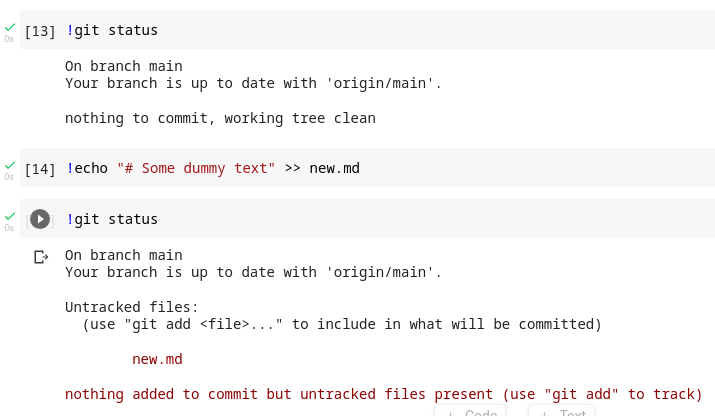
**Step 6: Create or Modify files.
!echo "# Some dummy text" >> new.md
**Step 7: Commit and push changes.
!git add .
!git commit -m "relevant message"
!git push origin branch_name
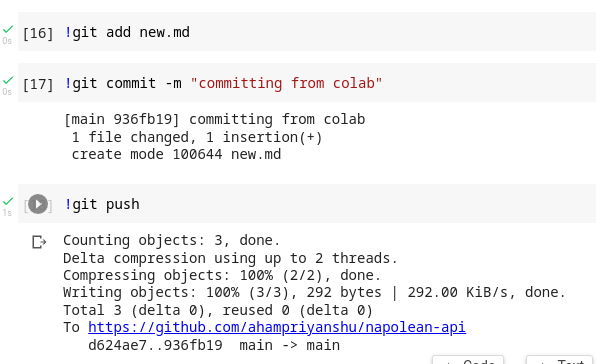
**Step 8: Verify Changes
!git log
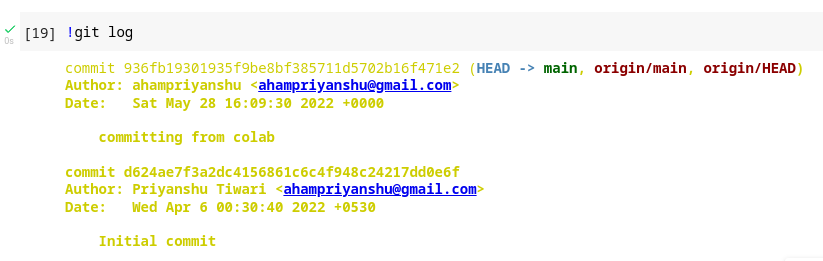
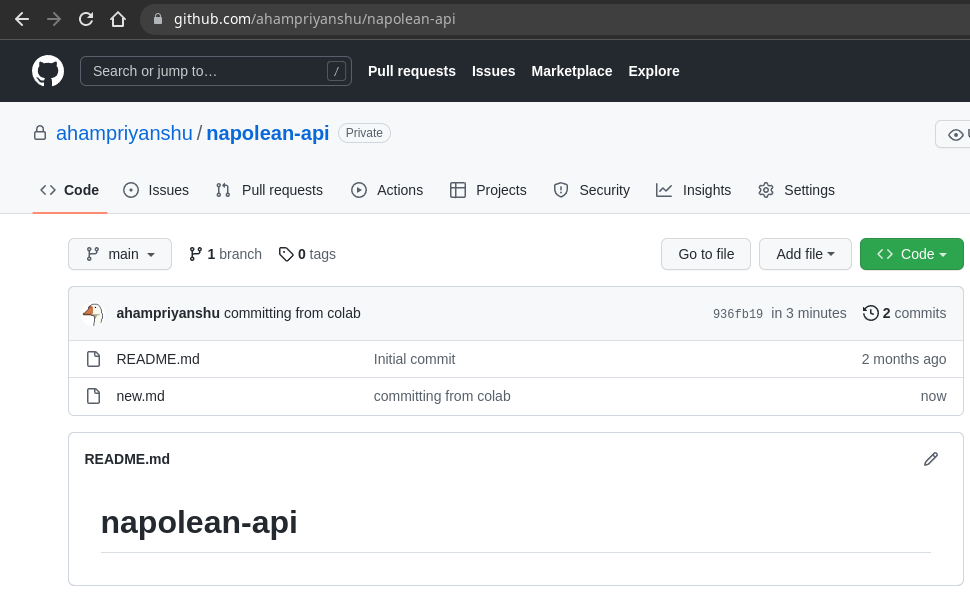
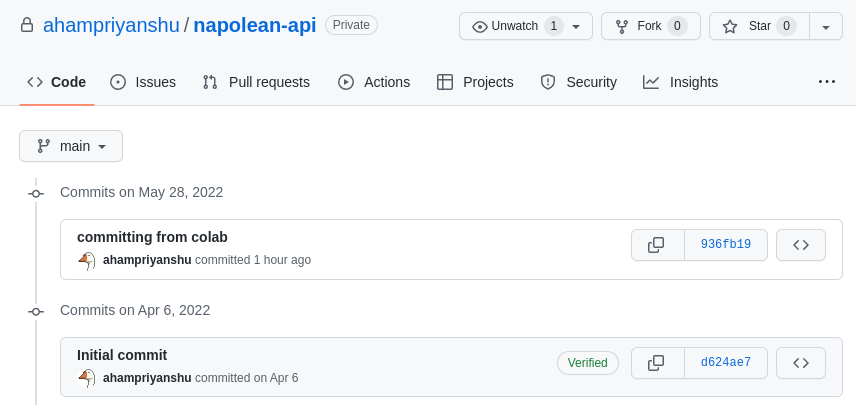
- Repository is cloned in Colab.
- Changes are committed and pushed successfully.
- Updates can be verified through Git logs or remote repository.
Usage of Git in Google Colab
Git enables version control, collaboration, and secure code management directly within the Colab environment.
- **Version Control: Keep track of changes and revert to previous versions if needed.
- **Collaboration: Work seamlessly with other developers by sharing and merging code.
- **Backup: Ensure your code is safely stored and accessible from any machine.