How to Install Golang in VScode? (original) (raw)
Last Updated : 23 Jul, 2025
GO is a compiled programming language developed by Robert Griesemer, Rob Pike, and Ken Thompson at Google. It was introduced in 2009 and is also known as golang. In this article, we are going to see how you can set up Visual Code Studio for Go language Development. We are going to install the necessary tools for it.
Prerequisites:
- GO language in Windows
- Visual Studio Code
- GO Extension for Visual Studio Code
Installing Golang on VScode:
Step 1: Install GO language on Windows
First Navigate to this link, it will redirect you to the official download page of GO Language.
Click the Download button to download the installer for Windows.
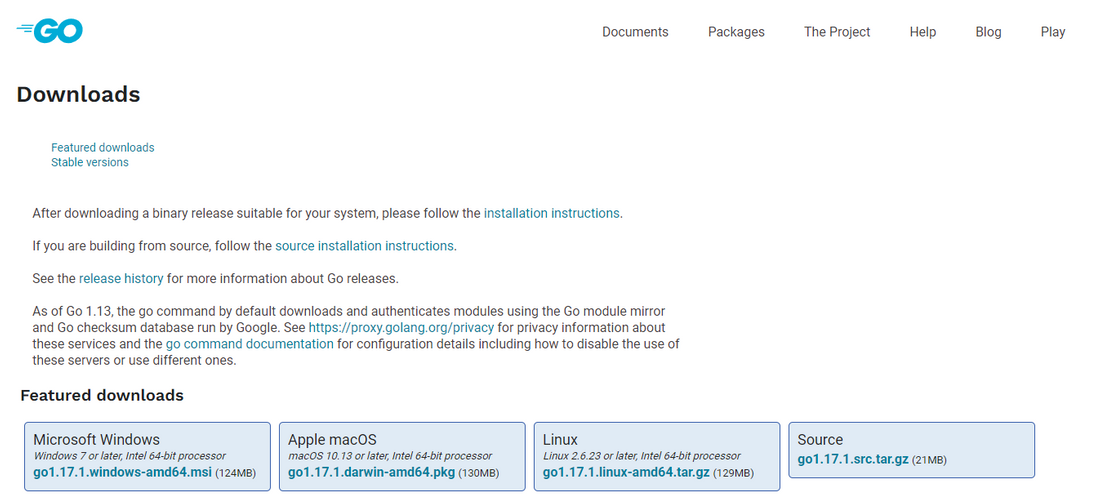
After downloading the installer, start the installation. It will install GO language in your Windows system easily. You can check the version of the language by typing the following command in the terminal.
go version
Step 2: Adding Environment Variable
GOPATH is an Environment variable and it specifies the root of your Go Workspace. By default, the workspace is located at %USERPROFILE%/go for Windows.
Configure GOPATH:
- Create a folder called "C:\Projects\Go" in your C drive.
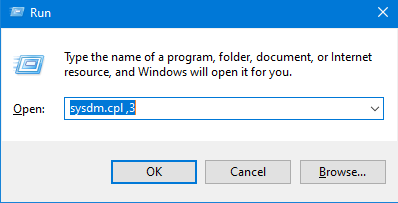
- Press win(Windows) + r to open the run dialog.

Press win + r for run dialog
- Type sysdm.cpl ,3 in the dialog box and click Ok.
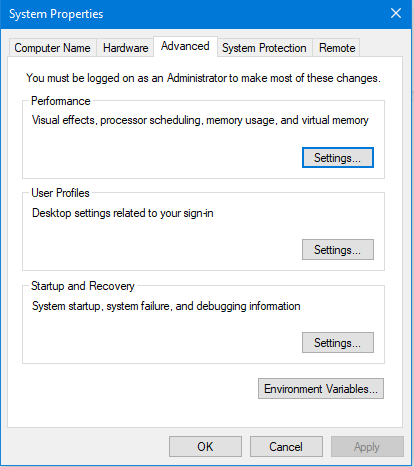
- It will open the following Window of system properties. Click the Environment Variables button at the bottom.
- Now, in the System Variables section, click on the New button
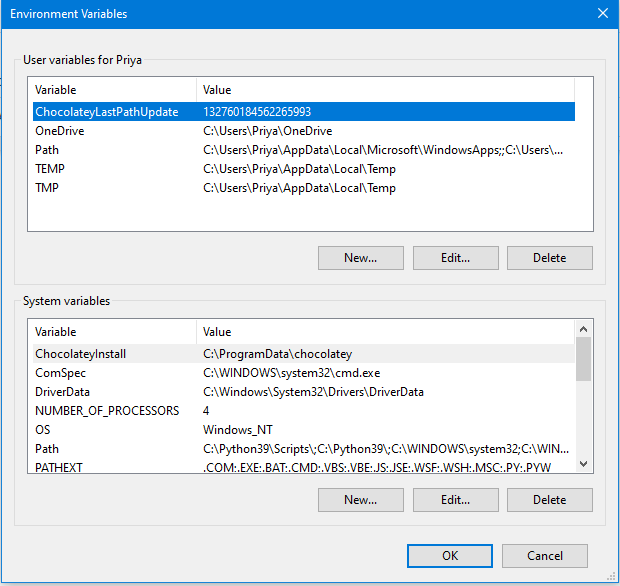
- Set the variable name as GOPATH and its value as C:\Projects\Go and then hit OK.
Now you have successfully configured GOPATH for your Windows system. If you want to check, just open the run dialog by pressing win + r and type %GOPATH%, if it takes you to the root directory that we have set(C:\Projects\Go) then the configuration was successful.
Step 3: Installing Visual Studio Code
Visual Studio Code is a lightweight but Powerful IDE & Code editor for Windows, macOS, and Linux. Follow these steps to install Visual Studio Code;
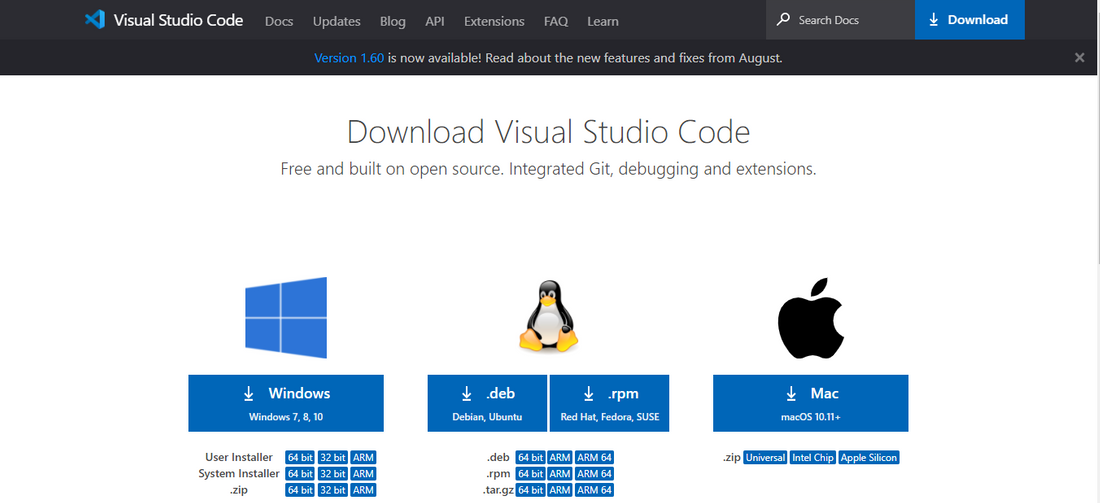
- First, Navigate to this URL.
- Click Download VS Code for Your Operating system. You can easily install it on Windows, Mac or Linux.
Step 4: Install GO extension in Visual Studio Code
- After installation, open VS code and click on the Extension manager button in the left side panel, you can also do it by pressing Ctrl + Shift + x.
- In the Search panel simply type Go or golang.
- Now in the search results, you will see the GO extension by the GO team at Google, open it and hit the install button. Let the installation process finish.
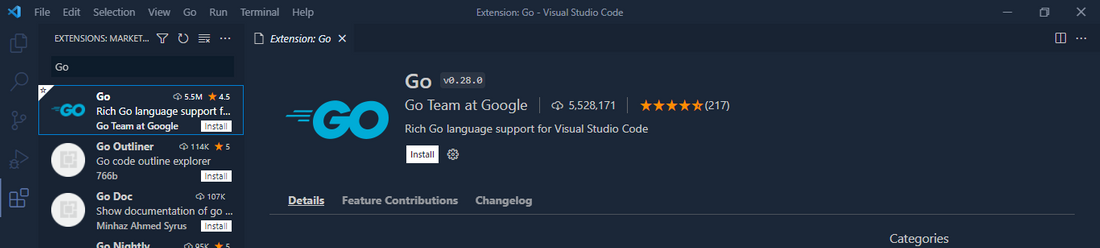
GO Extension
- After this, press Ctrl + Shift + p to open the command palette and run the following command -
Go: Install/Update Tools
- You will see the list of tools to install, select everything, and hit Install
Now you can start developing in Golang.