How to install Kali Linux in VMware? (original) (raw)
Last Updated : 15 Jun, 2026
Kali Linux is a popular distribution used for penetration testing, ethical hacking, and cybersecurity. Installing Kali Linux in VMware allows you to run it as a virtual machine, providing an isolated environment to practice hacking techniques and test security tools.
Kali Linux Installation Using VMware
To install Kali Linux on VMware, first configure the virtual machine using the Kali Linux ISO file and then complete the operating system installation.
Section 1: Configure Kali Linux ISO File on VMware
**Step 1: Visit the official Kali Linux website and download the ISO file.

**Step 2: Open VMware and select Create New Virtual Machine.
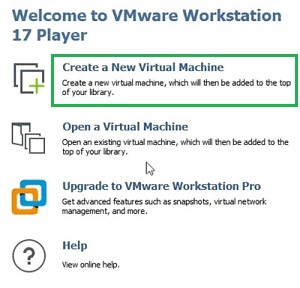
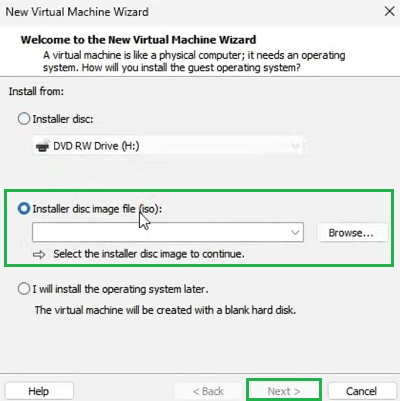
**Step 3: Upload the Kali Linux ISO file and click Next.
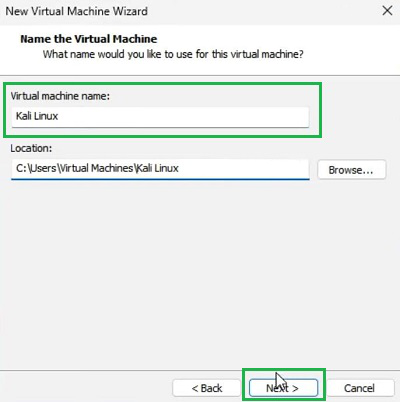
**Step 4: Enter the virtual machine name and continue the setup.
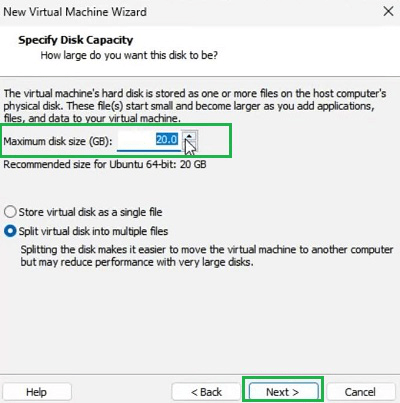
**Step 5: Set the virtual disk size or keep the default recommended settings.
**Step 6: Click Finish to create the virtual machine.
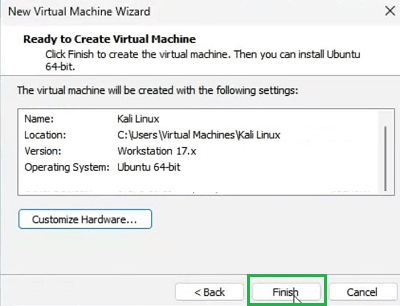
Section 2: Install Kali Linux in VMware
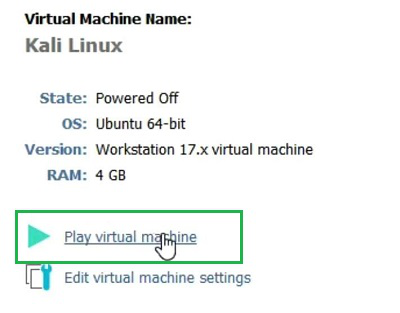
**Step 1: Start the virtual machine using the Play Virtual Machine option.
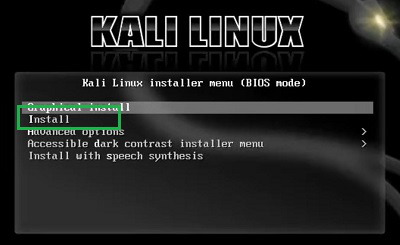
**Step 2: Select the Install option from the Kali Linux boot menu.
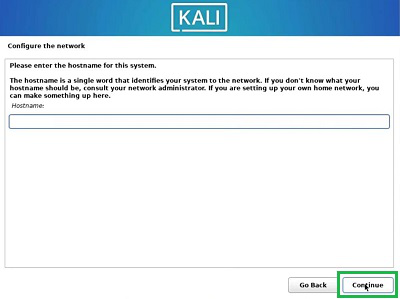
**Step 3: Choose language and region, then create a username and password.
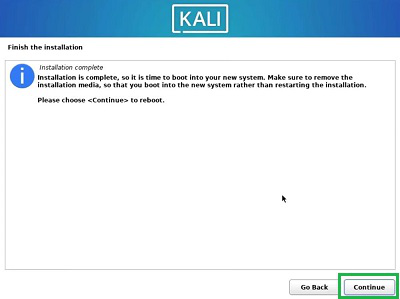
**Step 4: Complete the installation process and restart the system to launch Kali Linux.
After installing Kali Linux, refer to the **Kali Linux Tutorial for a step-by-step guide on usage and advanced features.