How to Install Numpy on Windows? (original) (raw)
Last Updated : 31 Jan, 2026
NumPy is a core Python library for numerical computing. On Windows, it can be installed easily using either pip or conda, depending on your Python environment. This article explains both methods and includes a simple example to verify the installation.
You can install NumPy using one of the following package managers:
- **pip (Python Package Installer)
- **conda (Anaconda / Miniconda)
1. Installing Numpy For PIP Users
Ensure that Python and pip are already installed and added to PATH. Then run the following command in Command Prompt or PowerShell:
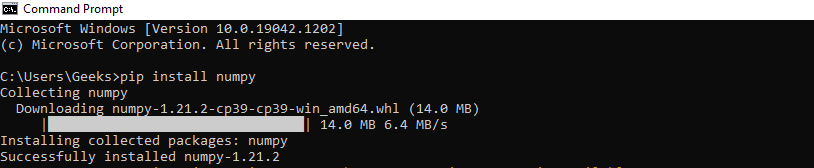
pip install numpy
You will get a similar message once the installation is complete:
2. Install Numpy Using Conda
If you are using Anaconda or Miniconda, install NumPy using the conda package manager:
conda install numpy
You will get a similar message once the installation is complete

**Recommended: Use a Conda Environment
It is best practice to install packages inside a virtual environment instead of the base environment.
conda create -n my-env python=3.11
conda activate my-env
conda install numpy
**Using conda-forge (Optional)
If you prefer installing from the conda-forge channel:
conda config --env --add channels conda-forge
conda install numpy
Verifying NumPy Installation
The following example creates a 2D NumPy array and prints its key properties such as dimensions, shape, size, and data type.
Python `
import numpy as np
Creating a 2D NumPy array
arr = np.array([[1, 2, 3], [4, 2, 5]])
print("Array type:", type(arr)) print("Number of dimensions:", arr.ndim) print("Shape:", arr.shape) print("Size:", arr.size) print("Element data type:", arr.dtype)
`
Output
Array type: <class 'numpy.ndarray'> Number of dimensions: 2 Shape: (2, 3) Size: 6 Element data type: int64