How to Install Sublime Text 3 in Windows? (original) (raw)
Written by a Google engineer sublime text is a cross-platform IDE developed in C++ and Python. It has basic built-in support for Python. Sublime text is fast and you can customize this editor as per your need to create a full-fledged Python development environment. You can install packages such as debugging, auto-completion, code linting, etc. There are also various packages for scientific development, Django, Flask and so on.
Features of Sublime Text 3
- Goto anything for opening files with few clicks and can navigate to words or symbols.
- Python-based plugin API.
- Syntax highlighting and allows simultaneous editing (multiple selections)
- Command Palette implementation that accepts text input from users.
- High performance, block selection and simultaneous editing (multiple selections).
Downloading and Installation
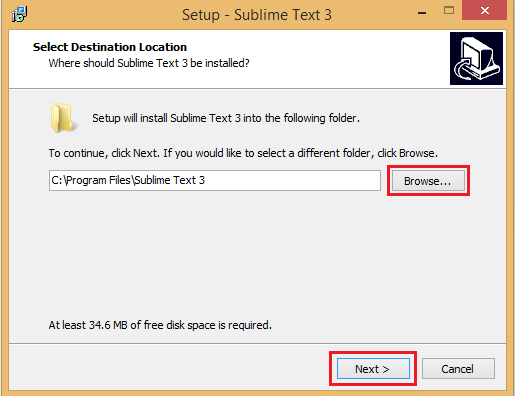
Sublime Text 3 can be downloaded from its official site sublimetext.com. To install sublime text 3 on Windows, go through the following steps:Step 1: Open the downloaded .exe file from the downloads folder and begin with the installation process.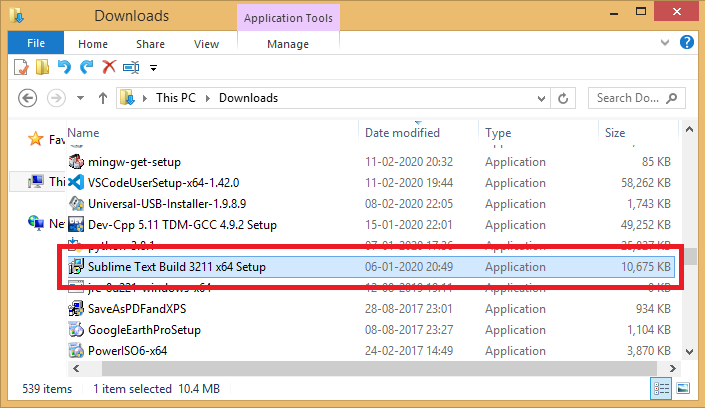 Step 2: Select the desired location and click on the next button to start installation
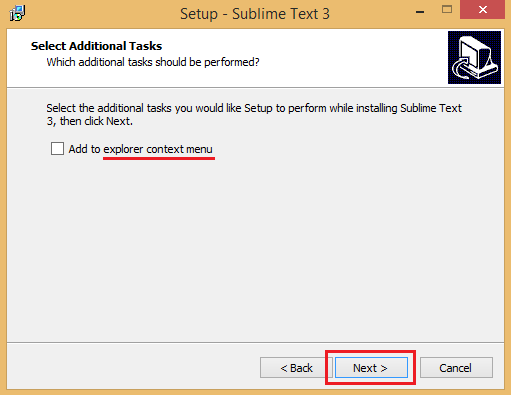
 Step 3: If you want Sublime Text 3 to appear in your right-click menu, then mark the checkbox and click on the Next button.
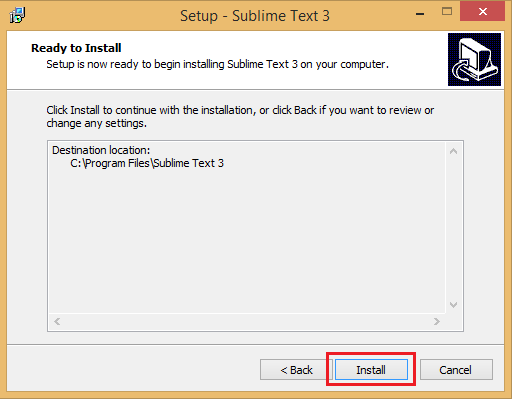
 Step 4: Press the install button.
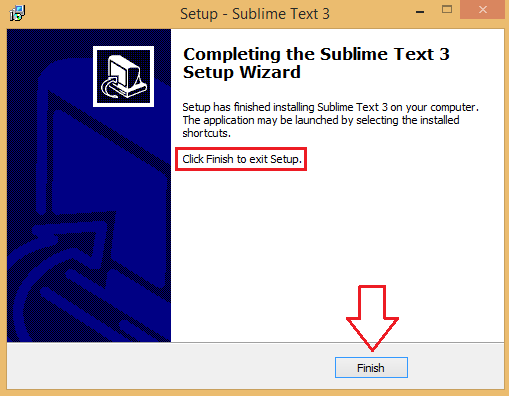
 Step 5: Finish with the installation process.