Event Handling in Java (original) (raw)
An **event is a change in the state of an object triggered by some action such as Clicking a button, Moving the cursor, Pressing a key on the keyboard, Scrolling a page, etc. In Java, the java.awt.event package provides various event classes to handle these actions.
Classification of Events
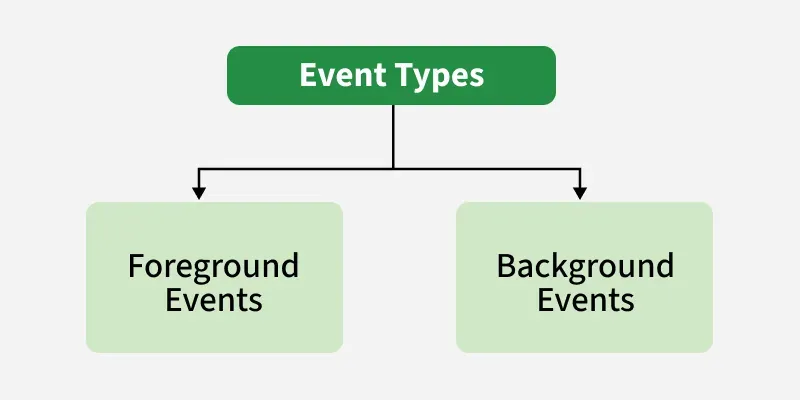
Events in Java can be broadly classified into two categories based on how they are generated:
- **Foreground Events: Foreground events are the events that require user interaction to generate. Examples of these events include Button clicks, Scrolling the scrollbar, Moving the cursor, etc.
- **Background Events: Events that don't require interactions of users to generate are known as background events. Examples of these events are operating system failures/interrupts, operation completion, etc.
Event Handling Mechanism
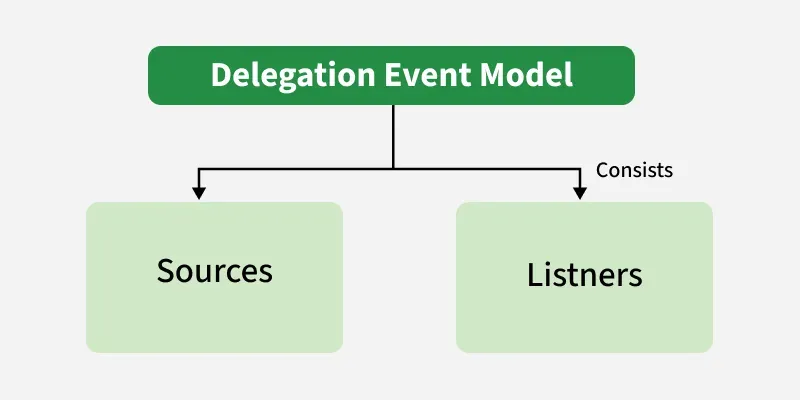
Event handling is a mechanism that allows programs to control events and define what should happen when an event occurs. Java uses the Delegation Event Model to handle events. This model consists of two main components:
- **Source: Events are generated from the source. There are various sources like buttons, checkboxes, list, menu-item, choice, scrollbar, text components, windows, etc., to generate events.
- **Listeners: Listeners are used for handling the events generated from the source. Each of these listeners represents interfaces that are responsible for handling events.
Registering the Source With Listener
To handle events, the source must be registered with a listener. Java provides specific methods for registering listeners based on the type of event.
**Syntax:
addTypeListener()
**For example,
- addKeyListener() for KeyEvent
- addActionListener() for ActionEvent
Event Classes and Listener Interfaces
Java provides a variety of event classes and corresponding listener interfaces. Below table demonstrates the most commonly used event classes and their associated listener interfaces:
| Event Class | Listener Interface | Description |
|---|---|---|
| ActionEvent | ActionListener | An event that indicates that a component-defined action occurred like a button click or selecting an item from the menu-item list. |
| AdjustmentEvent | AdjustmentListener | The adjustment event is emitted by an Adjustable object like Scrollbar. |
| ComponentEvent | ComponentListener | An event that indicates that a component moved, the size changed or changed its visibility. |
| ContainerEvent | ContainerListener | When a component is added to a container (or) removed from it, then this event is generated by a container object. |
| FocusEvent | FocusListener | These are focus-related events, which include focus, focusin, focusout, and blur. |
| ItemEvent | ItemListener | An event that indicates whether an item was selected or not. |
| KeyEvent | KeyListener | An event that occurs due to a sequence of keypresses on the keyboard. |
| MouseEvent | MouseListener & MouseMotionListener | The events that occur due to the user interaction with the mouse (Pointing Device). |
| MouseWheelEvent | MouseWheelListener | An event that specifies that the mouse wheel was rotated in a component. |
| TextEvent | TextListener | An event that occurs when an object's text changes. |
| WindowEvent | WindowListener | An event which indicates whether a window has changed its status or not. |
**Note: As Interfaces contains abstract methods which need to implemented by the registered class to handle events.
Methods in Listener Interfaces
Each listener interface contains specific methods that must be implemented to handle events. Below table demonstrates the key methods for each interface:
| Listener Interface | Methods |
|---|---|
| ActionListener | actionPerformed() |
| AdjustmentListener | adjustmentValueChanged() |
| ComponentListener | componentResized()componentShown()componentMoved()componentHidden() |
| ContainerListener | componentAdded()componentRemoved() |
| FocusListener | focusGained()focusLost() |
| ItemListener | itemStateChanged() |
| KeyListener | keyTyped()keyPressed()keyReleased() |
| MouseListener | mousePressed()mouseClicked()mouseEntered()mouseExited()mouseReleased() |
| MouseMotionListener | mouseMoved()mouseDragged() |
| MouseWheelListener | mouseWheelMoved() |
| TextListener | textChanged() |
| WindowListener | windowActivated()windowDeactivated()windowOpened()windowClosed()windowClosing()windowIconified()windowDeiconified() |
Flow of Event Handling
The event handling process in Java follows these steps:
- User Interaction with a component is required to generate an event.
- The object of the respective event class is created automatically after event generation, and it holds all information of the event source.
- The newly created object is passed to the methods of the registered listener.
- The method executes and returns the result.
Approaches For Event Handling
Java provides three main approaches to implement event handling
1. Event Handling Within the Class
Java `
// Java program to demonstrate the // event handling within the class import java.awt.; import java.awt.event.;
class GFGTop extends Frame implements ActionListener {
TextField textField;

GFGTop()
{
    // Component Creation
    textField = new TextField();

    // setBounds method is used to provide
    // position and size of the component
    textField.setBounds(60, 50, 180, 25);
    Button button = new Button("click Here");
    button.setBounds(100, 120, 80, 30);

    // Registering component with listener
    // this refers to current instance
    button.addActionListener(this);

    // add Components
    add(textField);
    add(button);

    // set visibility
    setVisible(true);
}

// implementing method of actionListener
public void actionPerformed(ActionEvent e)
{
    // Setting text to field
    textField.setText("GFG!");
}

public static void main(String[] args)
{
  new GFGTop();
}
}
`
**Output:
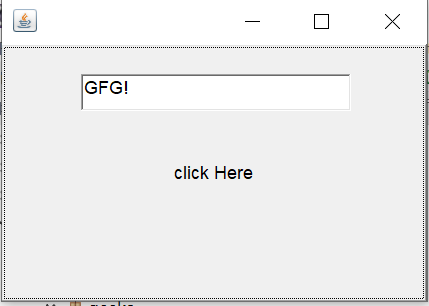
**Explanation:
- Firstly extend the class with the applet and implement the respective listener.
- Create Text-Field and Button components.
- Registered the button component with respective event. i.e. ActionEvent by addActionListener().
- In the end, implement the abstract method.
2. Event Handling by Another Class
Java `
// Java program to demonstrate the // event handling by the other class import java.awt.; import java.awt.event.;
class GFG1 extends Frame {
TextField textField;

GFG2()
{
    // Component Creation
    textField = new TextField();

    // setBounds method is used to provide
    // position and size of component
    textField.setBounds(60, 50, 180, 25);
    Button button = new Button("click Here");
    button.setBounds(100, 120, 80, 30);

    Other other = new Other(this);

    // Registering component with listener
    // Passing other class as reference
    button.addActionListener(other);

    // add Components
    add(textField);
    add(button);

    // set visibility
    setVisible(true);
}

public static void main(String[] args)
{
new GFG2();
}
}
`
**Separate class implementing ActionListener to handle events:
Java `
/// import necessary packages import java.awt.event.*;
// implements the listener interface class Other implements ActionListener {
GFG2 gfgObj;

Other(GFG1 gfgObj) {
  this.gfgObj = gfgObj;
}

public void actionPerformed(ActionEvent e)
{
    // setting text from different class
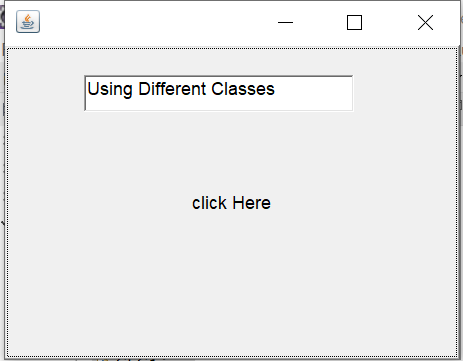
    gfgObj.textField.setText("Using Different Classes");
}
}
`
Output:
3. Event Handling By Anonymous Classes
Java `
// Java program to demonstrate the // event handling by the anonymous class
import java.awt.; import java.awt.event.;
class GFG3 extends Frame {
TextField textField;

GFG3()
{
    // Component Creation
    textField = new TextField();

    // setBounds method is used to provide
    // position and size of component
    textField.setBounds(60, 50, 180, 25);
    Button button = new Button("click Here");
    button.setBounds(100, 120, 80, 30);

    // Registering component with listener anonymously
    button.addActionListener(new ActionListener() {
        public void actionPerformed(ActionEvent e)
        {
            // Setting text to field
            textField.setText("Anonymous");
        }
    });

    // add Components
    add(textField);
    add(button);

    //make size viewable
    setSize(300,300);
    // set visibility
    setVisible(true);
}

public static void main(String[] args)
{
    new GFG3();
}
}
`
**Output:

**Note: To run event handling code, use an IDE or install the JDK. Online compilers may throw errors due to the unavailability of certain packages.