JSP | ScriptletTag (original) (raw)
Last Updated : 14 May, 2026
The Scriptlet Tag in JSP is used to embed Java code directly into a JSP page. The code written inside the <% %> tag is executed on the server whenever a request is made, helping generate dynamic content. It is one of the basic scripting elements provided by JSP.
- Allows writing control statements like loops and conditions (if, for, while)
- Can access request parameters and session data
- Used for processing logic, not just displaying output
Syntax:
<%
// Java code here
%>
**Example:
Java `
<% int num = 10; out.println("Value of num is: " + num); %>
`
**Output:
Value of num is: 10
Implementation of JSP Scriptlet Tag
Step 1. Create a New Dynamic Web Project
- Go to: File ->New ->Dynamic Web Project
- Project Name: Geeks
- Target Runtime: Select Apache Tomcat v9.0 (or any installed version)
- Dynamic Web Module Version: 3.1
- Click Finish
Step 2: Create index.html file
Right-click on WebContent -> New -> Html File
- File name: index.html. html `
Enter Username:
`
Step 3: Create Geeks.jsp file
Right-click on WebContent -> New -> JSP File
- File name: Geeks.jsp html `
<%@ page language="java" contentType="text/html; charset=UTF-8" pageEncoding="UTF-8"%>
Insert title here <% String name=request.getParameter("username"); out.print("Hello "+name); %>`
Run Project in Eclipse with Apache Tomcat
Right-click project ->Run As ->Run on Server (select Apache Tomcat). And access in Browser using given url.
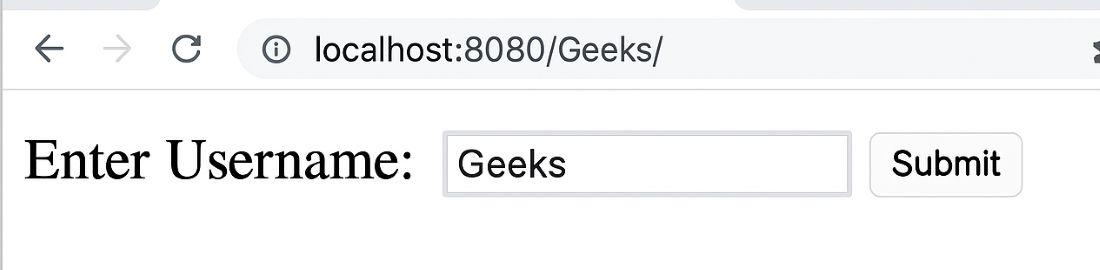
output
**click submit:
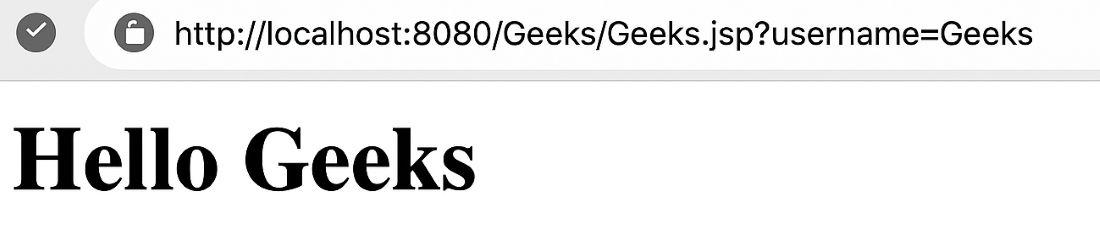
output