Spring MVC JSTL Configuration (original) (raw)
Last Updated : 13 Jun, 2026
JSTL (JSP Standard Tag Library) is a collection of standard JSP tags used to perform common tasks such as iteration, conditional processing, URL handling, formatting, and XML processing. It reduces the need for Java code inside JSP pages and makes the view layer cleaner and easier to maintain.
- Makes JSP pages cleaner and more readable.
- Supports looping and conditional rendering.
- Works seamlessly with Spring MVC model attributes.
Syntax
For Display Output:
****<c:out value="${message}" />**
Loop Through Collection
<c:forEach var="item" items="${items}">
${item}
Step-by-Step JSTL Configuration in Spring MVC
Follow these steps to configure JSTL in Spring Mvc Applications.
Step 1: Create a Maven Project
- Open STS IDE.
- Click File - New - Maven Project.
- Select Create a simple project (Select archetype ) and click Next.

Then Enter the following details:
- **Group Id: com.gfg
- **Artifact Id: SpringMVCMultipleViewPage
- **Packaging: war
Click Finish.
Step 2: Add Required Dependencies
Add the following maven dependencies and plugin to your pom.xml file.
XML `
javax.servlet jstl 1.2 runtime taglibs standard 1.1.2 runtime`
Step 3: Configure Dispatcher Servlet
This file handle all incoming requests and forwards them to the appropriate controller.
XML `
<servlet>
    <servlet-name>spring</servlet-name>
    <servlet-class>
        org.springframework.web.servlet.DispatcherServlet
    </servlet-class>
    <load-on-startup>1</load-on-startup>
</servlet>

<servlet-mapping>
    <servlet-name>spring</servlet-name>
    <url-pattern>/</url-pattern>
</servlet-mapping>
`
Step 4: Configure Spring MVC
This file enables component scanning and configures JSTL-enabled JSP view resolution.
XML `
<beans xmlns="http://www.springframework.org/schema/beans" xmlns:context="http://www.springframework.org/schema/context" xmlns:mvc="http://www.springframework.org/schema/mvc" xmlns:xsi="http://www.w3.org/2001/XMLSchema-instance"
   xsi:schemaLocation="
   http://www.springframework.org/schema/beans
   https://www.springframework.org/schema/beans/spring-beans.xsd

   http://www.springframework.org/schema/context
   https://www.springframework.org/schema/context/spring-context.xsd

   http://www.springframework.org/schema/mvc
   https://www.springframework.org/schema/mvc/spring-mvc.xsd">

<context:component-scan base-package="com.gfg.controller"/>

<mvc:annotation-driven/>

<bean
    class="org.springframework.web.servlet.view.InternalResourceViewResolver">

    <property name="viewClass"
              value="org.springframework.web.servlet.view.JstlView"/>

    <property name="prefix" value="/WEB-INF/jsp/"/>

    <property name="suffix" value=".jsp"/>

</bean>
`
Step 5: Create Controller(HomeController.java)
Sends data from the controller to the JSP page using the Model object.
Java `
package com.gfg.controller;
import org.springframework.stereotype.Controller; import org.springframework.ui.Model; import org.springframework.web.bind.annotation.RequestMapping;
@Controller public class HomeController {
@RequestMapping("/")
public String home(Model model) {

    model.addAttribute(
            "message",
            "Welcome to GeeksforGeeks");

    return "home";
}
}
`
Step 6: Create JSP Page(home.jsp)
Uses JSTL <c:out> tag to display model data on the JSP page.
HTML `
<%@ taglib prefix="c" uri="http://java.sun.com/jsp/jstl/core" %>
JSTL DemoWelcome Message :
`
Step 7: Run the Application
- Right-click the project.
- Select Run As - Run on Server.
- Choose Apache Tomcat Server.
- Click Finish.
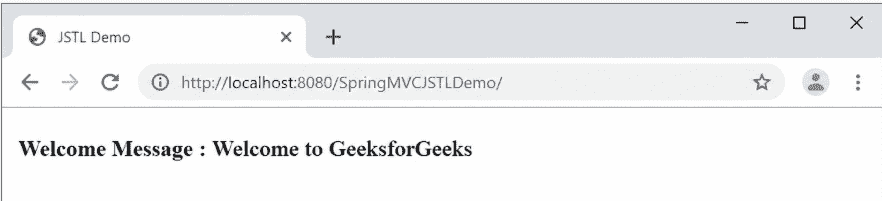
After that use the following URL to run your controller.
**Output: