Spring Security Custom Login (original) (raw)
Last Updated : 28 May, 2026
Spring Security provides authentication and authorization features for Spring Boot applications. By default, it generates a login page with a temporary username and password. We can customize the login process by creating our own users, roles, and security configurations.
- Provides secure authentication and authorization for applications.
- Protects applications from attacks like CSRF, session fixation, and clickjacking.
- Supports custom login pages, role-based access, and password encoding.
Step by Step Implementation of Spring Security Custom Login
Step 1: Create a Spring Boot Project
Create a Spring Boot project using Spring Initializr.
**Project Configuration
- **Project: Maven
- **Language: Java
- **Spring Boot: 2.2.8 or later
- **Packaging: JAR
- **Java: 8 or later
**Add Dependencies
- Spring Web
- Spring Security

Step 2: Open the Project in IDE
Extract the downloaded project and open it in any IDE such as IntelliJ IDEA or Eclipse.
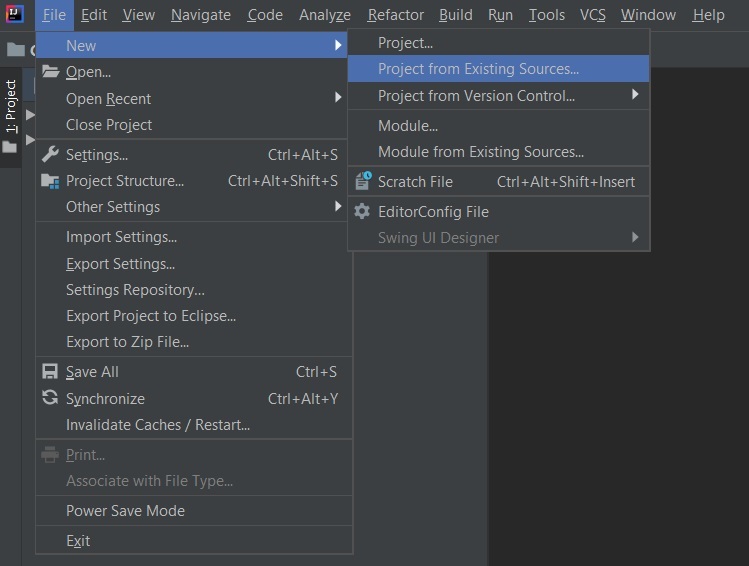
**Note: In the Import Project for Maven window, make sure you choose the same version of JDK which you selected while creating the project.
Step 3: Create Controller Class
Controller handles incoming client requests and returns responses. Create a controller class inside:
src/main/java/com/gfg/springbootapp
**controller.java
Java `
@RestController public class controller {
@GetMapping("/delete") public String delete()
{
    return "This is the delete request";
}
}
`
The above java file is used to set the controller for handling the incoming request from the client-side. Now we have to configure the request for that we will use the config.java file.
Step 4: Create Security Configuration Class
Create a configuration class to customize Spring Security behavior. This config file is used for creating custom security in the Spring project.
**config.java
Java `
@EnableWebSecurity public class config extends WebSecurityConfigurerAdapter {
// Adding the roles
@Override
protected void configure(AuthenticationManagerBuilder auth) throws Exception {
    auth.inMemoryAuthentication()
            .withUser("Zack")
            .password("aayush")
            .roles("admin_role")
            .and()
            .withUser("Aayush")
            .password("Saini")
            .roles("student_role");
}

// Configuring the api
  // according to the roles.
@Override
protected void configure(HttpSecurity http) throws Exception {
    http.
            httpBasic()
            .and()
            .authorizeRequests()
            .antMatchers("/delete").hasRole("admin_role")
            .and()
            .formLogin();
}

  // Function to encode the password
  // assign to the particular roles.
@Bean
public PasswordEncoder getPasswordEncoder(){
    return NoOpPasswordEncoder.getInstance();
}
}
`
The WebSecurityConfigureAdapter class is used for configuration the incoming requests mainly two methods are used for configurations. The first method is used for adding the roles for a spring application server and the other method is used to distinguish the request according to the roles.
Step 5: Run the Spring Boot Application
Run the main Spring Boot application class.

**Note: There is no default password is generated because we have already used external configuration for handling the user credentials.
Step 6: Test the API
Testing the API in Postman. Go to the postman and type **localhost:8080/delete
**Using the admin roles:

**Output:

**Using the student role:

**Output:

This way we can create a custom login in the Spring Application.