D3.js (original) (raw)
Last Updated : 23 Jul, 2025
**D3.js, short for **Data-Driven Documents, is a powerful JavaScript library used to create dynamic and interactive data visualizations in web browsers. Developed by Mike Bostock in 2011, it leverages HTML, CSS, and SVG for visualization.
In this D3.js tutorial, you'll delve into creating dynamic and interactive data visualizations using D3.js. Starting with the fundamentals, you'll learn about SVG, data binding, and selections. Progressing to advanced topics like transitions, scales, and axes, you'll master the art of crafting captivating visualizations.

D3.js tutorial empowers users to create dynamic, interactive data visualizations. It covers SVG, data binding, transitions, and more, essential for crafting captivating visualizations and enhancing data-driven storytelling on the web.
Table of Content
- What is D3.js
- Reason to learn D3.js
- Download D3.js Library
- D3.js Editor
- Installation of D3.js
- Features of D3.js
- Application of D3.js
- Learn more about D3.js
- D3.js Complete References
- Drawbacks of D3.js
What is D3.js
D3.js, or Data-Driven Documents, is a JavaScript library for manipulating documents based on data. It enables the creation of dynamic and interactive data visualizations in web browsers using HTML, SVG, and CSS, making it a powerful tool for data-driven storytelling and analysis.
Reason to learn D3.js
- Data is essential for decision-making and understanding trends.
- Raw data needs cleaning and correction for accurate analysis.
- Data visualization makes complex information easier to understand.
- Data can be formatted in various ways for different purposes.
- Visual representations like graphs provide quick insights into trends and patterns.
Download D3.js Library
To download D3.js, visit the official website at d3js.org. You can either download the latest version directly from the website or use package managers like npm or yarn. Alternatively, you can include it directly in your HTML file using a CDN link.
D3.js Editor
- D3.js doesn't have a specific built-in editor.
- Developers often use code editors like Visual Studio Code.
- Online platforms like CodePen and JSFiddle are popular choices.
- Integrated development environments (IDEs) like WebStorm also support D3.js development.
Installation of D3.js
**Step 1: Download the latest version of the D3.js library from the official website (D3.js website). Currently, the latest version of D3.js is v7.8.1.
**Step 2: Extract the zipped file obtained after the download
**Step 3: Search for the **d3.min.js file which is present inside the dist folder.
**Step 4: Copy this file to the root folder or the main library directory of the web page.
**Project Structure

D3.js project structure
Another short and easier way to use **D3.js directly is by including the following script tag in your index.html file:
**Example: In this example, we will render the properties of DOM using D3.js and print the greatest of an array using D3.js
HTML `
    <!-- Linking D3.js -->
    <script src="https://d3js.org/d3.v7.min.js"></script>
</head>

<body>

    <h3>Example of D3.js</h3>
    <div id="result"></div>
    <script
        type="text/javascript"
        charset="utf-8"
    >
        d3.select("body").style(
            "text-align",
            "center"
        );

        d3.select("h3").style(
            "color",
            "blue"
        );

        let gfg = d3.greatest([
            5, 4, 3, 2, 1,
        ]);
        let resultDiv =
            document.getElementById("result");
        resultDiv.innerText =
            "The greatest number is: " + gfg;
    </script>
</body>
`
**Output:
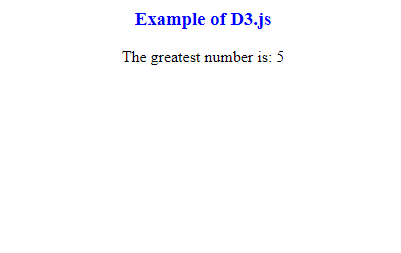
D3.js Example Output
Features of D3.js
There are many other platforms or frameworks available for managing data visualization, but D3 has left all the other frameworks behind because of being extremely flexible.
- **Visualization: D3 uses the web standards such as HTML, CSS, and SVG. It renders powerful visualization graphics.
- **Data-Driven Approach: The data-driven approach allows D3 to retrieve the data from different web nodes or servers and analyze it furthermore to render visualizations. Moreover, it can also use static data for processing.
- **Variations of Basic to Advance: D3 allows variations in tools for the creation of graphics. It is a basic structured table or a well-analyzed pie chart. It’s libraries vary from the most basic tools to an advanced set of resources. Even complex GIS Mapping can be done using D3. Even it allows customized visualizations as per the need. Nevertheless, it's all possible due to its support of Web Standards.
- **Re-useability of Code: It even supports large datasets and makes the most use of it's predefined libraries, thus enabling users to reuse code.
- **Animation & Transition Support: Transitions and animations are supported and D3 manages the logic implicitly. This one doesn’t need to manage or create them explicitly. Animation rendering is responsive and supports fast transmission between internal states.
- **DOM Manipulation: One of the key features of D3 is that it supports DOM manipulation and is flexible enough to dynamically manage the properties of it’s handlers.
Application of D3.js
- **Data Visualization: D3.js is primarily used for creating a wide range of data visualizations, including charts, graphs, maps, and dashboards. These visualizations help in understanding complex datasets and patterns within them.
- **Dashboard Creation: D3.js is often used to build interactive dashboards that display key metrics, trends, and insights in real-time. Dashboards allow users to visualize data from multiple sources and make data-driven decisions.
- **Interactive Charts and Graphs: D3.js enables the creation of highly interactive charts and graphs, such as line charts, bar charts, pie charts, scatter plots, and more. These visualizations can be customized and animated to enhance user engagement.
- **Data Analysis Tools: D3.js can be used to develop data analysis tools that allow users to explore and analyze datasets. These tools often include features like filtering, sorting, and aggregating data to extract meaningful insights.
- **Geospatial Visualizations: D3.js provides powerful capabilities for creating interactive maps and geospatial visualizations. These visualizations can display geographical data, such as population density, weather patterns, and geographic boundaries.
- **Network Visualization: D3.js can be used to visualize complex networks, such as social networks, organizational structures, and computer networks. These visualizations help in understanding relationships and interactions between entities.
- **Custom Data Visualizations: With D3.js, developers can create custom data visualizations tailored to specific requirements and use cases. This flexibility allows for the creation of unique and innovative visualizations that meet the needs of different projects.
Learn more about D3.js
- D3.js Introduction
- D3.JS (Data Driven Documents)
- D3.js greatest() Method
- D3.js geoNaturalEarth2() Function
D3.js Complete References
- D3.js Fetches API Complete Reference
- D3.js Paths API Complete Reference
- D3.js Quantize Scales API Complete Reference
- D3.js Continuous Scales API Complete Reference
- D3.js Diverging Scales API Complete Reference
- D3.js Arrays Statistics API Complete Reference
- D3.js Chords API Complete Reference
- D3.js Arrays Transformations API Complete Reference
- D3.js Brushes API Complete Reference
- D3.js Shapes Stacks API Complete Reference
- D3.js Shapes Curves API Complete Reference
Drawbacks of D3.js
- **Compatibility issues: D3.js may not fully support older browser versions, leading to inconsistent rendering or functionality across platforms.
- **Security challenges: D3.js lacks built-in mechanisms for data encryption or access control, potentially exposing sensitive information to unauthorized access.
- **Design limitations: Crafting visually appealing and innovative graph designs can be challenging due to D3.js's complex syntax and structure.
- **Steep learning curve: D3.js requires a significant learning curve, making it difficult for beginners to grasp advanced concepts and techniques.
- **Performance overhead: Implementing complex visualizations with D3.js can sometimes result in performance issues, especially on resource-constrained devices or browsers.