Ember.js (original) (raw)
Last Updated : 28 Apr, 2025
What is Ember.js ?
Ember.js is a JavaScript front-end web framework used to build ambitious web applications. It follows the Model-View-ViewModel (MVVM) architecture pattern, which separates the application into data models, view templates, and the view-model layer that mediates between the two. Ember is designed to reduce development time and increase productivity. It is one of the fastest-growing front-end application frameworks being adopted worldwide. It is currently used on many websites such as Square, Discourse, Groupon, Linked In, Live Nation, Twitch, and Chipotle.

**Features of Ember.js
- Ember.js is used to build reusable and maintainable JavaScript web applications.
- The development model of Ember.js is based on HTML and CSS.
- Ember.js provides two-way data binding between the application's data model and the user interface. This allows developers to build dynamic, interactive applications that respond to user input in real-time.
- Ember.js has a powerful routing system that allows developers to define routes for different pages and components in their applications. This makes it easier to manage the application's state and allows users to bookmark and share specific URLs.
- Ember CLI is a command-line interface that provides developers with a set of tools to generate code, run tests, and manage dependencies. This makes it easier for developers to create and maintain Ember.js applications.
- Ember.js has a built-in testing framework that allows developers to write automated tests for their applications. This ensures that the application is working as expected and helps to catch bugs early in the development process.
**Reasons to Learn Ember.js
- It enables the development of client-side JavaScript applications by offering a comprehensive solution that includes data management and an application flow.
- Convention over configuration.
- a flexible framework that enables you to improve the speed of your application without having to repeatedly reload the entire page.
- The data binding is fully supported, which means if one value is changed, the other one is automatically updated.
- Allows shared URLs and calculates routes and controls automatically.
**Installation Process
Ember CLI (command line interface) is built with JavaScript and expects the Node.js runtime. So, if your computer has Node.js installed you are ready to go. In case you want to install click here and check the version for confirmation:
node -v npm -v
Install ember using npm
npm install -g ember-cli
To verify that our installation was successfully run:
// Ember displays the version number
ember -v
Steps to Create New Ember.js Project
To create a new ember project use the following command:
ember new ember_project
Now use the following command to enter the project folder:
cd ember_project
**Project Structure

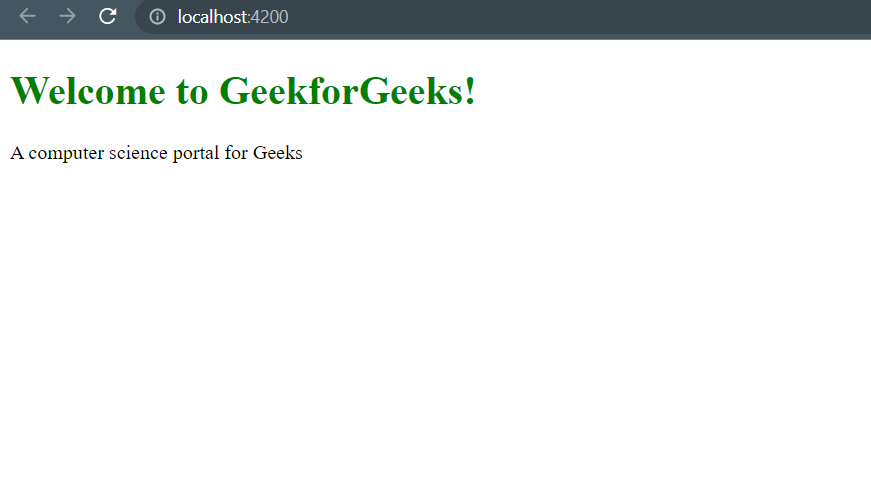
**Example: Here is the basic example of using ember.js.
**Code: index.html
HTML `
Welcome to GeekforGeeks!
A computer science portal for Geeks
`
**Output:
**Learn more about Ember.js
- Introduction
- Ember.js Models
- Core concepts
- Ember.js EmberArray objectAt() Method
- Ember.js EmberObject Class
**Drawbacks of Ember.js
Ember.js drawbacks include a steep learning curve, rigid conventions limiting flexibility, verbose code, large bundle size affecting loading times, smaller community and resources, frequent updates causing compatibility issues, and potential performance concerns compared to lighter frameworks.