JavaScript Array Methods (original) (raw)
To help you perform common tasks efficiently, JavaScript provides a wide variety of array methods. These methods allow you to add, remove, find, and transform array elements with ease.
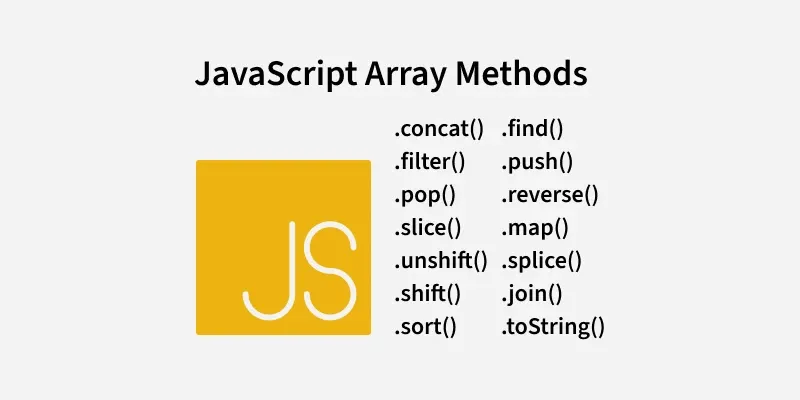
Javascript Arrays Methods
1. JavaScript Array length
The length property of an array returns the number of elements in the array. It automatically updates as elements are added or removed.
JavaScript `
let a = ["HTML", "CSS", "JS", "React"]; console.log(a.length);
`
- The code defines an array 'a' containing the elements "HTML", "CSS", "JS", and "React".
- a.length returns the number of elements in the array.
2. JavaScript Array toString() Method
The toString() method converts the given value into the string with each element separated by commas.
JavaScript `
let a = ["HTML", "CSS", "JS", "React"]; let s = a.toString(); console.log(s);
`
- The code defines an array "a" containing the elements "HTML", "CSS", "JS", and "React".
- The toString() method converts the array 'a' into a string.
3. JavaScript Array join() Method
This join() method creates and returns a new string by concatenating all elements of an array. It uses a specified separator between each element in the resulting string.
JavaScript `
let a = ["HTML", "CSS", "JS", "React"]; console.log(a.join('|'));
`
- The code defines an array 'a' with the elements "HTML", "CSS", "JS", and "React".
- The join('|') method combines the array elements into a single string, with each element separated by a pipe (|) character.
4. JavaScript Array delete Operator
The delete operator is used to delete the given value which can be an object, array, or anything.
JavaScript `
let emp = { firstName: "Riya", lastName: "Kaur", salary: 40000 }
console.log(delete emp.salary); console.log(emp);
`
- The delete emp.salary statement removes the salary property from the emp object and returns true if successful.
- After deletion, console.log(emp) prints the updated object without the salary property.
5. JavaScript Array concat() Method
The concat() method is used to concatenate two or more arrays and it gives the merged array.
JavaScript `
let a1 = [11, 12, 13]; let a2 = [14, 15, 16]; let a3 = [17, 18, 19];
let newArr = a1.concat(a2, a3); console.log(newArr);
`
- The code defines three arrays, a1, a2, and a3, and uses the concat() method to merge them into a single array newArr.
- The resulting array [11, 12, 13, 14, 15, 16, 17, 18, 19] is logged to the console, preserving the order of elements from the original arrays.
6. JavaScript Array flat() Method
The flat() method is used to flatten the array i.e. it merges all the given array and reduces all the nesting present in it.
JavaScript `
const a1 = [['1', '2'], ['3', '4', '5',['6'], '7']]; const a2 = a1.flat(Infinity); console.log(a2);
`
- The code defines a multilevel (nested) array 'a1' and uses the flat(Infinity) method to flatten it completely into a single-level array.
7. JavaScript Array.push() Method
The push() method is used to add an element at the end of an Array. As arrays in JavaScript are mutable objects, we can easily add or remove elements from the Array.
JavaScript `
let a = [10, 20, 30, 40, 50]; a.push(60); a.push(70, 80, 90); console.log(a);
`
**8. JavaScript Array.unshift() Method
The unshift() method is used to add elements to the front of an Array.
JavaScript `
let a = [20, 30, 40]; a.unshift(10, 20); console.log(a);
`
**9. JavaScript Array.pop() Method
The pop() method is used to remove elements from the end of an array.
JavaScript `
let a = [20, 30, 40, 50]; a.pop(); console.log(a);
`
**10. JavaScript Array.shift() Method
The shift() method is used to remove elements from the beginning of an array
JavaScript `
let a = [20, 30, 40, 50]; a.shift(); console.log(a);
`
**11. JavaScript Array.splice() Method
The splice() method is used to Insert and Remove elements in between the Array.
JavaScript `
let a = [20, 30, 40, 50]; a.splice(1, 3); a.splice(1, 0, 3, 4, 5); console.log(a);
`
- The first a.splice(1, 3) removes 3 elements (30, 40, 50) starting at index 1. The array becomes [20].
- The second a.splice(1, 0, 3, 4, 5) inserts 3, 4, and 5 at index 1 without removing anything. The array becomes [20, 3, 4, 5].
**12. JavaScript Array.slice() Method
The slice() method returns a new array containing a portion of the original array, based on the start and end index provided as arguments
JavaScript `
const a = [1, 2, 3, 4, 5]; const res = a.slice(1, 4); console.log(res); console.log(a)
`
- The slice() method creates a new array by extracting elements from index 1 to 3 (exclusive of 4) from the original array.
- The original array remains unchanged, and the result is [2, 3, 4].
**13. JavaScript Array some() Method
The some() method checks whether at least one of the elements of the array satisfies the condition checked by the argument function.
JavaScript `
const a = [1, 2, 3, 4, 5]; let res = a.some((val) => val > 4); console.log(res);
`
- **The some() method checks if at least one element in the array satisfies the provided condition.
- ****(val) => val > 4:** The condition checks if any element in the array is greater than 4.
- The method stops as soon as it finds the first matching element, making it efficient for large arrays.
**14. JavaScript Array map() Method
The map() method creates an array by calling a specific function on each element present in the parent array. It is a non-mutating method.
JavaScript `
let a = [4, 9, 16, 25]; let sub = a.map(geeks);
function geeks() { return a.map(Math.sqrt); } console.log(sub);
`
- The code defines a geeks function, but instead of operating on the individual array 'a' elements, it applies Math.sqrt() to the entire a array, resulting in a nested array of square roots.
- The output will be an array of the same length as a, but each element will be the result of applying arr.map(Math.sqrt).
15. JavaScript Array filter() method
The filter() method in JavaScript creates a new array with all elements that pass the test implemented by the provided function. It does not modify the original array.
JavaScript `
let a1 = [1, 2, 3, 4, 5] let a2 = a1.filter((num) => num > 1) console.log(a2)
`
- The filter() method is used to create a new array (a2) that contains all elements of the original array that satisfy the condition (num > 1).
- The filter() method does not modify the original array. It returns a new array, leaving the original one unchanged.
16. JavaScript **Array reduce() Method
The reduce() method is used to reduce the array to a single value and executes a provided function for each value of the array (from left to right) and the return value of the function is stored in an accumulator.
JavaScript `
let a = [88, 50, 25, 10]; let sub = a.reduce(geeks);
function geeks(tot, num) { return tot - num; } console.log(sub);
`
- The reduce() method iterates over the array 'a' and applies the geeks function, which subtracts each element (num) from the running total (tot).
- For the array [88, 50, 25, 10], the calculation proceeds as: 88 - 50 - 25 - 10.
17. JavaScript Array reverse() method
The reverse() method is used to reverse the order of elements in an array. It modifies the array in place and returns a reference to the same array with the reversed order.
JavaScript `
let a = [1, 2, 3, 4, 5]; a.reverse(); console.log(a);
`
- The reverse() method reverses the order of elements in the array arr in place, modifying the original array.
- After applying reverse(), the array.
18. JavaScript Array values() method
The values() method returns a new Array Iterator object that contains the values for each index in the array.
JavaScript `
const a = ["Apple", "Banana", "Cherry"]; const res = a.values();
for (const value of res) { console.log(value); }
`