jQuery change() Method (original) (raw)
Last Updated : 20 Sep, 2024
The jQuery change() method is used to detect changes in the value of form elements like , , or
**Syntax
$(selector).change(function)
**Parameters : It accepts an optional parameter "function".
**Example 1: In this example we demonstrates the change() method. When the button is clicked, the input field triggers the change() event, displaying an alert with the input's updated value.
HTML `
<!--Demo of change method without passing function-->
<script>
    $(document).ready(function () {
        $("button").click(function () {
            $("input").change();
        });
    });
</script>
Click the button to see the changed value !!!
Click Me!Enter value:
`
**Output:
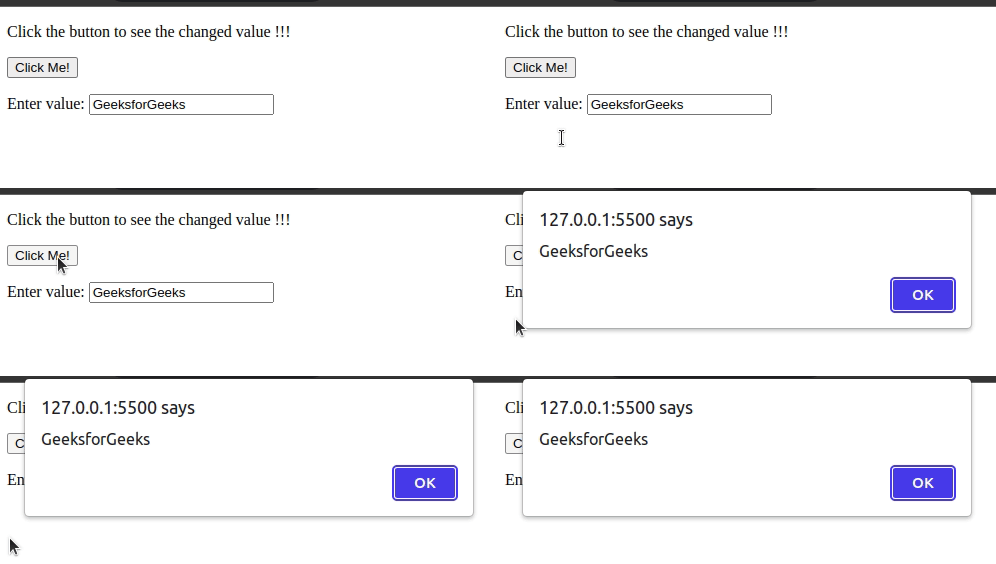
**Example 2: In this example we applies the change() method to an input field. When the field value is modified and focus is lost, the input's background color changes to light green (#7FFF00).
HTML `
<!--Here function is passed to the change method-->
<script>
    $(document).ready(function () {
        $(".field").change(function () {
            $(this).css("background-color", "#7FFF00");
        });
    });
</script>

<style>
    .field {
        padding: 5px;
    }
</style>Write something in the input field, and then press enter or click outside the field.
`
**Output:
