jQuery load() Method (original) (raw)
Last Updated : 11 Jul, 2025
**jQuery load() method is a simple but very powerful AJAX method. The Load() method in jQuery helps to load data from the server and returned it to the selected element without loading the whole page.
**Syntax:
$(selector).load(URL, data, callback);
**Parameters: This method accepts three parameters as mentioned above and described below:
- **URL: It is used to specify the URL which needs to load.
- **data: It is used to specify a set of query key/value pairs to send along with the request.
- **callback: It is the optional parameter which is the name of a function to be executed after the load() method is call.
**Example 1: The geeks.txt file is stored on the server and it will load after clicking the click button. The content of geeks.txt are: Hello GeeksforGeeks!
HTML `
<script>
    $(document).ready(function () {
        $("button").click(function () {
            $("#div_content").load("gfg.txt");
        });
    });
</script>
<style>
    body {
        text-align: center;
    }

    .gfg {
        font-size: 40px;
        font-weight: bold;
        color: green;
    }

    .geeks {
        font-size: 17px;
        color: black;
    }

    #div_content {
        font-size: 40px;
        font-weight: bold;
        color: green;
    }
</style>`
**Output:

There is also an additional callback function in the parameter which will run when the load() method is completed. This callback function has three different parameters:
- **parameter 1: It contains the result of the content if the method call succeeds.
- **parameter 2: It contains the status of the call function.
- **parameter 3: It contains the XMLHttpRequest object.
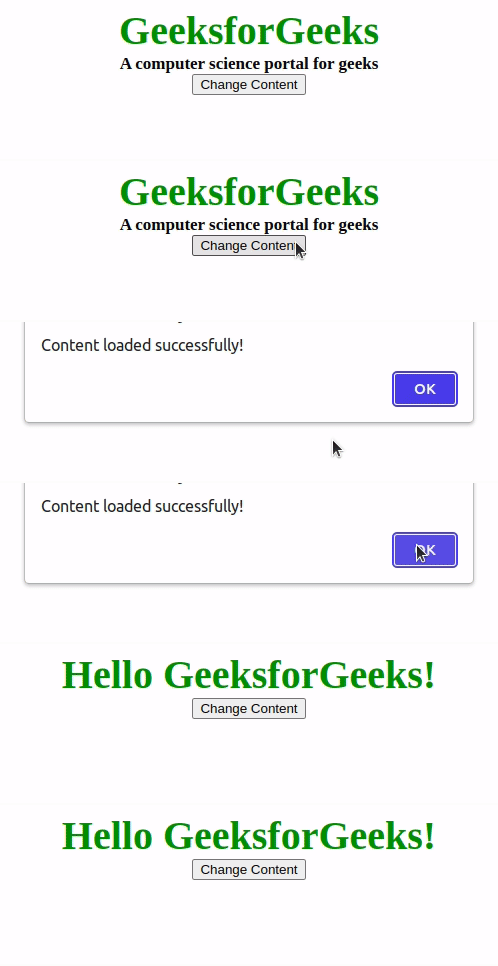
**Example 2: An alert box will appear after clicking on the button and if the content loaded successfully then it will give a message "Content loaded successfully!". Otherwise, it will show an error message.
HTML `
<script>
    $(document).ready(function () {
        $("button").click(function () {
            $("#div_content").load("gfg.txt", function (response,
                status, http) {
                if (status == "success")
                    alert("Content loaded successfully!");
                if (status == "error")
                    alert("Error: " + http.status + ": "
                        + http.statusText);
            });
        });
    });
</script>
<style>
    body {
        text-align: center;
    }

    .gfg {
        font-size: 40px;
        font-weight: bold;
        color: green;
    }

    .geeks {
        font-size: 17px;
        color: black;
    }

    #div_content {
        font-size: 40px;
        font-weight: bold;
        color: green;
    }
</style>`
**Output: