jQuery select() Method (original) (raw)
Last Updated : 11 Jul, 2025
The **jQuery select() method is an inbuilt method that is used when some letters or words are selected (or marked) in a text area or a text field.
**Syntax:
$(selector).select(function);
**Parameter: This method accepts a single parameter _function which is optional. The function parameter will run after the select method call.
**Below examples illustrates the select() method in jQuery:
**Example 1: In this example, a pop-op will come out when we select something in the box.
HTML `
Select Method<!-- JQuery code to show the working of this method -->
<script>
$(document).ready(function () {
$("input").select(function () {
alert("Something was selected");
});
});
</script>
<style>
div {
width: 250px;
height: 40px;
padding: 20px;
border: 2px solid green;
}
</style>`
**Output:

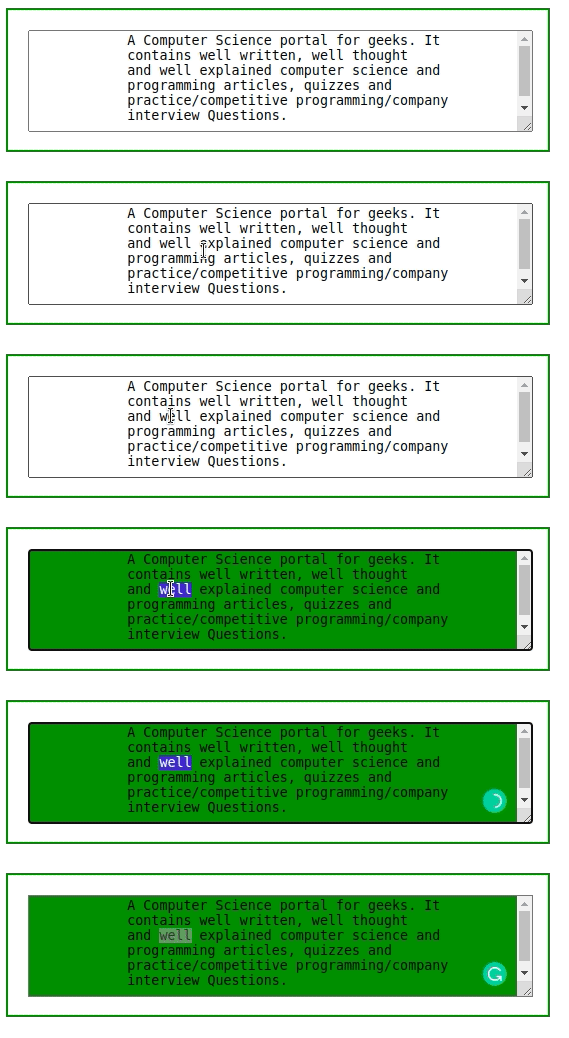
**Example 2: In this example, the background color will change when we select something in the box.
HTML `
Select Method<!-- JQuery code to show the working of this method -->
<script>
$(document).ready(function () {
$("div").select(function () {
$("textarea").css(
"background-color", "green");
});
});
</script>
<style>
div {
width: 500px;
height: 100px;
padding: 20px;
border: 2px solid green;
}
</style>`
**Output: