basename Command in Linux (original) (raw)
Last Updated : 3 Jan, 2026
The basename command in Linux is used to extract the file name from a full path by removing the directory path and optional suffix. It is commonly used in shell scripting and file handling to work only with the filename instead of the complete path.
- Used to extract filename from a full path
- Can remove file extensions (suffix)
- Helpful in automation and scripting
- Available in most Linux distributions as part of GNU coreutils.
The basename command extracts only the filename from a full file path.
Syntax:
basename /home/user/filename.txt
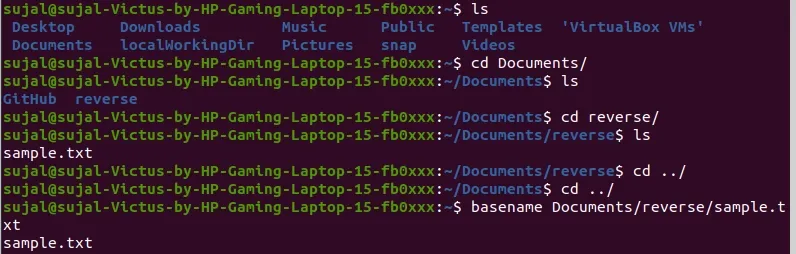
'basename' command to extract file names
In case you want to strip off the suffix of a file, this command removes the specified suffix (such as a file extension) from the filename.
**Syntax:
basename /home/user/filename.txt .txt

basename extracts sample.txt from a full path.
Syntax of the 'basename' command.
basename [path] [suffix]
- **Path: Full path of the file or directory.
- **Suffix: Suffix refers to a specific string (usually a file extension) that you want to remove from the end of the filename.
Options for `basename` Command
The basename command in Linux provides a few useful options, mainly available in the GNU coreutils version. These options make it easier to handle multiple paths, remove suffixes, and control output formatting.
Syntax:
basename [options] file_path [suffix_to_remove]
- **[options] : Optional flags used with the command.
- **file_path : Full path or name of the file.
- **[suffix_to_remove] : Optional extension or text you want to remove from the filename.
**Option 1. '-a, - -multiple':
The -a option allows basename to process multiple files or paths at once. Each given path is treated separately, and only filenames are printed.
**Syntax:
basename -a /path/filename1.txt /anotherpath/filename2.log

basename -a extracts base names from multiple file paths.
**Option 2. ****'-s, - -suffix = SUFFIX'**
The -s option removes a specified suffix (like file extension) from the filename output.
**Syntax:
basename -s .log /path/filename.log

basename -s .log removes the .log extension from a file name.
Option 3. ****'-z' option:**
The -z option prints the output separated by a NULL character instead of a newline. It is mainly used in scripting.
**Syntax:
basename -z /path/filename.txt

Using basename -z to extract a filename from a path.
Option 4. '--help':
Displays help information about the basename command and available options.
**Syntax:
basename --help
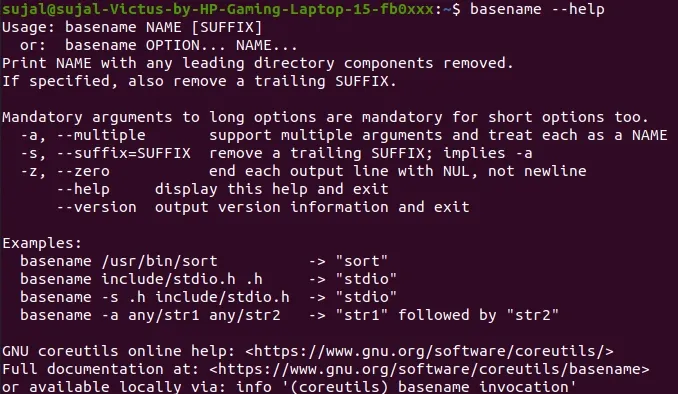
basename help and usage options.
Option 5: '--version'
It shows the version information of the basename command.
Syntax:
basename --version
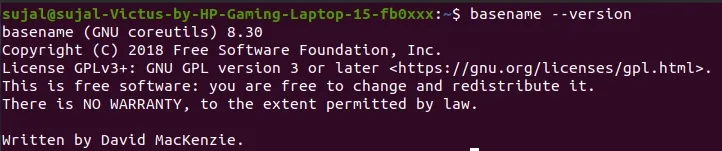
Displaying the basename version information.
Real-World Usage of `basename` Command
The basename command is widely used in shell scripting, automation tasks, and file handling. Below are some common practical scenarios.
1. Using basename in Shell Scripts
Many shell scripts use basename to extract only the filename from a full path.
file="/home/user/script.sh"
basename "$file"
**Output :
script.sh
2. Removing File Extension
Useful when only the file name is required without its extension.
basename report.pdf .pdf
**Output :
report
3. Handling Multiple Files
When working with many files, basename helps extract names quickly, especially with the -a option.
basename -a /home/user/a.txt /home/user/b.log
**Output :
a.txt
b.log