cmp Command in Linux (original) (raw)
Last Updated : 25 May, 2026
The cmp command in Linux/UNIX is a simple and powerful utility used to compare two files byte by byte. It helps determine whether files are identical and reports the exact position of the first difference when they are not.
- Compares files byte by byte
- Reports first mismatched byte and line
- Produces no output if files are identical
- Works with both text and binary files
Example 1: Compare Two Files
This example compares two text files to identify exactly where the content starts to differ. It is useful when you want to check small changes between files, such as spelling mistakes or modified characters.
cmp file1.txt file2.txt
**Output:
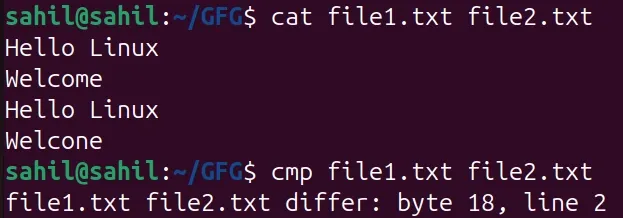
**Note: This indicates that the first mismatch occurs at byte 18 on line 2. Comparison stops after the first difference is found.
Example 2: Compare Identical Files
If both files are identical, cmp produces no output.
cmp file1.txt file3.txt
**Output:
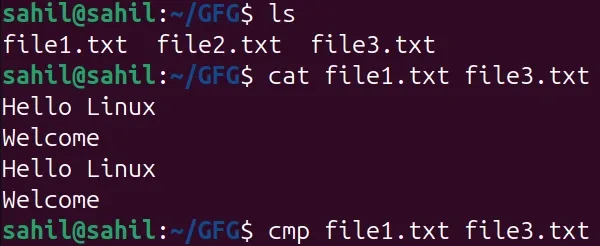
**Note: No output confirms that both files are identical.
Syntax of cmp Command in Linux
cmp [option]... file1 [file2 [skip1 [skip2]]]
- **option: Modifies the behavior of the cmp command
- **file1, file2: Files to be compared
- **skip1, skip2: Number of bytes to skip from the beginning of each file
Options Available in cmp Command
The cmp command provides different options to control how files are compared and how results are displayed. Some commonly used options are shown below.
1. -b (Print Differing Bytes)
This option displays the differing bytes along with their ASCII values. It is helpful when working with small character-level changes.
**Command:
cmp -b file1.txt file2.txt
**Output:
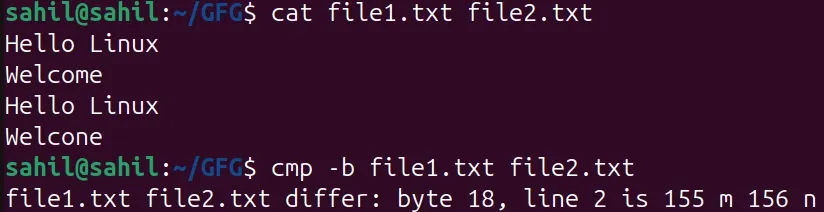
Where is
- **Byte 18 : Difference occurs at the 18th byte
- **Line 2 : Difference is on line number 2
- **155 m : Byte value (octal) and character in file1.txt
- **156 n : Byte value (octal) and character in file2.txt
**Note: Numeric values are octal (base-8) representations. Useful for low-level debugging.
2. -i (Skip Initial Bytes in Both Files)
This option allows you to skip a fixed number of bytes at the beginning of both files before comparison. It is useful when files have headers or metadata that you want to ignore.
**Command:
cmp -i 20 file1.txt file2.txt
**Output:

**Note: Comparison starts after the first 20 bytes in both files. The skipped bytes are not compared.
3. -i SKIP1:SKIP2 (Skip Bytes Separately)
This option allows us to skip different numbers of bytes in each file. It is useful when the files have different header sizes.
**Command:
cmp -i 6:7 file1.txt file2.txt
- Comparison starts after 6 bytes in file1.txt
- Comparison starts after 7 bytes in file2.txt

4. -l (List All Differences)
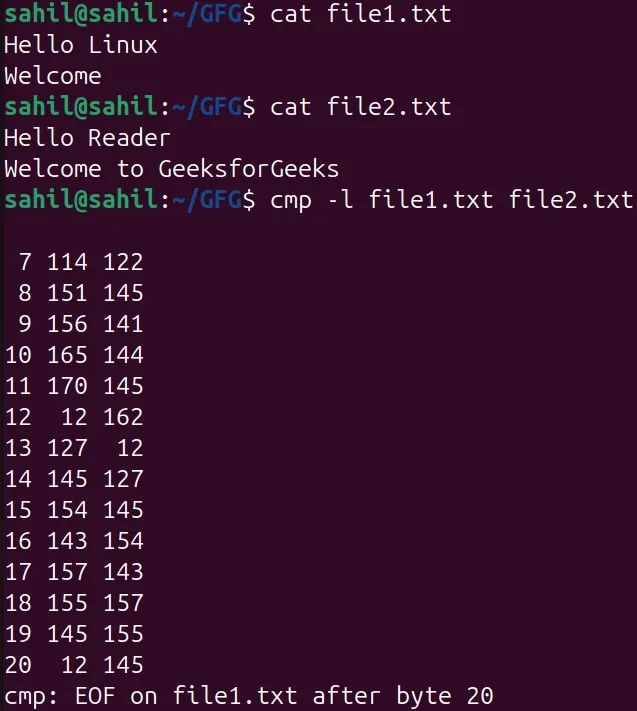
Instead of stopping at the first mismatch, this option shows every byte position and byte value where the files differ. It is useful for detailed analysis
**Command:
cmp -l file1.txt file2.txt
- **Column 1 : Byte position (decimal)
- **Column 2 : Byte value in first file (octal)
- **Column 3 : Byte value in second file (octal)
**Output:
5. -s (Silent Mode)
This option suppresses all output and reports the result using the command’s exit status. It is mainly used in shell scripts and automation.
**Command:
cmp -s file1.txt file2.txt
echo $?
- Exit code 0 : Files are identical
- Exit code 1 : Files are different

6. -n (Limit Number of Bytes Compared)
This option limits the number of bytes you want to compare from the beginning of the files. It is useful when only part of the file needs verification.
**Command:
cmp -n 10 file1.txt file2.txt
- comparison stops after comparing the first 10 bytes only.

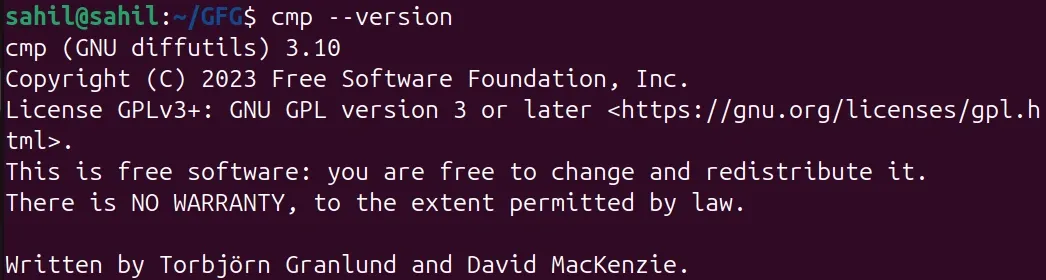
7. --version
Displays the installed version of the cmp command.
cmp --version
8. --help
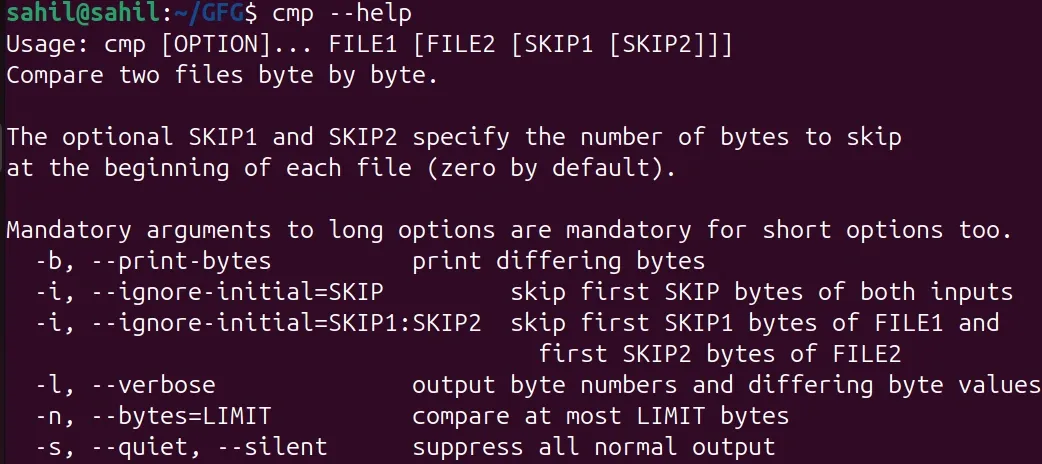
Displays help and usage information.
cmp --help
Real-World Use Cases of cmp Command
The cmp command is commonly used when you need to know exactly where files differ, especially in system administration and development tasks.
1. Verify File Copy or Download
Ensure that a copied or downloaded file is an exact replica of the original.
cmp original.iso backup.iso
2. Compare Binary Files
Detect byte-level differences between compiled programs or binary data.
cmp -l app_v1.bin app_v2.bin
3. Use in Shell Scripts
Automatically detect changes in configuration files.
cmp -s config.old config.new && echo "No changes found"
Validate file headers or metadata without comparing entire files.
cmp -n 100 file1.bin file2.bin