df Command in Linux (original) (raw)
Last Updated : 14 May, 2026
The df command in Linux is used to display disk space usage of mounted file systems. It provides information about total space, used space, available space, and the percentage of usage for each file system.
- Can display output in human-readable format.
- Useful for system monitoring and storage management.
Example 1: Display Disk Usage of All Mounted File Systems
**Command:
df
**Output:
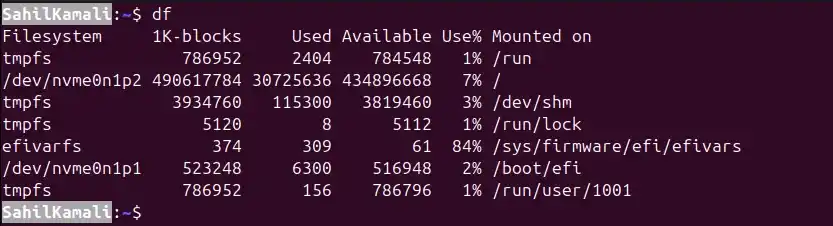
Output
Example 2: Check Disk Usage of a Specific Directory
**Command:
df /home
**Output:

Output
Syntax:
df [OPTION]...[FILE]...
- **OPTION: mandatory arguments compatible with df command.
- **FILE: specific filename in case you want to know the disk space usage of a particular file system only.
Using df for a Specific File
Suppose we have a file named sample.txt and want to check its file system usage:
**Command:
df sample.txt
**Output:

Output
- Displays only the file system containing the file.
- Without specifying a file, df displays all mounted file systems.
options of 'df' command
1. -a, --all
Displays all file systems, including special or dummy file systems that have zero block sizes (e.g., proc, sysfs).
- used to see everything, including virtual or hidden file systems.
- Normally, these zero-size file systems are not shown in the default df output.
**Syntax:
df -a
**Output:
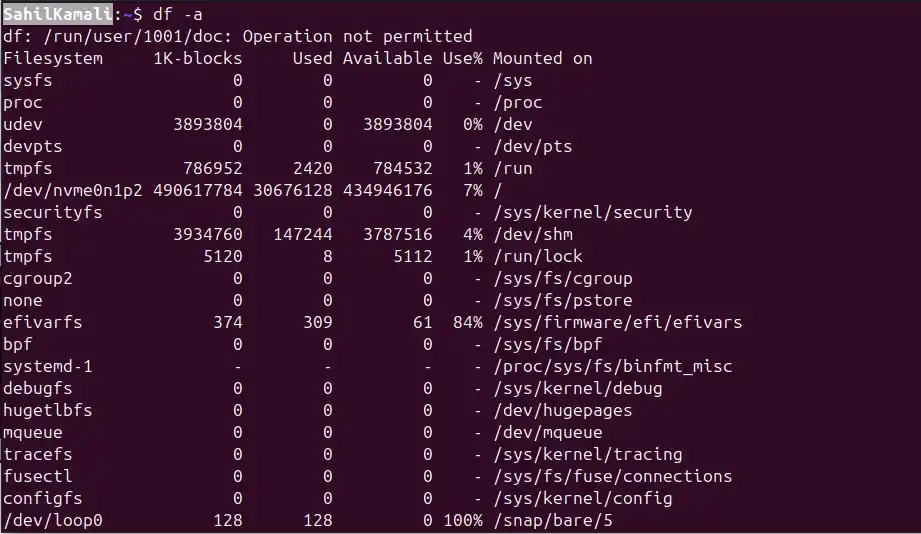
Output
2. -h, --human-readable
Displays disk usage in human-readable format (KB, MB, GB) instead of default 1K blocks, making it easier to understand.
- Converts large numbers into friendly units like MB or GB.
- Useful for quickly checking disk usage without calculating large numbers manually.
**Syntax:
df -h
**Output:
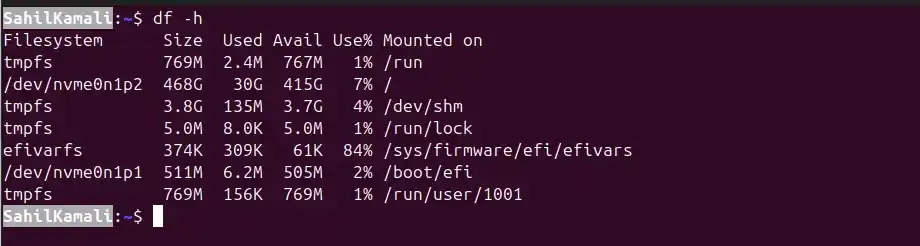
Output
3. -i, --inodes
Displays inode usage instead of disk space. Inodes are data structures that store information about files (like metadata).
- used when a file system runs out of inodes, even if there is free disk space.
**Syntax:
df -i
**Output:
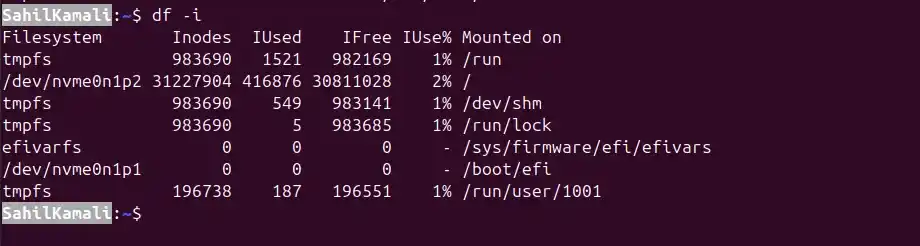
Output
- **Inodes: Total inodes on the file system
- **IUsed: Inodes currently in use
- **IFree: Inodes still available
- **IUse%: Percentage of used inodes
4. --total
Displays a grand total of disk space for all listed file systems. Adds an extra row at the bottom summarizing total size, used space, and available space.
- Useful for getting an overall view of disk usage across multiple file systems.
**Syntax:
df --total
**Output:
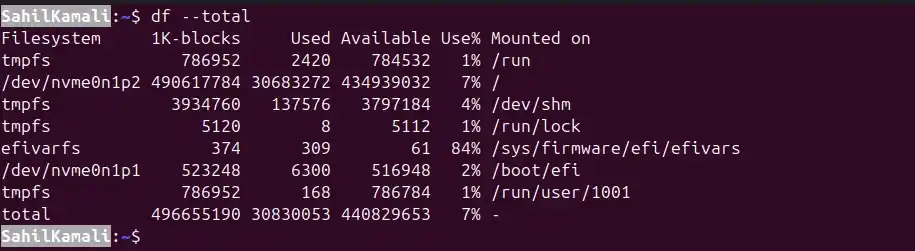
Output
- Can be combined with other options like -h for human-readable totals.
5. -t TYPE
Displays disk usage only for file systems of a specific type. Filters output by file system type, such as ext4, xfs, tmpfs, or squashfs.
- used to focus on a particular type of storage.
**Syntax:
df -t TYPE
**Example:
Display Only tmpfs File Systems
**Command:
df -t tmpfs
**Output:
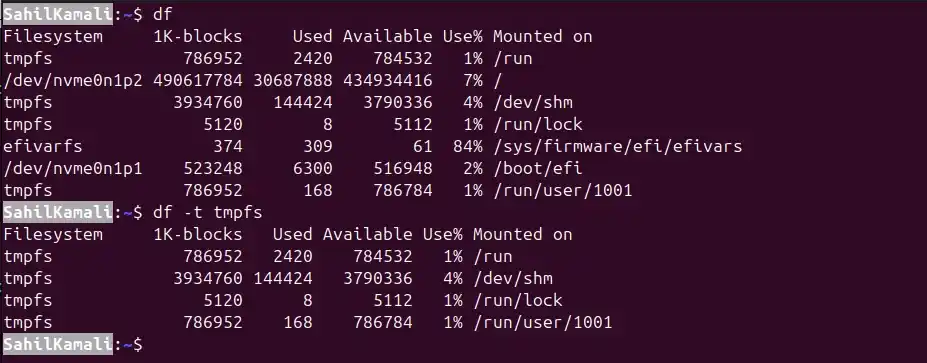
Output
6. -x TYPE
Excludes file systems of a specific type from the output. Opposite of -t.
- used to ignore certain file systems like virtual or temporary ones (tmpfs, squashfs) in the listing.
**Syntax:
df -x TYPE
**Example:
Exclude tmpfs File Systems
**Command:
df -x tmpfs
**Output:
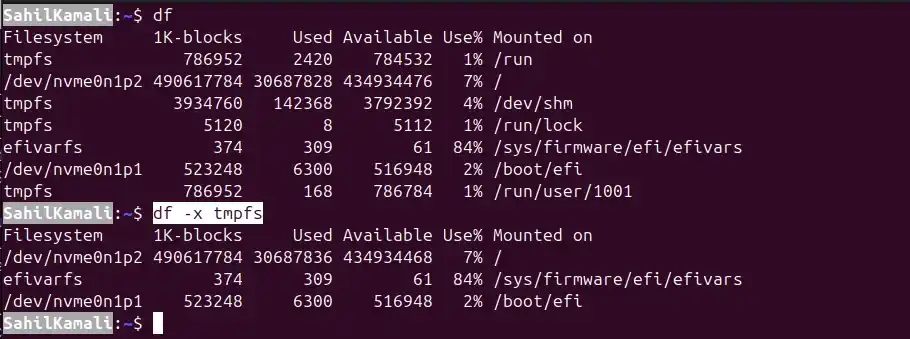
Output
7. --sync
Ensures that df reports up-to-date disk usage by running the sync system call before gathering information.
- By default, df uses --no-sync, which may not reflect recent changes immediately.
- used when files were recently added, deleted, or modified and you need accurate disk usage.
**Syntax:
df --sync
**Example:
Display Disk Usage with Sync
**Command:
df --sync
**Output:
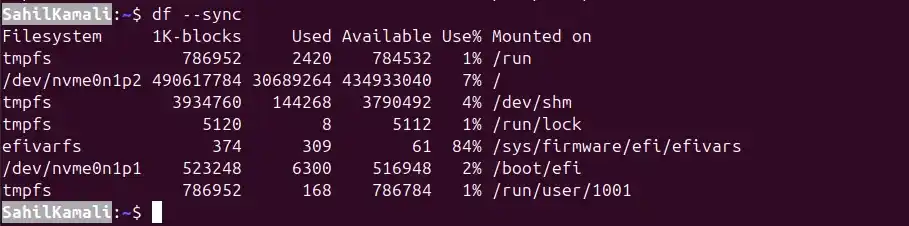
Output
8. -l, --local
Displays only local file systems, excluding network-mounted file systems like NFS or Samba. Used to focus on disks physically attached to the system.
- Helps avoid clutter from temporary or remote mounts.
**Syntax:
df -l
**Example:
Display Only Local File Systems
**Command:
df -l
**Output:
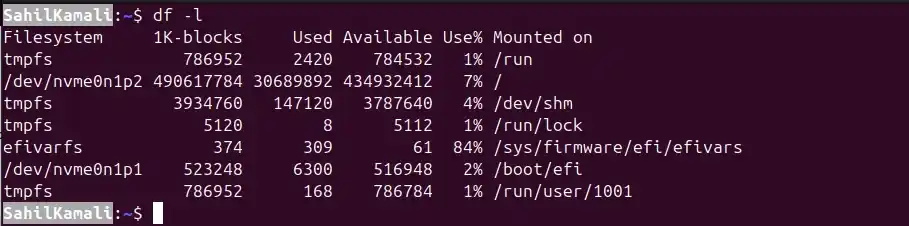
Output
9. -T, --print-type
Displays the type of each file system along with disk usage. Shows whether a file system is ext4, xfs, tmpfs, squashfs, etc.
- Useful for identifying file system types on different disks or partitions.
**Syntax:
df -T
**Output:
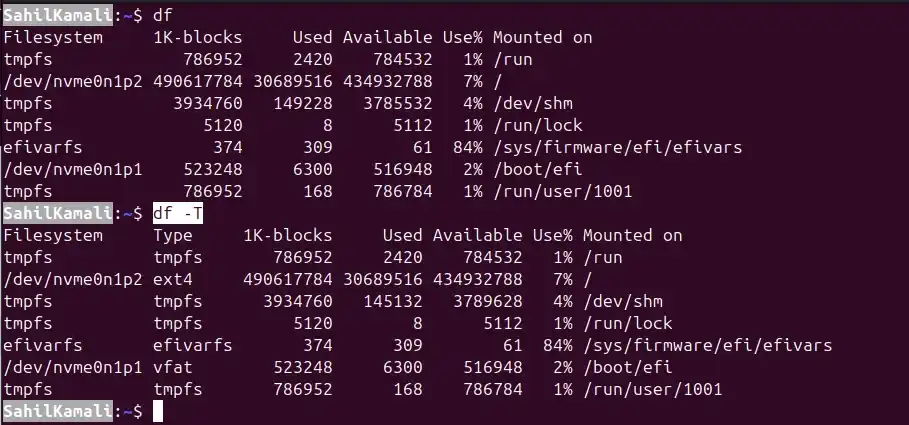
Output