Ettercap Sniffing and Spoofing (original) (raw)
Last Updated : 16 Aug, 2024
Ettercap is a marvelous tool for someone who wants to learn about internet security. You are allowed to look at the diagram of data traveling through a network and thus capture an instance where a dishonest person "spoofs" a device. This manual will guide you through the steps of using Ettercap to actually sniff and spoof (clone) in exciting and secure ways.
Setting Up Ettercap
**Step 1: Install Ettercap
First, you need to install Ettercap. Open your terminal (the place where you type commands) and type:
sudo apt-get update
sudo apt-get install ettercap-graphical
This command updates your system and installs Ettercap with a graphical interface (a window with buttons and menus).
**Step 2: Running Ettercap
To start Ettercap, type:
sudo ettercap -G
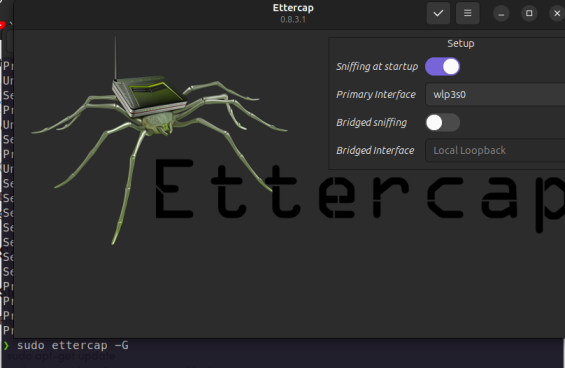
This opens Ettercap with a graphical interface, which is easier to use.
Sniffing with Ettercap
Sniffing means watching the data that moves around on your network. It’s like being a secret agent for data!
**Step 1: Start Ettercap in Unified Sniffing Mode
When you open Ettercap, choose the network interface you want to use (usually something like eth0 or wlan0).
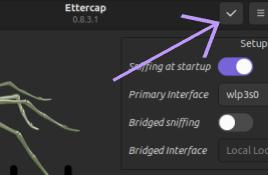
**Step 2: Scan for Hosts
Next, you need to see who else is on the network. Click on the "Hosts" menu, then "Scan for hosts." Ettercap will find all the devices connected to the network.
**Step 3: View Host List
Now, you can see the list of devices. Go to "Hosts" and click on "Hosts list." This shows all the IP addresses and MAC addresses of the devices on your network.
**Step 4: Start Sniffing
To start capturing data, just click on the "Start" button in the toolbar. Ettercap will begin to show you the data packets moving across the network.
.jpg)
Spoofing with Ettercap
Spoofing means pretending to be another device on the network. This can show you how attackers might trick devices.
**Step 1: Select Targets
First, choose the target devices. In the "Hosts list," add the device you want to pretend to be to Target 1, and the device you want to intercept data from to Target 2.
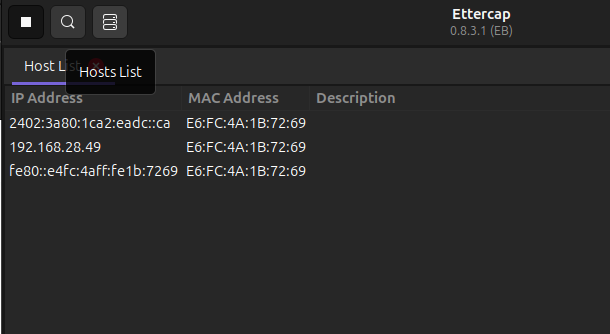
Check Host list by clicking on That button
**Step 2: Enable ARP Spoofing
- ARP spoofing tricks devices into sending their data to you.
- Click on "Mitm" (Man in the Middle), then "ARP poisoning."
- Check the "Sniff remote connections" box and click "OK."
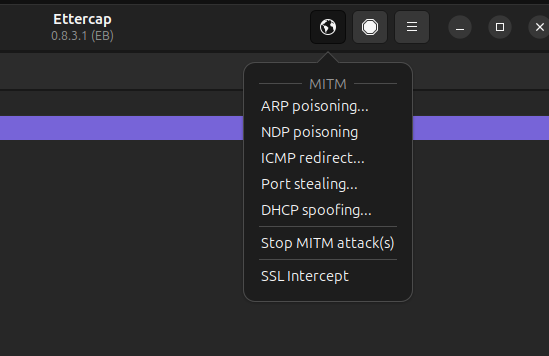
Select ARP poisoning...
**Step 3: Start Spoofing
Finally, click on the "Start" button to begin spoofing. Now, Ettercap will intercept the data between the two devices, letting you see it.
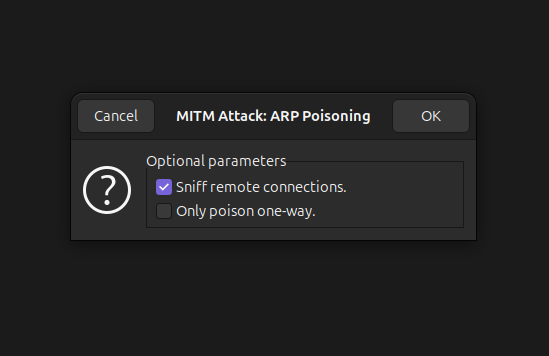
Start by Pressing OK
Conclusion
By following this guide, you will have taken significant steps toward understanding the powerful capabilities of Ettercap for network security education. Sniffing and spoofing with Ettercap allows you to observe data traffic and understand how attackers might exploit network vulnerabilities
Never perform these actions on networks which are owned by others and you are not authorized. We must get to know the security of systems better, which implies the danger to do harm to them