getent Command in Linux (original) (raw)
Last Updated : 9 Mar, 2026
The getent command in Linux retrieves entries from databases managed by the Name Service Switch (NSS). It provides a unified way to query system information such as users, groups, hosts, and services from local files or network sources like LDAP. Unlike directly reading files such as /etc/passwd, getent queries the same sources the system uses, ensuring accurate and complete results.
- Retrieve user and group information from system databases
- Query hostnames, IP addresses, and network services
- Access data from local files and remote sources (e.g., LDAP)
- Provide a consistent lookup method across different name services
- Assist in system administration and troubleshooting
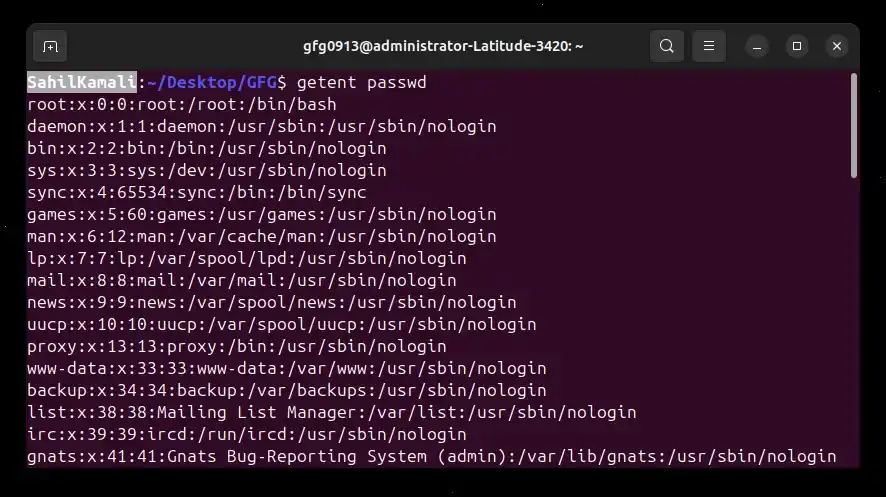
Example 1: Fetching All User Accounts
Display all users available on the system. Queries the passwd database and lists all users from local files and network services like LDAP.
**Command:
getent passwd
**Output:
Example 2: Fetch Information for a Specific User
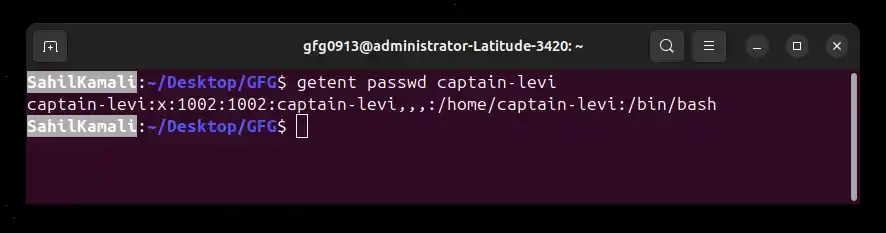
Retrieve details for a specific user. Displays user details including UID, GID, home directory, and default shell.
**Command:
getent passwd captain-levi
**Output:
Example 3: Fetching Group Information
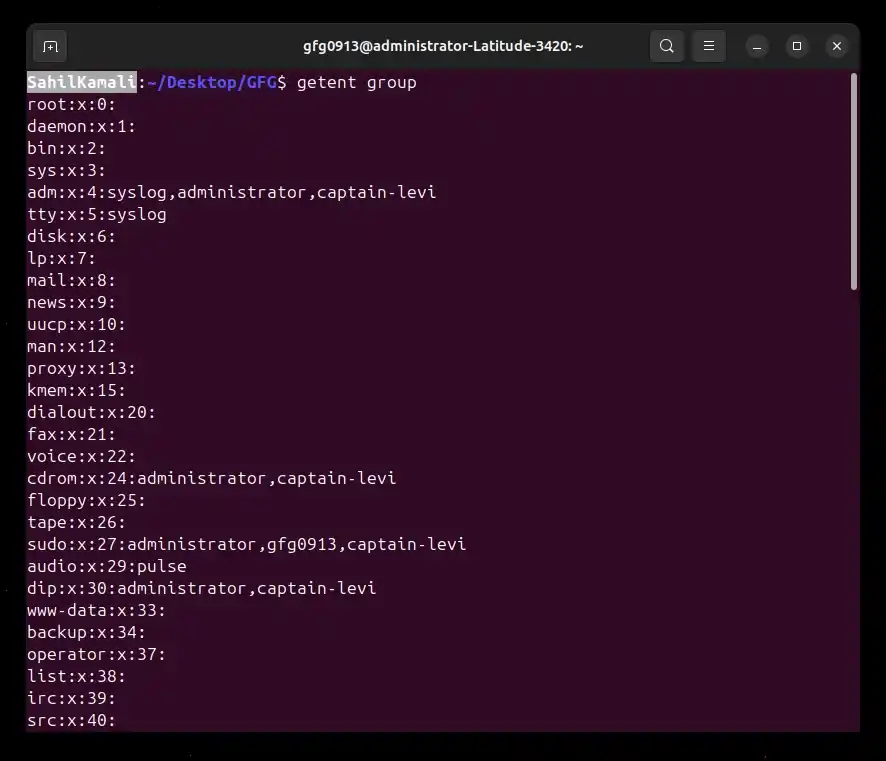
List all groups configured on the system. Shows group name, group ID, and members.
**Command:
getent group
**Output:
Syntax
getent [OPTION] database [key]
- **getent: Command used to retrieve entries from NSS databases
- **[OPTION]: Optional flags that modify lookup behavior
- **database: Name of the database to query (e.g., passwd, hosts, group)
- **[key]: Optional lookup value such as username, group name, or hostname
**Note:
- If no key is provided, all entries in the specified database are displayed.
- If a key is provided, only the matching entry is returned.
- If an option is used, it modifies how the lookup is performed (e.g., selecting a specific service).
- The command retrieves data using the system’s configured name services (local files, LDAP, DNS, etc.).
Options in getent
1. -s service or --service service
Forces getent to use a specific name service instead of the system default. This is useful when your system uses multiple sources such as local files, LDAP, or DNS.
**Syntax:
getent -s [key]
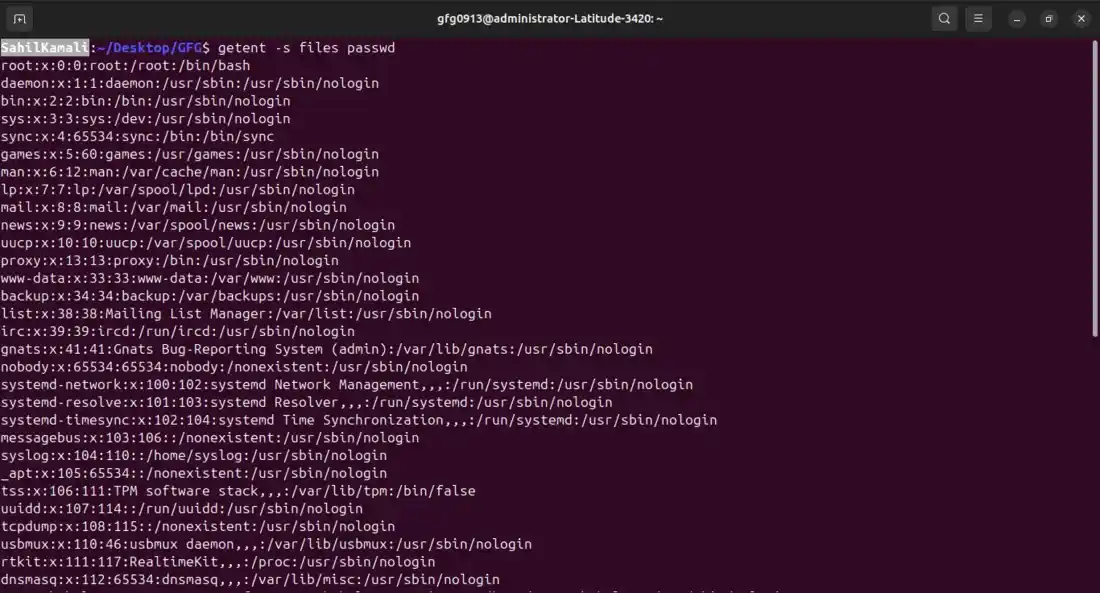
**Example: Query Only Local Users
This example forces getent to return users only from local files.
getent -s files passwd
**Output:
Option 2: -s database:service
Overrides the name service for a specific database only. Use this when you want one database to use a different service without changing others.
**Syntax:
getent -s : [key]
- ****::** Specifies which database should use which service
- **database: The database being queried
- **[key]: Optional entry to look up
**Example: Query User from LDAP Only
This example forces the passwd database to use LDAP for the lookup.
**Command:
getent -s passwd:ldap passwd gfg0913
**Output:
rahul:x:10500:10500:Rahul:/home/gfg0913:/bin/bash
Option 3: -i or --no-idn
Disables IDN (Internationalized Domain Name) encoding during hostname lookups. Use this option when troubleshooting DNS resolution or when you want the raw lookup result without IDN conversion.
**Syntax:
getent --no-idn ahosts
- --no-idn: Disables IDN encoding
- ahosts: Database used for address resolution
- : Domain name to resolve
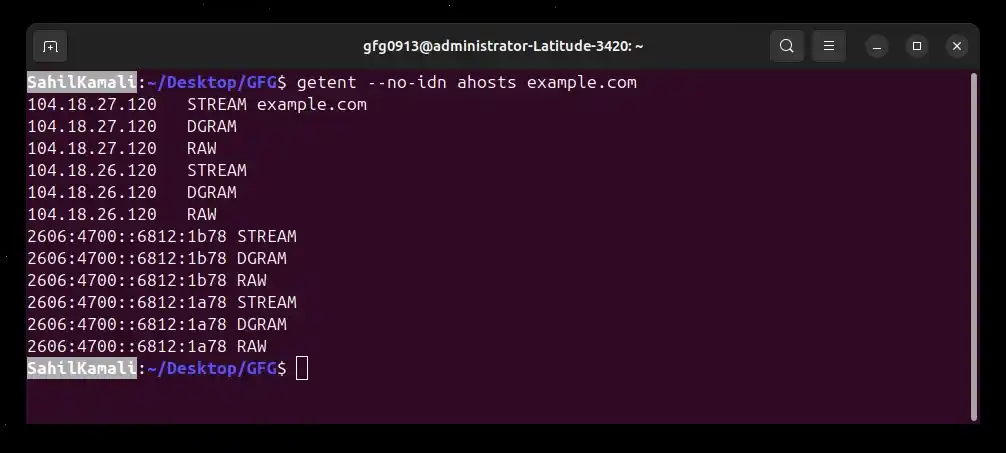
**Example: Lookup Host Without IDN Encoding
This example resolves a hostname without applying IDN conversion.
**Command:
getent --no-idn ahosts example.com
**Output:
Option 3: -A or --no-addrconfig
Disables filtering of IP addresses during hostname lookup. Shows all IPv4 and IPv6 addresses for a host, even if the system does not currently support one of the address types. By default, getent ahosts only shows addresses your system can use.
**Syntax:
getent -A ahosts
- **-A / --no-addrconfig: Disables filtering of unsupported IPv4/IPv6 addresses
- **ahosts: Database used for address resolution
- ****:** Domain name to resolve
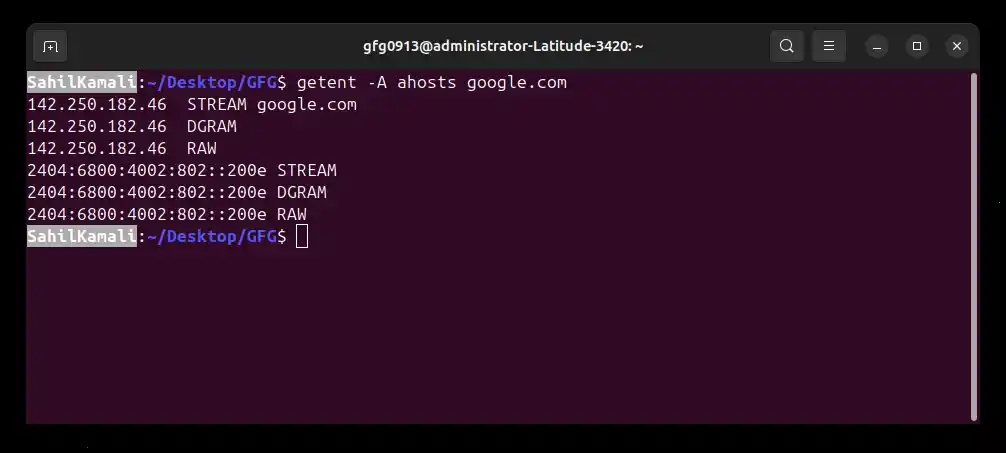
**Example: Lookup Host Without Address Filtering
This example forces getent to return both IPv4 and IPv6 addresses, regardless of whether the local system has IPv6 configured.
**Command:
getent -A ahosts google.com
**Output:
Option 5: -? or --help
Displays the help message with available options and usage information. Use this option when you need a quick reference for command syntax.
**Syntax:
getent --help
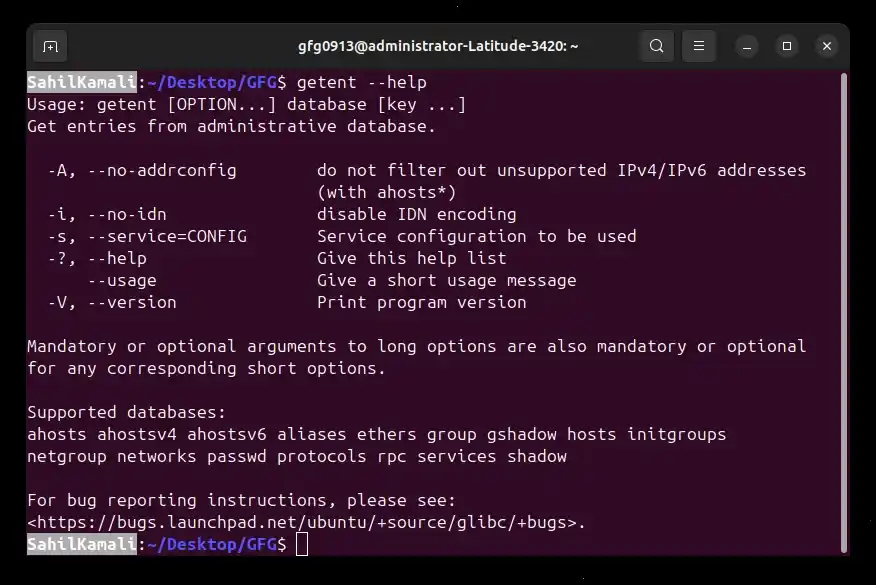
**Example: Display Help Information
Shows the usage summary and available options.
**Command:
getent --help
**Output:
Common Databases Used with getent
The getent command retrieves information from databases configured in the Name Service Switch (NSS). Each database stores a specific type of system or network information.
1. passwd
Retrieves user account information.
**Example:
getent passwd rahul
**Output:

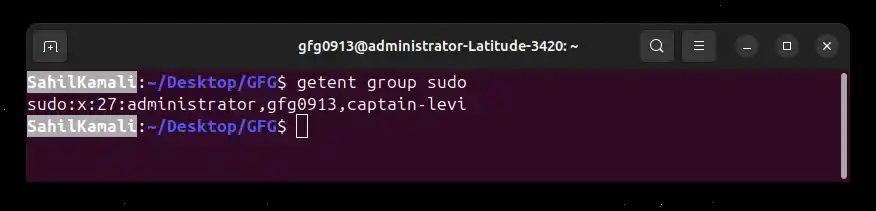
2. group
Displays group account details.
**Example:
getent group sudo
**Output:
3. hosts
Resolves hostnames to IP addresses.
**Example:
getent hosts example.com
**Output:
93.184.216.34 example.com
4. services
Lists network services and their ports.
**Example:
getent services ssh
**Output:
ssh 22/tcp
5. protocols
Displays network protocol entries.
**Example:
getent protocols tcp
**Output:
tcp 6 TCP
6. networks
Shows network name mappings.
**Example:
getent networks loopback
**Output:
loopback 127.0.0.0
7. shadow (requires root privileges)
Displays secure user password information.
**Example:
sudo getent shadow rahul
**Output:
rahul:$6$hashvalue:19400:0:99999:7:::
Exit Status Codes
The getent command returns specific exit codes to indicate whether the lookup was successful or if an error occurred.
- **0: Command executed successfully
- **1: Missing arguments or unknown database
- **2: Requested key not found
- **3: Enumeration not supported for the database