Installing Kali Linux on VirtualBox (original) (raw)
Last Updated : 24 Apr, 2026
Dual-booting Kali Linux with Windows improves performance but doesn’t allow instant switching between the two systems. Using Kali Linux in a VirtualBox or any other hypervisor is a better option.
- A hypervisor allows Kali Linux to run inside Windows like a regular app.
- You can switch between Windows and Kali without rebooting.
- VirtualBox uses only a portion of your system’s hardware for Kali.
- Kali runs smoothly without affecting your main operating system.
Prerequisites
- 20GB free disk space on other OS.
- Kali Linux ISO File which can be downloaded from here.
- VirtualBox installed on the System.
- Minimum of 15-20 GB free space in your hard disk.
- A minimum of 8 GB RAM is recommended.
Step 1: Create Virtual Machine
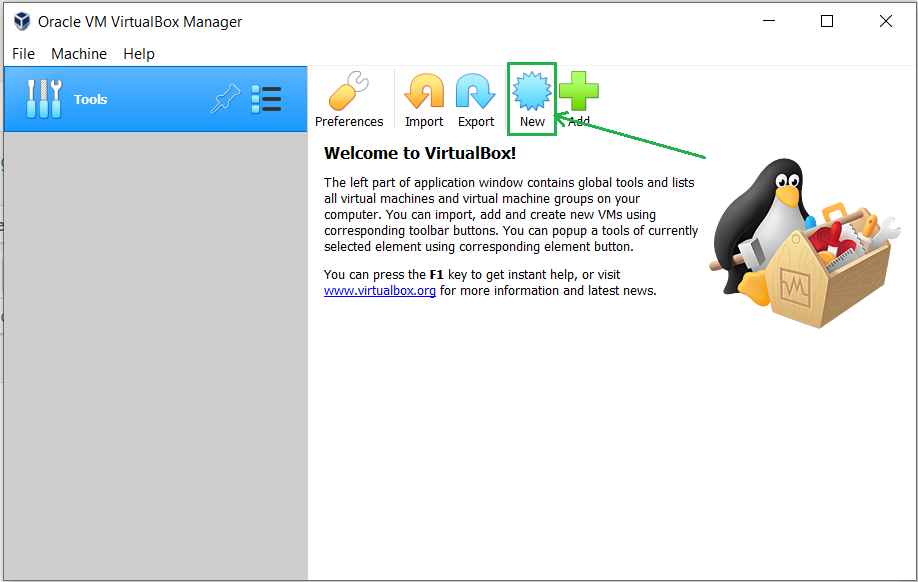
- Open VirtualBox and then press the new button.
- Write the name of the virtual machine and select it to Debian based 64bit Linux architecture.

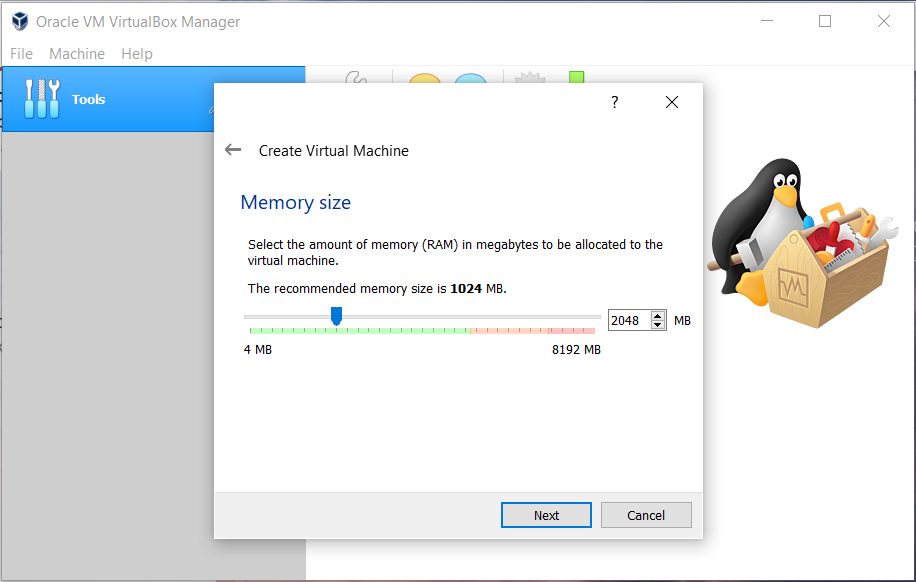
- Allot the size of RAM memory you want to allocate to the virtual machine of Kali Linux. (2048 MB is recommended for normal usage)
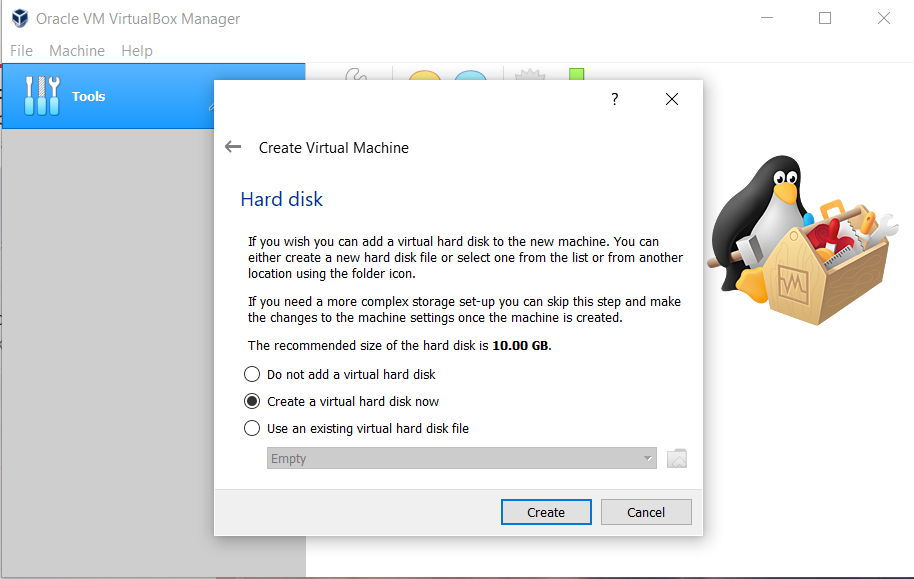
- Select the option to create a virtual hard disk now and then click on the create button.
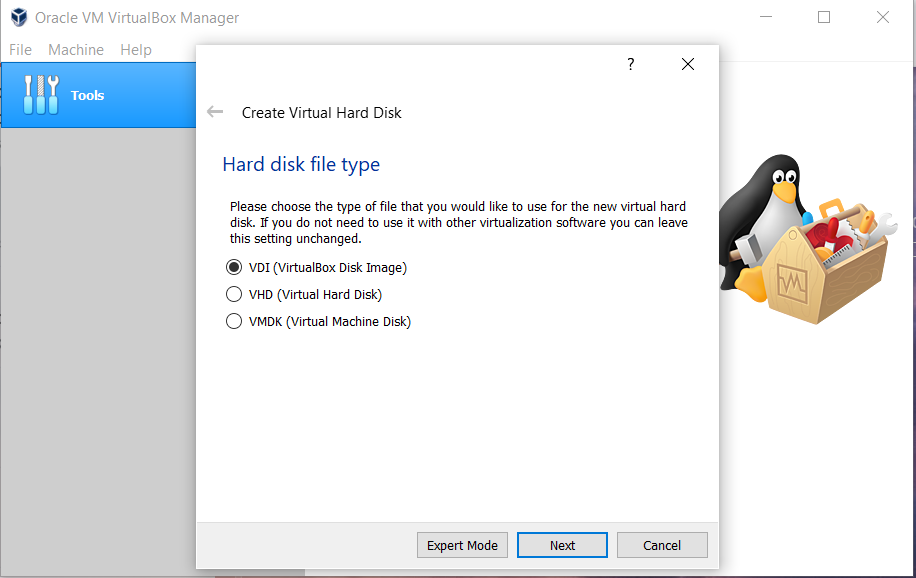
- Now, Select the Hard Disk File type for Virtual Hard Disk. ( VDI is recommended for daily purposes)
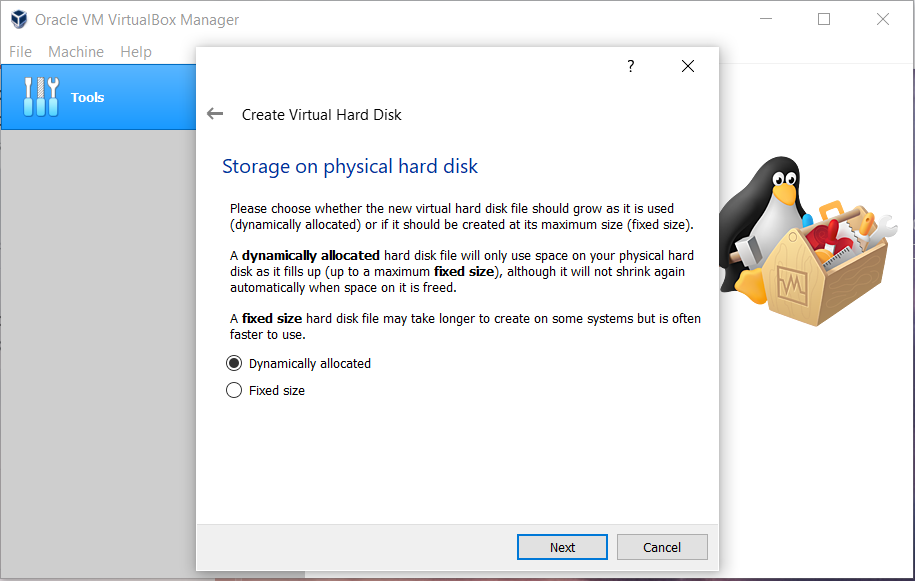
- Now select the type of Physical Hard Disk Storage. (Dynamically Allocated is recommended for general purposes)
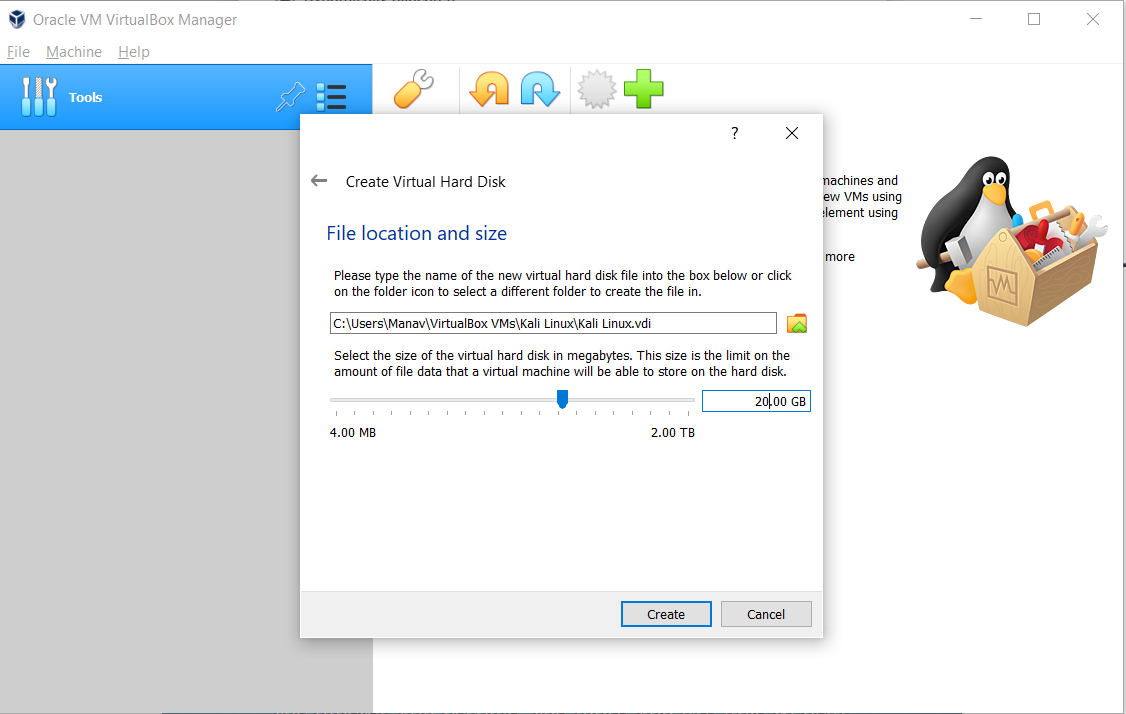
- Select the size of your virtual hard disk and also the location where you want to save your machine and its files.
Step 2: Start VM and Load ISO
- As soon as the processing is completed click on the Virtual machine name on the left panel and click on the start button from the top.
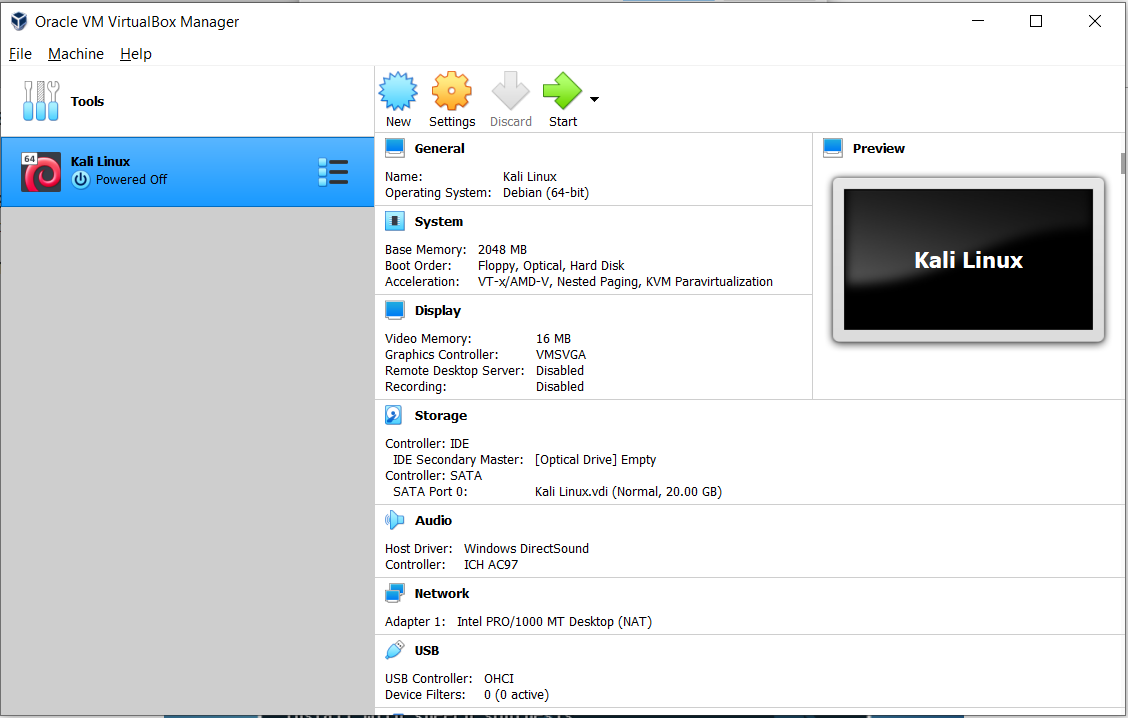
- Now click on the Browse icon located just above the cancel button and select your downloaded Kali Linux ISO file and then click on the start button.

- This will boot our virtual machine from the chosen Kali Linux ISO file. Select the Graphical Install button and hit enter.

Step 3: Basic System Configuration
- The next option is to select a language, So select your desired language and hit enter.

- The next step is to select a country, territory or area, So select your respective one.

- The next step is to configure your keymap. Confirm the keymap you want to use and click Next.

- In the next step it is asking for a hostname, Enter the same and press the continue button.

- The next step is to enter the domain name of your choice you may leave it blank if you don't have any.

- Enter a strong password for your Kali Linux OS and click continue.

17. The next step is to select a time zone of your choice which you want to use as a default time zone for the Kali Linux machine.
Step 4: Disk Partitioning
- Now click on the "Manual" option and press continue to confirm.

- Now select the Free Space and create a new partition with that and click continue. Also, it is recommended for new users to not use a separate partition for root, home and swap areas.

- Now click on create a new partition.

- Now enter the partition size to be created.

- Now select the partition type as “Logical”.
- Now if you are new to Linux then use the following settings for the partition or you may also adjust them as per your need. And then click on "Done setting up the partition"

- Now just click on finish partitioning and write changes to disk.

- Now select the "no" option in order to continue.

- Now in order to write changes to the disk select the "yes" option and then click on continue.

Step 5: Installation Process
- Now, wait for a few minutes for the Kali system to be installed into your virtual machine.

Step 6: Bootloader Setup
- The next option is to select whether to install the GRUB boot loader to the master boot record or not. Click on yes to add the same.

- Choose your respective hard disk to boot into, from the list of devices.

Step 7: Final Setup and Boot
- This will start installing the Kali Linux OS and will take a few minutes to completely install the same and will reboot after the successful completion of the installation.
- Once the complete process is finished successfully, It will automatically restart the virtual machine and will boot the Kali Linux OS.
- In order to close the virtual machine, Simply Shutdown the Kali Linux OS, this action will automatically terminate the virtual machine.