join Command in Linux (original) (raw)
Last Updated : 15 Oct, 2025
The join command in Linux merges lines from two files based on a common key field.
- It matches records from both files where the key field values are identical.
- By default, the first column in each file is used as the join key unless specified otherwise.
- You can customize field separators, output format, and include unmatched lines using various options.
**Join Command Example
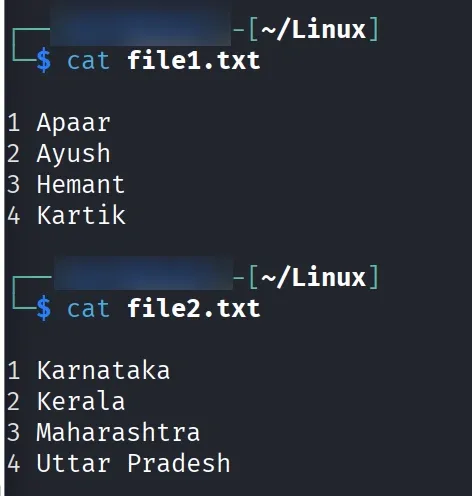
Let’s assume we have two text files, file1.txt and file2.txt, and we want to merge their contents based on a common field using the join command. Displaying the contents of first file:
**Commands:
**cat file1.txt
Displaying contents of second file:
**cat file2.txt
**Output:
Now, we use the join command to combine the contents of these two files and display the output as a single merged file.Using join command:
**join file1.txt file2.txt
**Output:
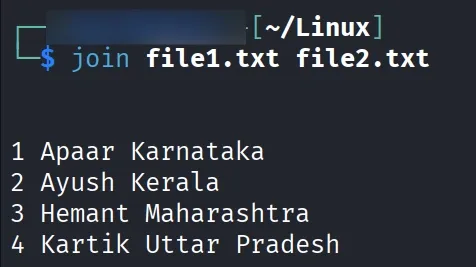
- By default join command takes the first column as the key to join as in the above case.
- So, the output contains the key followed by all the matching columns from the first file 'file1.txt', followed by all the columns of second file 'file2.txt'.
- Now, if we wanted to create a new file with the joined contents, we could use the following command:
****$join file1.txt file2.txt > newjoinfile.txt**
**Output:
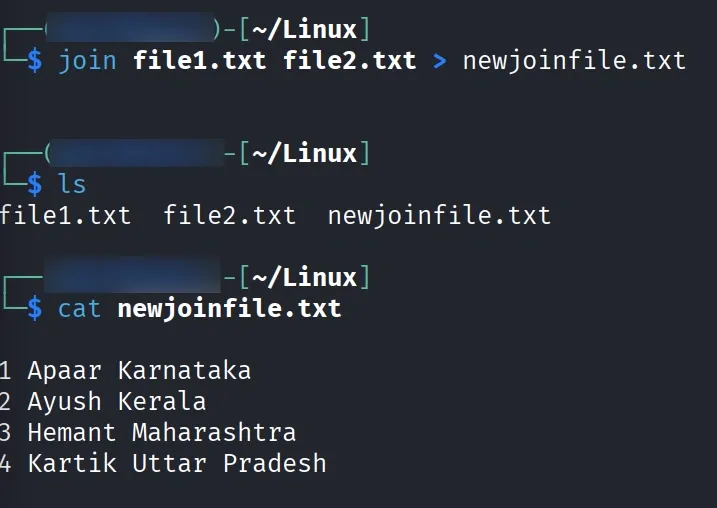
This will direct the output of joined files into a new file '**newjoinfile.txt' containing the same output as the example above.
Options of join Command in Linux & Examples
The join command combines lines from two files based on a common field (key). By default, it uses the first field in both files to match.
join [OPTION]... FILE1 FILE2
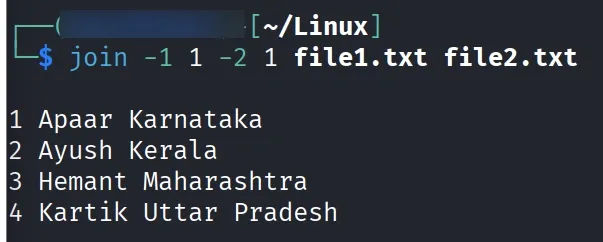
1. -1 and -2: Specify Join Fields
- By default,
joinuses the first field (column). - You can specify which column to join on using
-1for file1 and-2for file2.
**Command:
join -1 1 -2 1 file1.txt file2.txt
**Output:
2. -t: Specify a Delimiter
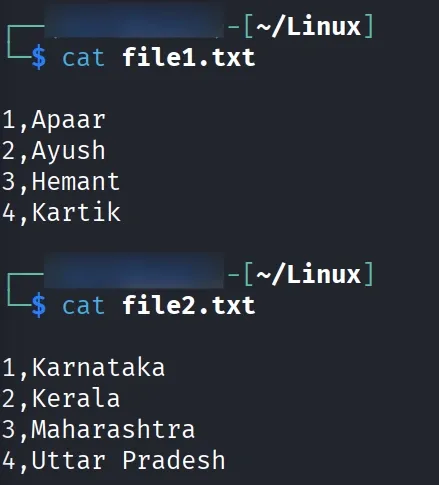
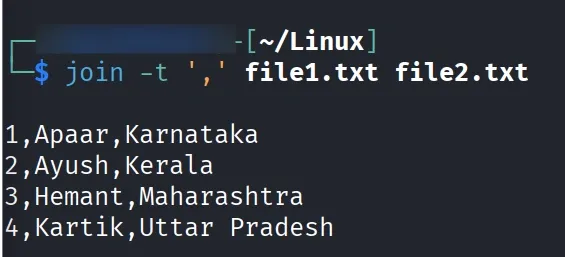
- If your fields are separated by something other than spaces (like commas or colons), use
-t.
**Example:
**cat file1.txt
**cat file2.txt
**Command:
join -t ',' file1.txt file2.txt
**Output:
3. -a: Include Unpairable Lines (from both files)
- By default,
joinshows only lines that match in both files. - Use
-a 1or-a 2to include lines that don’t have a match in file1 or file2.
**Example:
**cat file1.txt && cat file2.txt
**Output:
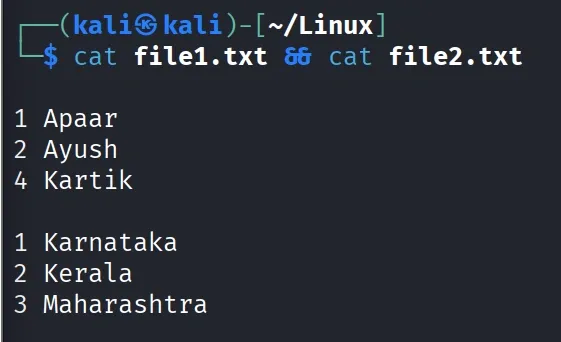
**Command:
**join -a 1 file1.txt file2.txt
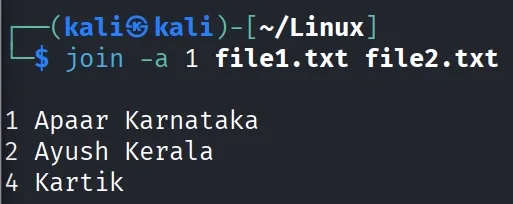
4. -v: Show Only Unmatched Lines
Use -v 1 or -v 2 to display only lines not matching from a particular file.
join -v 2 file1.txt file2.txt
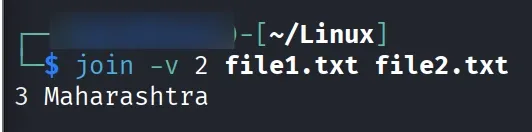
5. -o: Select Specific Output Fields
This option lets you control which fields are displayed in the output.
**Example:
**join -o 1.2,2.2 file1.txt file2.txt
**Output:
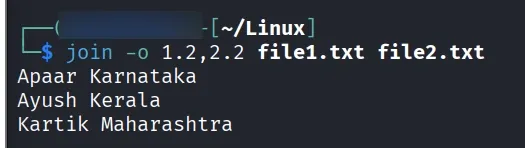
6. -i: Ignore Case While Matching
Makes matching case-insensitive.
**Example:
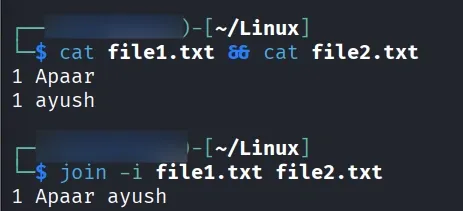
If two files, file1.txt and file2.txt, contain entries with case-sensitive text, the -i option in the join command can be used to merge them while ignoring case differences.
**Command:
**cat file1.txt && cat file2.txt
**join -i file1.txt file2.txt