Logging and Monitoring Commands in Linux (original) (raw)
Last Updated : 7 Jan, 2026
Logging and monitoring commands in Linux are used to track system activity, view logs, monitor performance, and record user actions. These commands help system administrators analyze system behavior, troubleshoot issues, audit user activity, and maintain overall system health.
Logging and monitoring commands are mainly used to:
- View system and service logs
- Track user login history and command usage
- Monitor system performance and resource usage
- Record and replay terminal sessions for auditing
Below are the commonly used Logging and Monitoring Commands in Linux
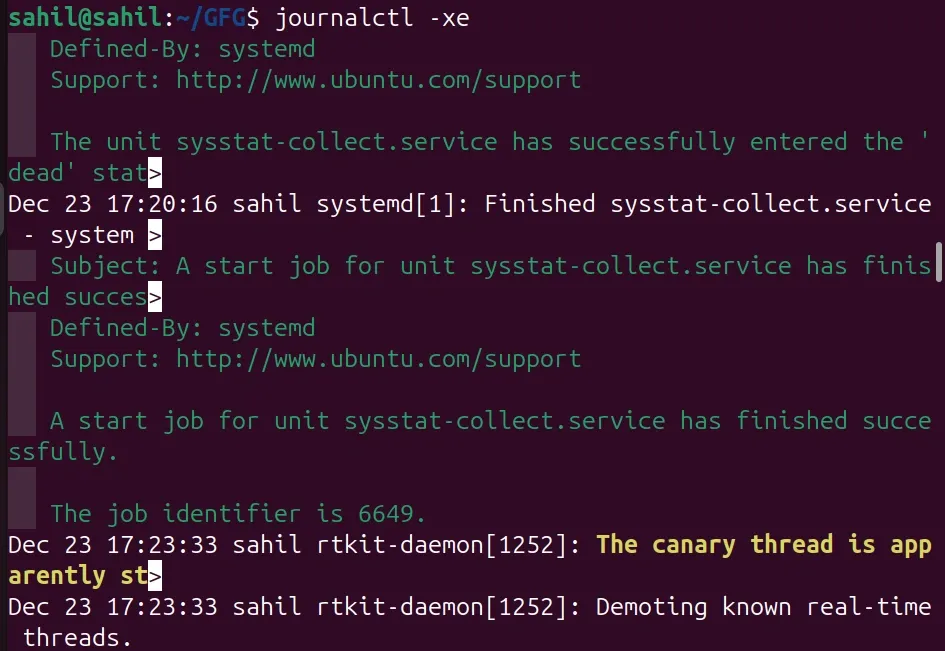
1. journalctl
The journalctl command is used to view logs collected by the systemd journal.
- Displays system and service logs
- Helps troubleshoot boot and service issues
- Supports filtering by time and service
**Syntax:
journalctl
**Example:
journalctl -xe
- This shows detailed error logs and recent system messages.
2. last
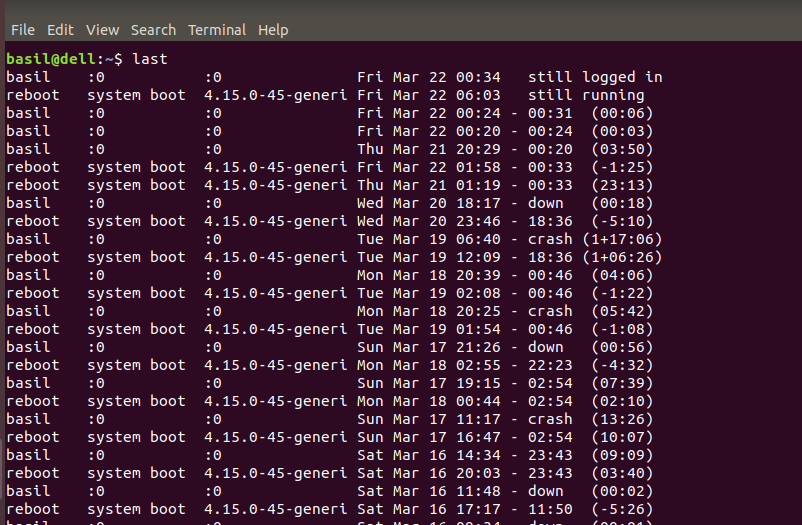
The last command displays the login and logout history of users.
- Shows user login sessions
- Useful for auditing access
- Reads data from /var/log/wtmp
**Syntax:
last
**Example:
last
- This displays a list of users who have logged into the system.
3. history
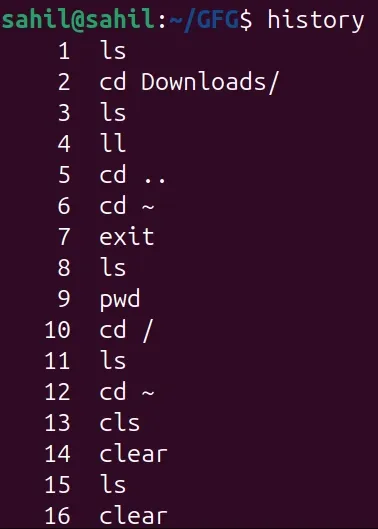
The history command shows previously executed commands by the user.
- Helps recall past commands
- Useful for auditing user activity
- Saves command history per user
**Syntax:
history
**Example:
history
- This lists all commands executed in the current shell session.
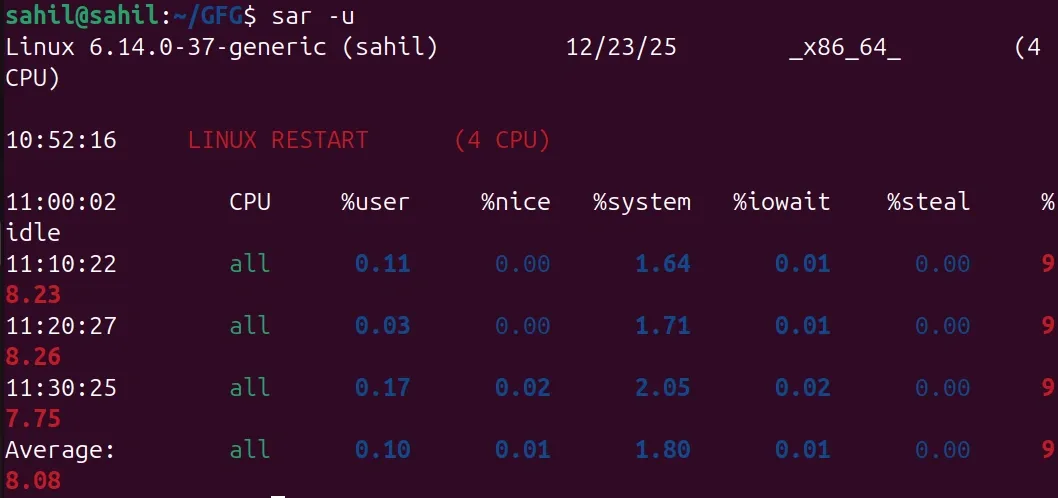
4. sar
The sar command collects and reports system performance statistics.
- Monitors CPU, memory, and I/O usage
- Useful for performance analysis
- Part of the sysstat package
**Syntax:
sar
**Example:
sar -u
- This displays CPU usage statistics.
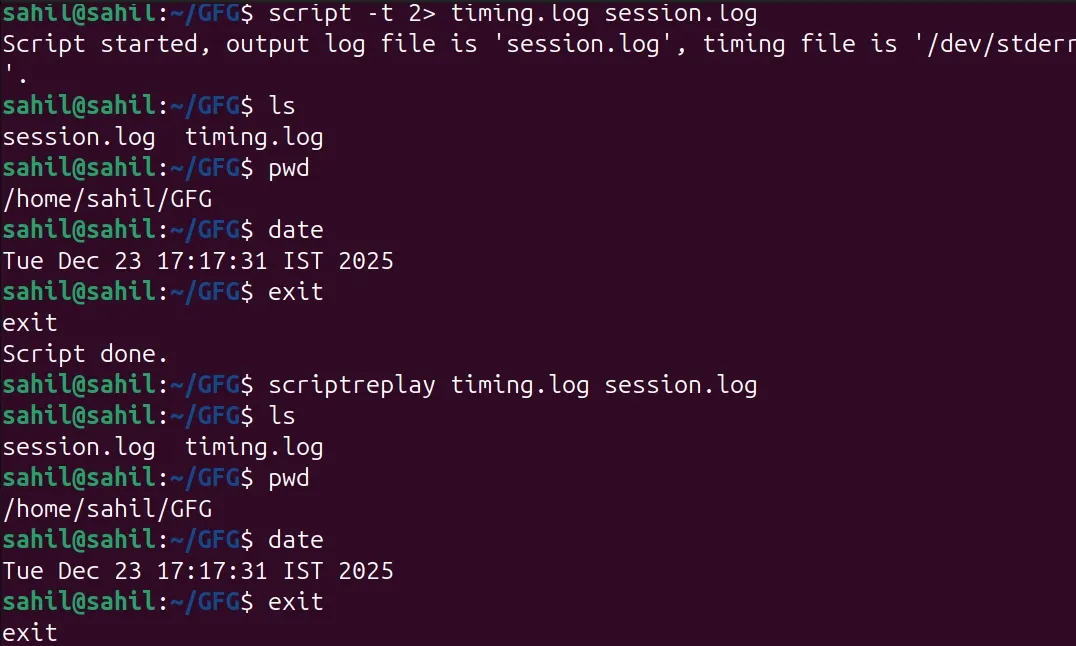
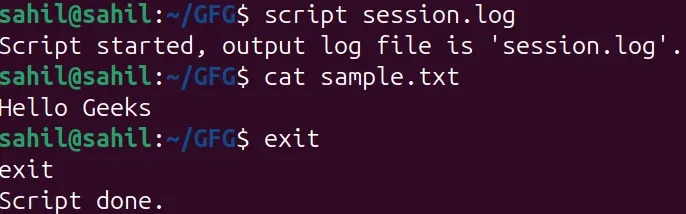
5. script
The script command records all terminal activity in a file.
- Logs user commands and output
- Useful for auditing and training
- Creates a session log
**Syntax:
script filename
**Example:
script session.log
- This records the terminal session into session.log.
6. scriptreplay
The scriptreplay command replays a terminal session recorded using the script command.
- Replays recorded terminal activity
- Useful for demonstrations and audits
- Works with script timing files
**Syntax:
scriptreplay timing_file script_file
**Example:
scriptreplay timing.log session.log
- This replays the previously recorded terminal session.