Medusa Tool (original) (raw)
Last Updated : 20 Sep, 2025
Medusa is a command-line, open-source, and highly parallel login brute-forcing tool used in penetration testing and security assessments. Its main goal is to test large numbers of usernames and passwords against various remote authentication services quickly and efficiently. Unlike single-threaded tools, Medusa is parallelized, meaning it can attempt multiple logins simultaneously, which makes it extremely fast.
Importance of Medusa
Medusa is a powerful penetration testing tool for uncovering weak authentication mechanisms across a wide range of protocols. It supports a modular architecture, allowing testers to use different modules for specific services such as SSH, FTP, HTTP, Telnet, RDP, MySQL, and SMTP.
This flexibility makes it suitable for auditing different network services. Medusa is often used in dictionary attacks, brute-force attacks, or credential-stuffing scenarios to identify weak or reused passwords in a system.
**Installation
Medusa tool is used to brute-force credentials in as many protocols as possible, which eventually leads to remote code execution. It currently has over 21 modules. Kali Linux comes with pre-installed Medusa. If you don’t have the Medusa tool installed in your system.
Simply run the following command on your terminal using the apt package manager to install the Medusa tool.
sudo apt-get install medusa
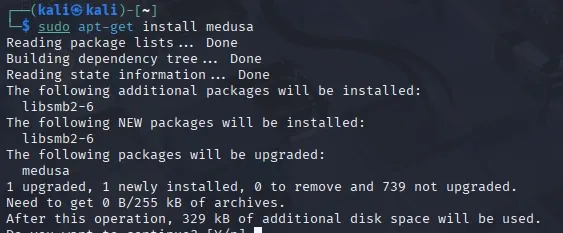
Medusa
**Brute Force Attack using Medusa :
We are going to crack the password of SSH service in this Brute Force Attack using Medusa.
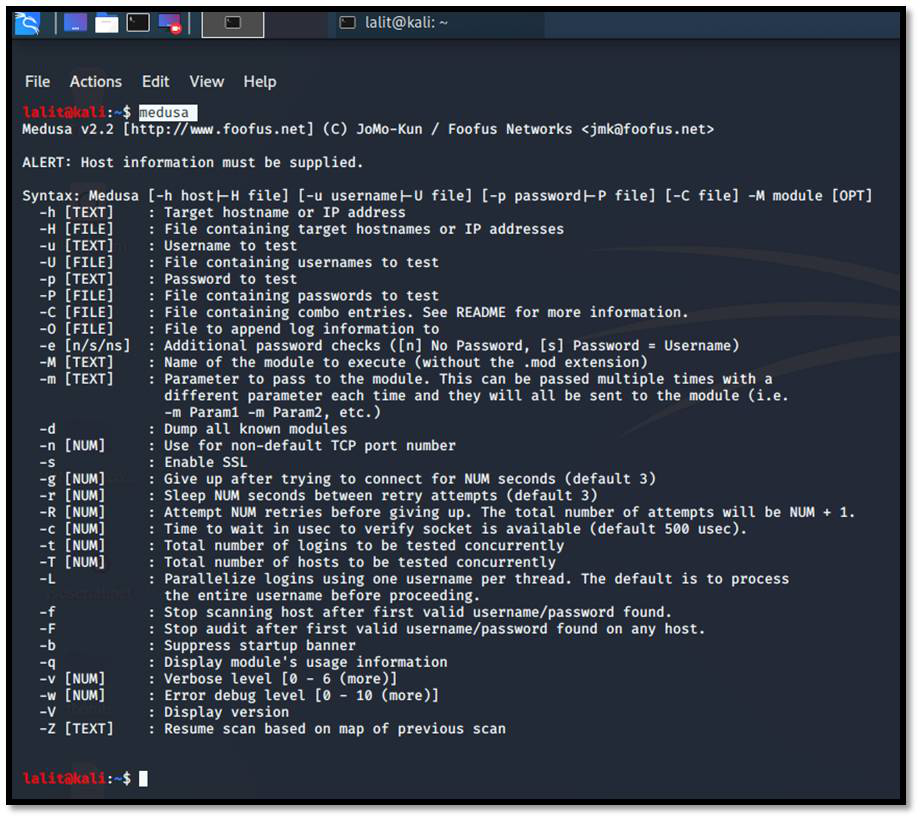
**Step 1: To run medusa in your system simply type medusa in the terminal.
medusa
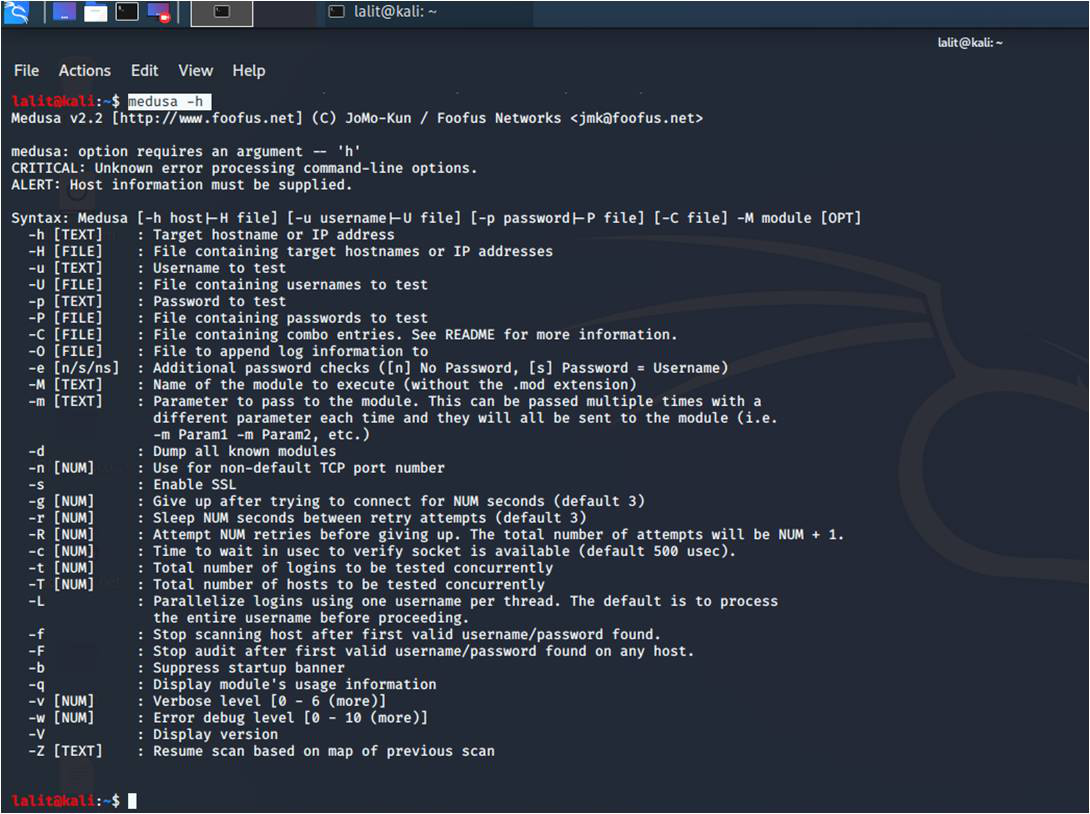
**Step 2: If you need help regarding Medusa Tool. Simply, type medusa -h in the terminal.
medusa -h
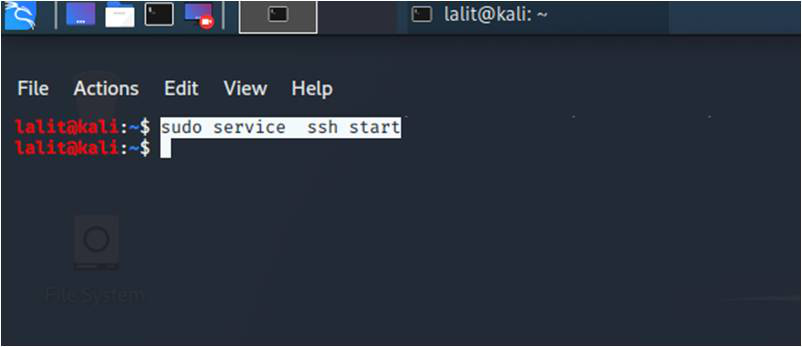
**Step 3: To avoid ssh connection error first start the ssh services with the below command.
sudo service ssh start
**Step 4: To crack the Password for ssh service, type the below command
medusa -h 10.0.2.15 -u lalit -P /home/lalit/Desktop/Password_List.txt -M ssh -n 22
In the above command :
- medusa - to execute the medusa tool
- -h - is used to specify the Target Host or IP address
- -u - It means username to test
- -P - we can use -p to test a single password or -P to use a text file containing a lot of Passwords for Brute Force Attack
- -M - It means the name of the module to execute, I am using ssh here.
- -n - It means the port number
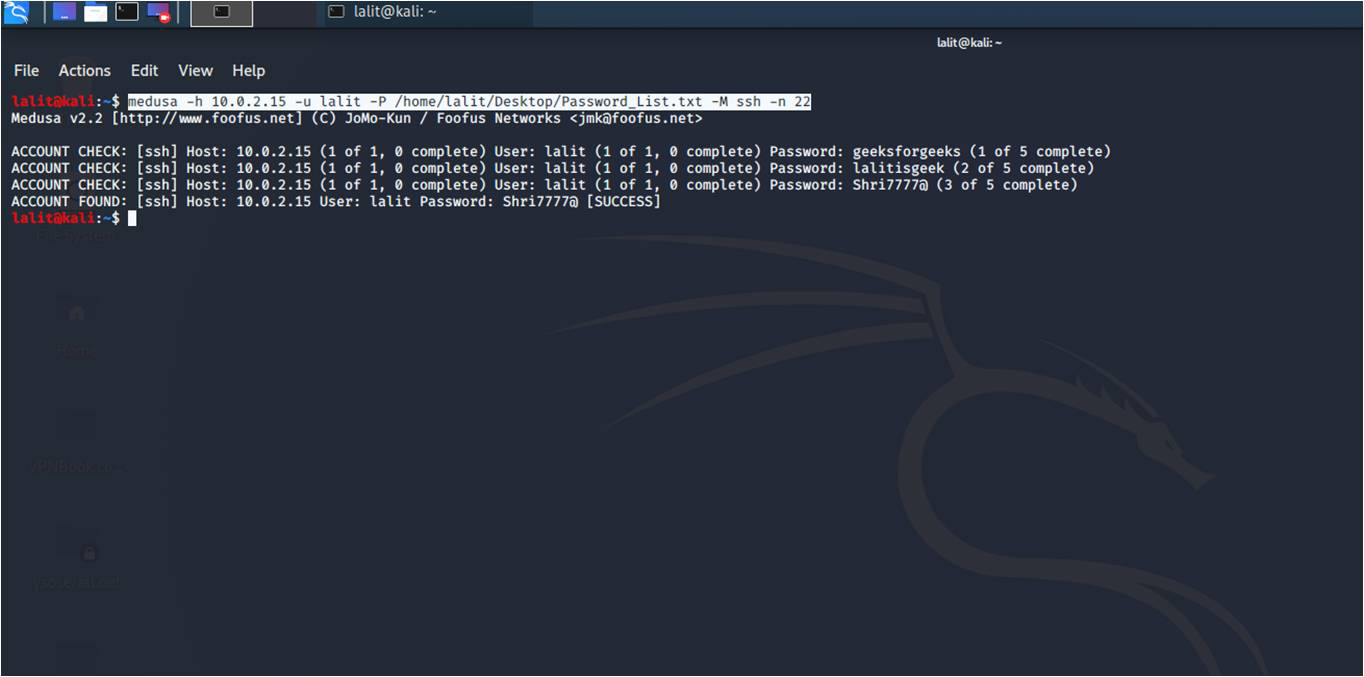
After the complete execution of the above command. You can see the Success keyword with the Right Password.